


Most website builders in 2026 ship an AI agent that writes pages and fills the CMS, so the demos a SaaS marketing team sits through look alike. What separates them is underneath, in the parts of the site a team runs without waiting on engineering: the sitemap, the redirects, robots.txt, the language tags and the address the blog lives at.
We are Empact Partners, a consultancy that builds go-to-market from inside B2B software companies, and our SEO work covers every place a buyer searches, AI answers included. It opens with a site audit built on four checks:
On 28 October 2026 we read eight builders’ documentation and live pricing, and what their users say on Reddit and G2. We judged each one on its main features, how easy it is for a marketing team, what its users report, how its AI is built, and what it does on its own for a site that has to rank. Six made the list.
| Builder | Best for | Starts at, billed yearly |
|---|---|---|
| Webflow | A marketing team that owns the whole site | $25/mo with a CMS |
| Framer | A design-led team that ships fast | $10/mo |
| WordPress | A team with a developer and a big blog | Free, plus hosting |
| HubSpot Content Hub | A team already on HubSpot’s CRM | $7/mo per seat |
| Wix Studio | A site an outside designer hands over | $19/mo |
| Ghost | A publication with a newsletter | $15/mo |

.png)
1. Webflow
Best for: a marketing team that wants to own the design, the CMS and the search settings, with no developer in the queue.
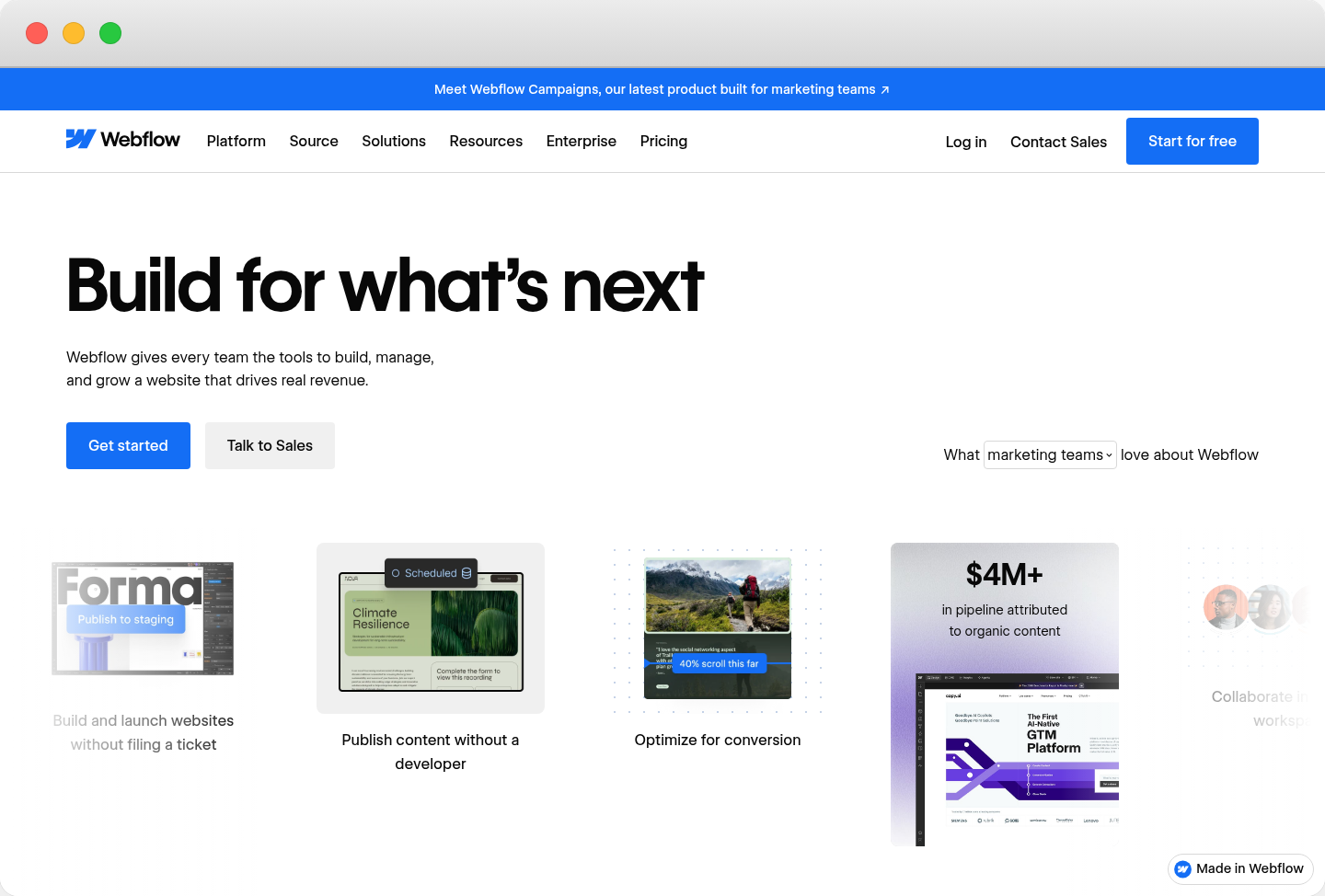
Webflow is a visual site builder with a CMS and hosting built in, bought by marketing teams that want to change their own site without filing a ticket. This blog, the Empact Zone, runs on it. Each collection, such as the blog, renders through one template whose title, meta description and schema pull from each item’s fields.
Nearly all of the search plumbing is native and sits in settings a marketer can reach. The sitemap, robots.txt, canonical tags, schema and 301 redirects need no plugin, and the Localize add-on handles language versions.
Webflow’s bill grows with the site. A blog needs Premium, and seats and languages are billed on top. There is no IndexNow, the protocol that tells Bing a page changed, and a CSV redirect import wipes the ones already there. On our own site, a CMS item published alone through the API goes live at once but reaches sitemap.xml only at the next full publish.
Pricing
Pros and cons
The SEO basics, out of the box
How its AI works
What Reddit and G2 reviewers say
G2 rating: 4.4 out of 5 from 996 reviews, read 28 October 2026.
“We had chosen Webflow partly on the promise that its SEO capability would be on par with WordPress. For a marketing site of ordinary size, it is.” — r/webflow, Aug 2026
“The fact that we’re on a legacy plan kept us around, but now to get the same level of bandwidth, we’re upping a hosting bill by almost $800/year.” — r/webflow, May 2026
“Webflow can feel less intuitive when dealing with custom code, redirects, integrations, or more advanced technical settings.” — Founder, small business, G2, May 2026
Standout feature: Schema markup
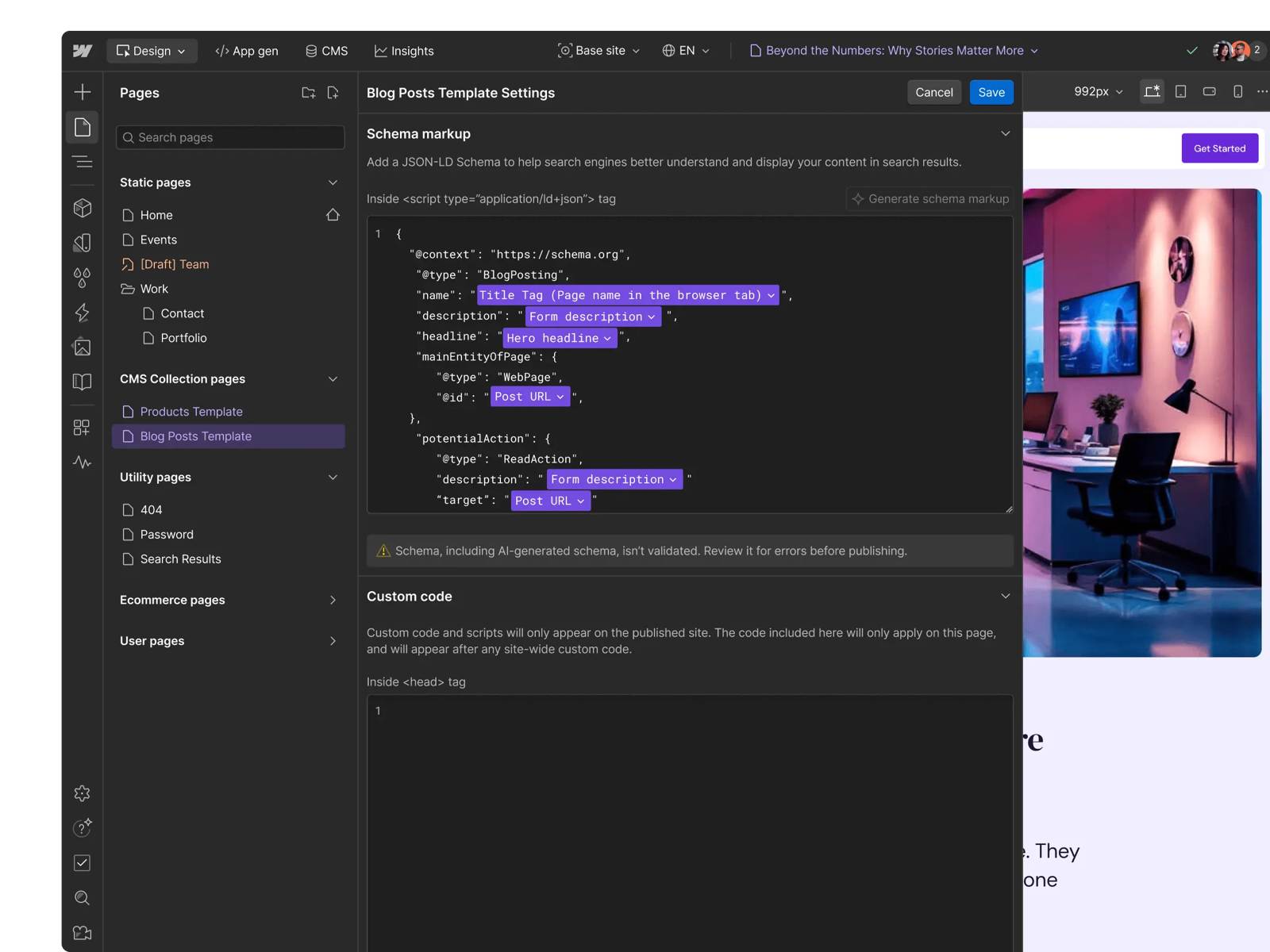
Every page template, CMS templates included, has a Schema markup field whose JSON-LD can pull from each item’s fields, so every post ships its own article markup with no plugin. Webflow AI writes a first draft of it. Webflow’s own note under the field warns that generated schema isn’t validated, so someone has to check it before it goes live.
Verdict: the builder for a marketing team that wants design, content and search settings in one place and can carry seat and add-on costs as the site grows. Skip it on a budget fixed at the cheapest plan. On a Webflow site, the check we run first is the sitemap, because a CMS item published alone can be live and still missing from it.
2. Framer
Best for: a design-led team that wants a polished site live fastest, with an agent doing the first pass.
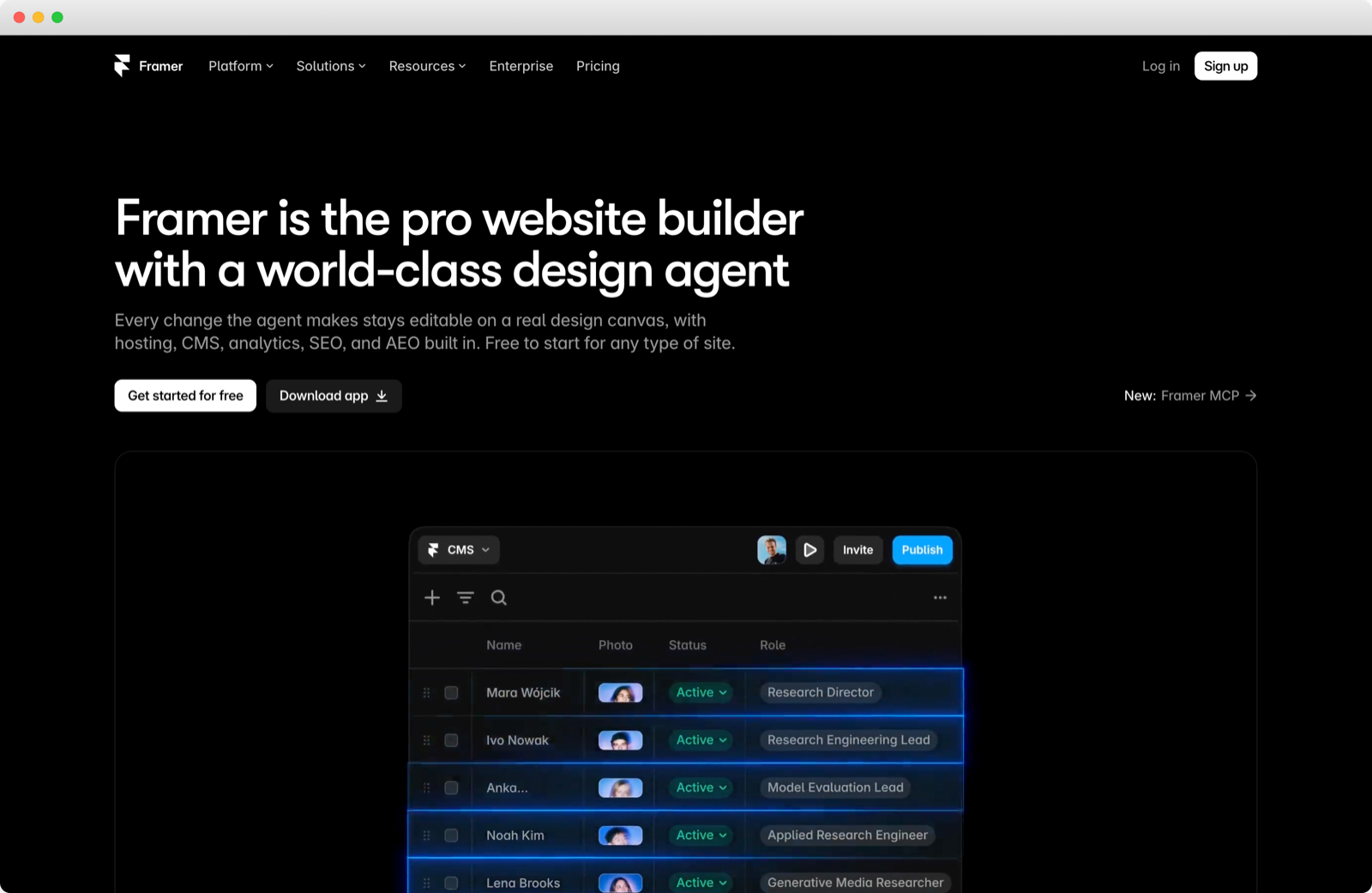
Framer is a canvas-first site builder with hosting, a CMS, localization and an AI agent in one product, bought by design-led teams and early-stage SaaS companies whose site is product pages and a launch blog. It pre-renders every page to HTML, so a crawler that skips JavaScript still reads the whole text.
The basics need no setup, since Framer writes the sitemap, robots.txt and the language tags for you. It goes a step further for AI search: when an AI agent asks for Markdown, Framer answers with a Markdown copy of the page at the same address.
Basic is where Framer’s gaps show. At $10 a month it has no redirects, no custom robots.txt and room for only 30 pages and 1,000 CMS items, all of which Pro fixes at $30. Hreflang can’t be edited, structured data is hand-written custom code, and there is no IndexNow. The pricing page shows yearly prices only.
Pricing
Pros and cons
The SEO basics, out of the box
How its AI works
What Reddit and G2 reviewers say
G2 rating: 4.5 out of 5 from 146 reviews, read 28 October 2026.
“I can build everything the agent can build for me, but some things like really complicated CMS setups are tedious and time consuming, so I’d rather let the agent get stuff setup and then I can finish it off.” — r/framer, Oct 2026
“Both don’t work for our case because we need proper, crawlable pagination URLs” — r/framer, Feb 2026
“Framer’s pricing seems to scale quite quickly and is somewhat unclear.” — Chief Marketing Officer, G2, Jun 2026
Standout feature: Branches
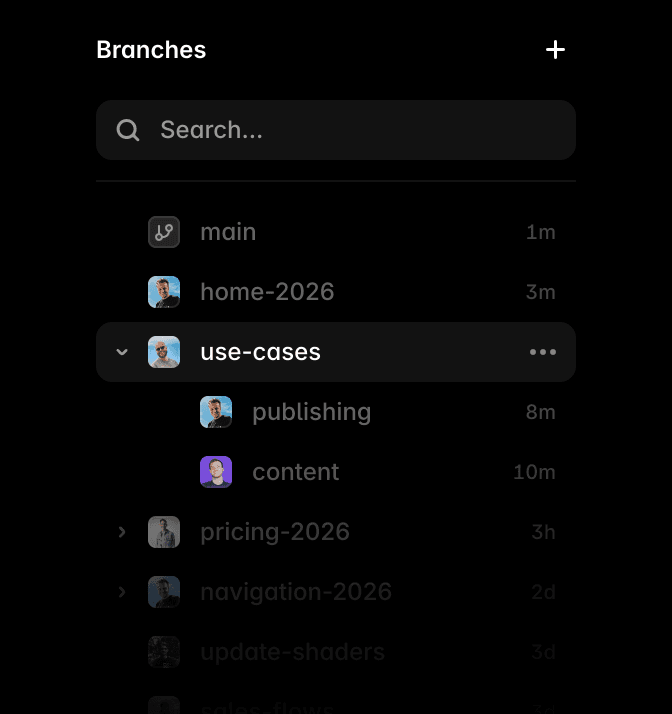
A branch is a copy of the site where the agent, or a teammate, works without touching what is live. Each branch has its own preview and holds the agent’s changes for review, so an AI rewrite of the pricing page waits for a person. It is a Pro feature, and the one we would turn on before any agent touches a site that already ranks.
Verdict: the builder for a design-led team that wants a polished site live this month and will stay under a few hundred pages, on Pro from day one. Skip it if the blog is the growth engine and will pass a few thousand posts. On a Framer site, the check we run first is redirects, because the Basic plan has nowhere to put one.
3. WordPress
Best for: a team with a developer that wants to own the code and every control, and will run a plugin for each.
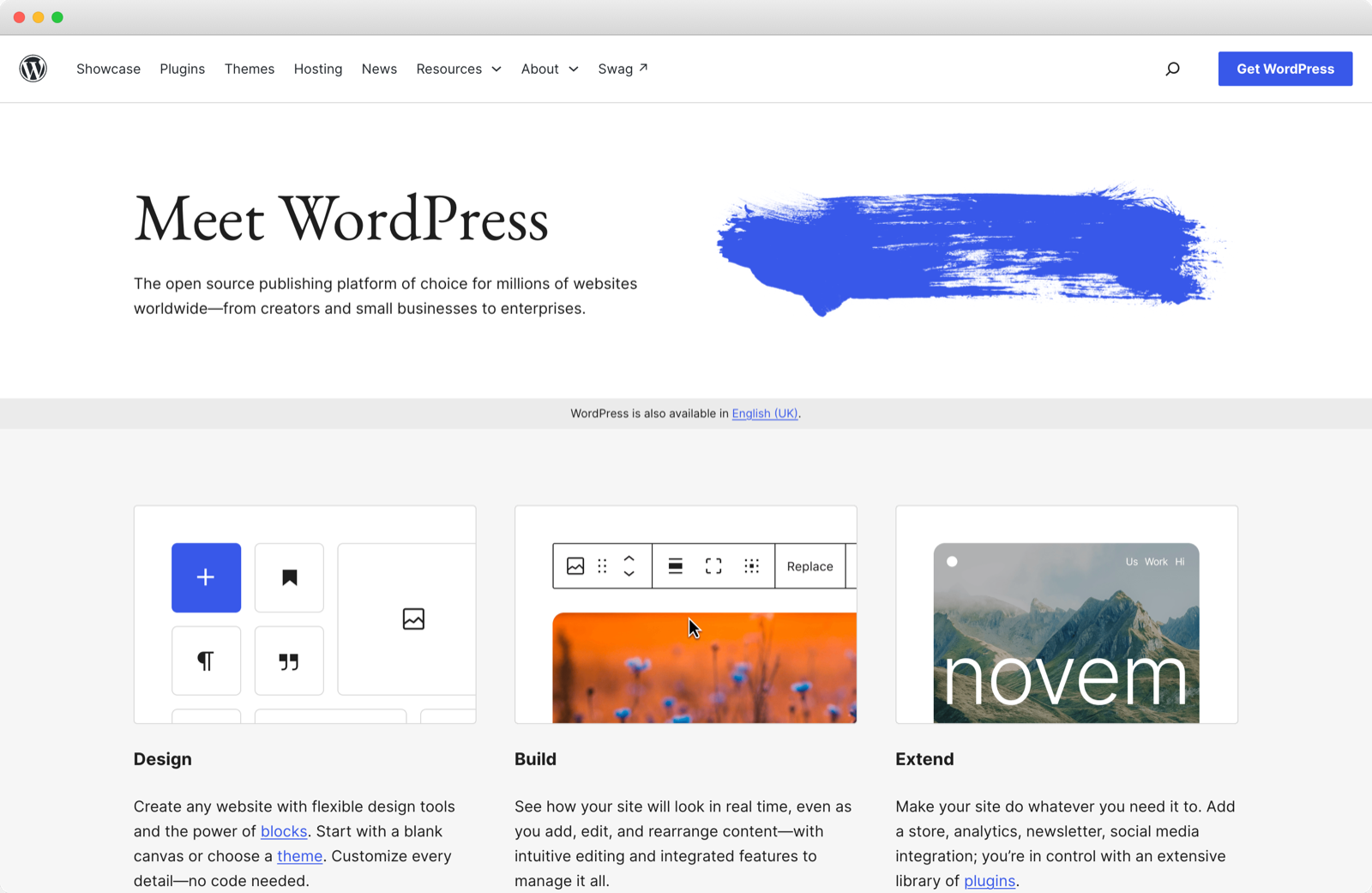
WordPress is the open-source CMS that SaaS teams run on their own hosting, or on WordPress.com, the hosted version. Teams with a developer choose it because nothing about the site is rented: the code, the content and the host are theirs to keep or move.
Core does less for search than people expect: a basic sitemap, a robots.txt you change in code, no redirects for renamed pages and no language tags. Plugins close every gap, from free regex redirects to IndexNow, an llms.txt and hreflang.
The cost is that one site becomes five or six products. Users describe core, theme, plugin, PHP and database updates colliding, and some drop their SEO plugin over upsells and AI features they never asked for. On WordPress.com, Jetpack’s SEO fields start on Premium, and the sitemap lists only the 1,000 most recently updated posts.
Pricing
Pros and cons
The SEO basics, out of the box
How its AI works
What Reddit and G2 reviewers say
G2 rating: 4.4 out of 5 from 9,551 reviews for WordPress.org, read 28 October 2026.
“Build your sass in whatever stack works for you, but for the marketing front end, there is nothing better with remotely comparable ecosystem.” — r/SaaS, Nov 2024
“GTranslate (paid) adds every language regardless of what languages are selected in the options. For the site we have not active on this resulted in 8460 urls generated from 100 pages and 180 posts.” — r/Wordpress, Dec 2025
“We can move our site anywhere, change hosting providers, export everything, and customize the backend in the way we want.” — Software Engineer, enterprise, G2, May 2026
Standout feature: Plugins
The Plugins screen is where every gap in core gets closed, and every plugin added there is one more thing to update. Decide the automatic-updates column on the right one plugin at a time, before a conflict between updates decides it for you.
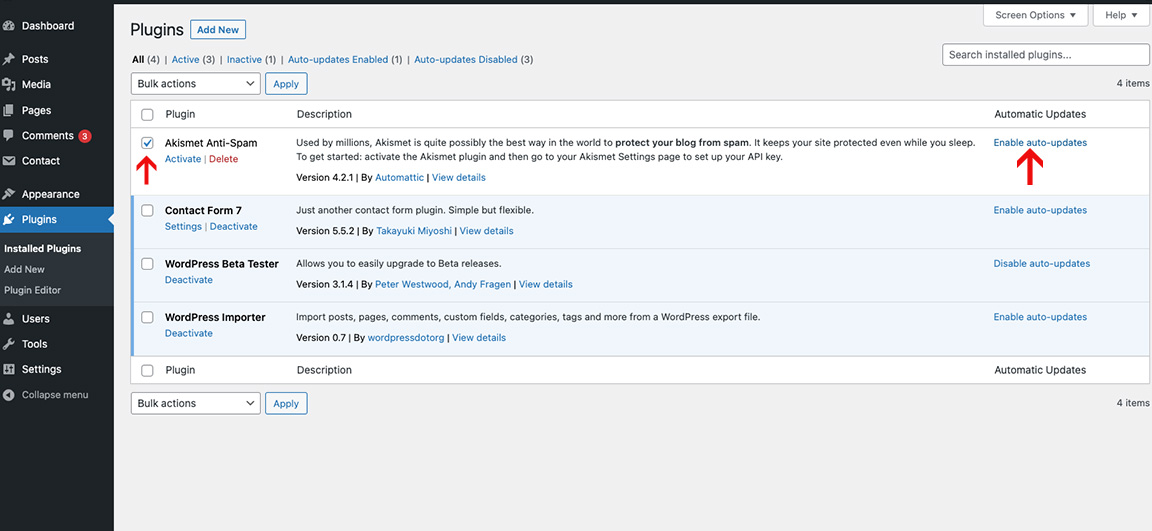
Verdict: the platform for a SaaS team with a developer on staff and a blog that drives growth, staying put for years. Skip it if nobody will own updates. On a WordPress site, the check we run first is redirects, because core forwards a renamed post but not a renamed page, and nothing warns anyone.
4. HubSpot Content Hub
Best for: a team already running HubSpot that wants its pages, blog and CRM records in one system.

Content Hub is HubSpot’s CMS: website pages, a blog, landing pages and hosting on the same platform as the CRM, the forms and the email. It is bought by marketing teams already on HubSpot that want a visit, a form fill and a deal to sit in one record.
HubSpot runs the search basics from settings. The sitemap builds itself, robots.txt is editable per domain, 301 redirects take wildcard patterns from Starter, and translated pages get language tags, for up to 50 languages on Starter.
The catch is the step from Starter to Professional. Starter stops at 30 website pages, and Professional starts at $450 a month. Search Console sync and smart content both need Professional. There is also no IndexNow, an llms.txt can’t go at the domain root, and landing pages stay out of the sitemap until someone adds them.
Pricing
Pros and cons
The SEO basics, out of the box
How its AI works
What Reddit and G2 reviewers say
G2 rating: 4.5 out of 5 from 2,206 reviews, read 28 October 2026.
“I just built a sample HubSpot website for proof of concept from a template. It was easier than WordPress.” — r/hubspot, Jun 2025
“The HubSpot CMS page builder and template tools are really, really not good. Huge step down compared to Wordpress and Elementor.” — r/hubspot, Dec 2025
“price jumps hard once you need the good stuff. started on the basic plan and within 6 months had to upgrade twice just to get features that should probably be included.” — Senior Marketing Executive, small business, G2, Aug 2026
Standout feature: Smart content
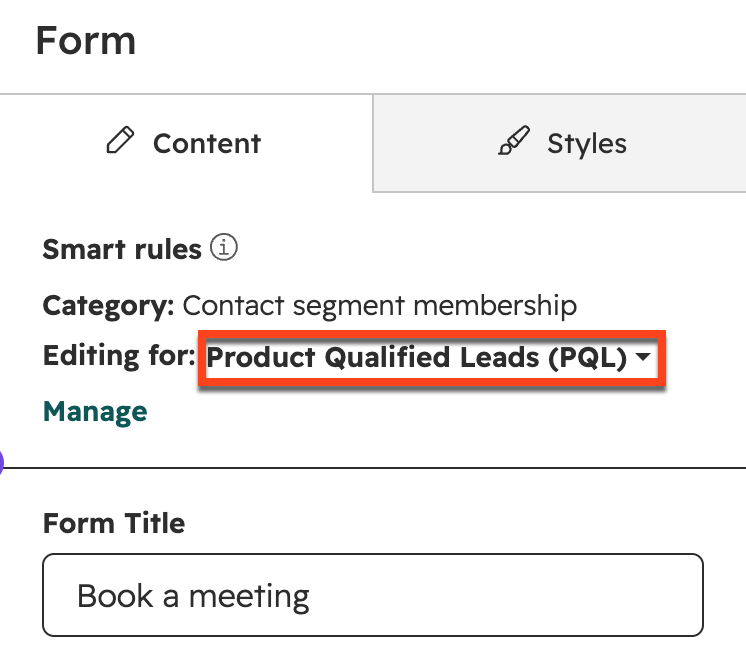
Smart content swaps a section, a form or a call to action by what the CRM knows about the visitor: lifecycle stage, list, country, device or source. HubSpot’s own screen edits a form for a segment called Product Qualified Leads, and showing that segment a different form is the job a SaaS site gets asked to do. It needs Professional.
Verdict: the CMS for a SaaS team already on HubSpot that wants page, form and deal in one record, with budget for Professional from the start. Skip it on Starter past 30 pages, or if only the blog would move. On a HubSpot site, the check we run first is the sitemap, because landing pages stay out of it until somebody adds them.
5. Wix Studio
Best for: a site an outside designer builds and hands over, where the search basics run without anyone touching them.
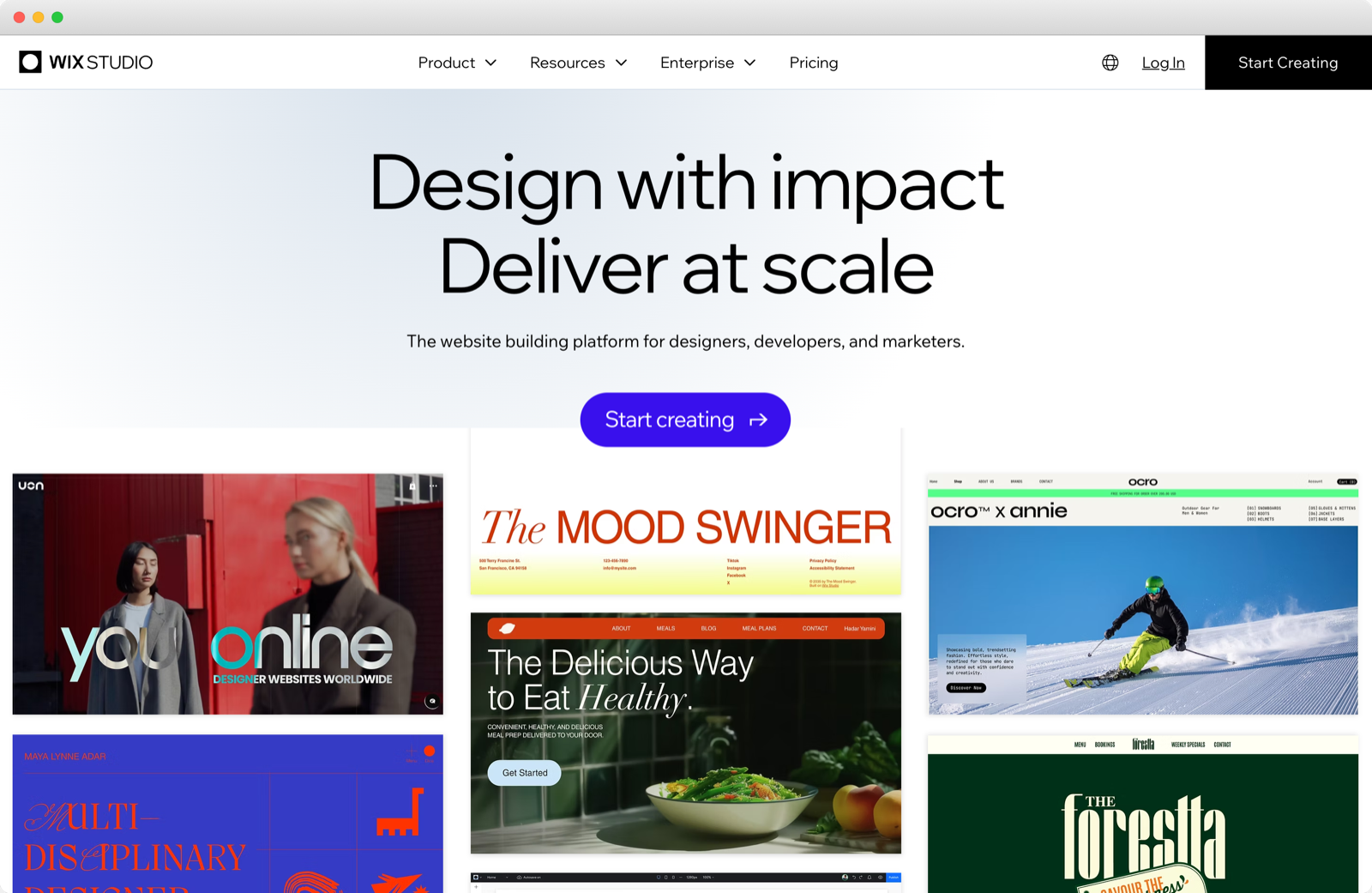
Wix Studio is Wix’s builder for designers and design studios, with a responsive canvas, a CMS and Wix’s business apps, priced plan by plan for each site. A SaaS team usually meets it when an outside designer builds the site and hands it to marketing.
Wix Studio runs more of the plumbing on its own than people give it credit for. Once Search Console is connected, Wix submits the sitemap. On any Premium plan it tells Bing about every change through IndexNow and keeps an llms.txt up to date, and translated pages get language tags plus an x-default for visitors with no matching version.
Against it are speed, a heavy editor and the way out. Users report Studio sites taking three seconds or more to load, and an editor that eats memory. Blog posts default to a /post/ address, and changing it costs you Wix’s blog analytics. Redirects take no regex, and users moving a blog off Wix describe rebuilding it, with no clean export.
Pricing
Pros and cons
The SEO basics, out of the box
How its AI works
What Reddit and G2 reviewers say
G2 rating: 4.6 out of 5 from 85 reviews, read 28 October 2026.
“SEO and AEO are only as good as their implementation. The platform has no real issue.” — r/WIX, Feb 2026
“Editor X websites were/are slow as hell. Same with Studio sites (please navigate a store or a blog and tell me otherwise). Taking 3+ seconds to load pages is unacceptable.” — r/WIX, Aug 2026
“The Wix Studio editor in particular can lag out sometimes and I have to close out of the program and open it back up.” — CEO, small business, G2, Jul 2026
Standout feature: Site Inspection
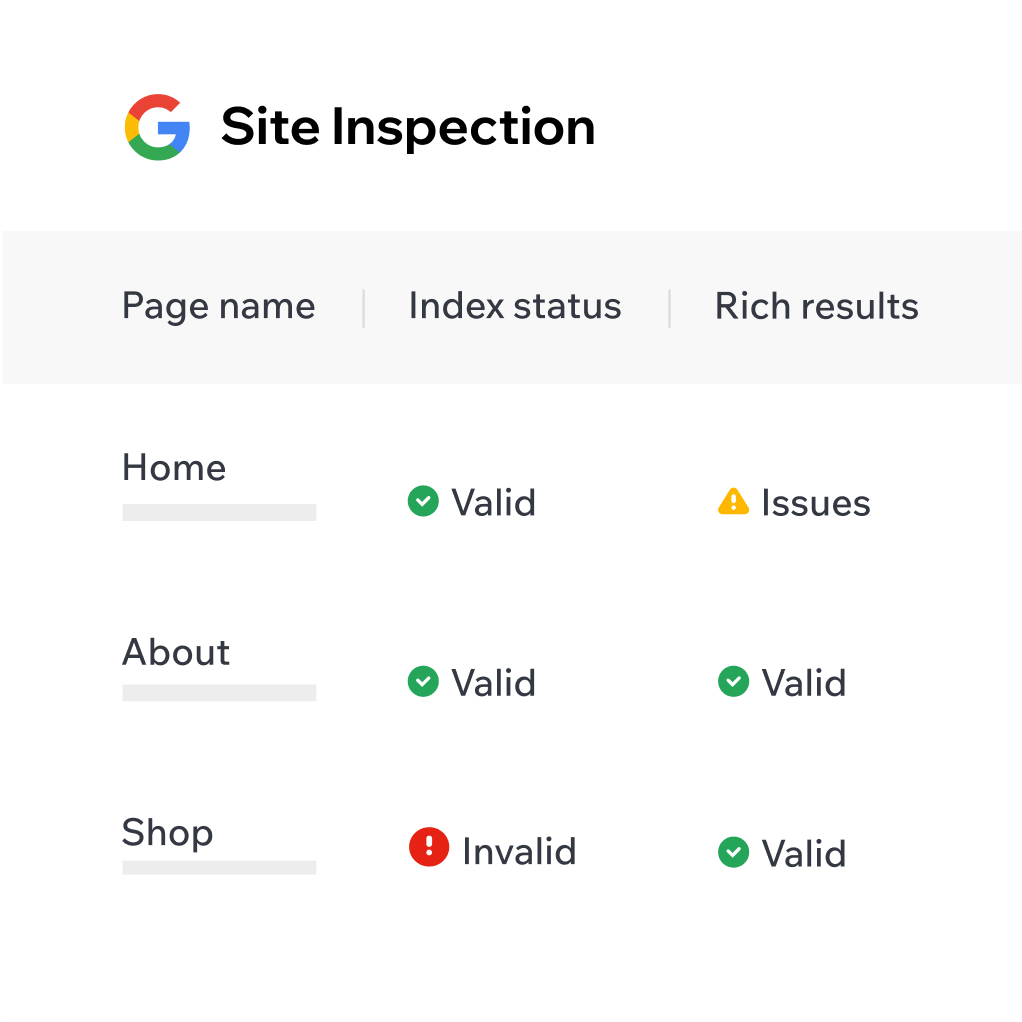
Site Inspection brings each page’s status in Google’s index into the Wix dashboard, valid, warning, excluded or invalid, with rich-result issues beside it. That puts the first of our four audit checks where the marketer already works. It reports the version Google last indexed, rather than the live page.
Verdict: the builder for a site an outside designer builds and marketing runs, where nobody will touch a search setting. Skip it if page speed is already a complaint, or if you may change platforms within two years. On a Wix site, the check we run first is redirects, because a blog left on /post/ needs every post redirected the day it moves.
6. Ghost
Best for: a SaaS company whose marketing runs on a publication and a newsletter.
Ghost is an open-source publishing platform with posts, newsletters, memberships and paid subscriptions in one product, run on Ghost(Pro) or on your own server. SaaS teams pick it when the publication is the marketing: a founder’s newsletter, an industry report, a blog that has to grow subscribers.
For a blog, the plumbing is native, from the sitemap and canonical tags to structured data on every post and an IndexNow ping on publish. Since July 2026 one switch also publishes an llms.txt and a Markdown copy of each public post.
Everything a marketing site needs beside the blog is harder. Ghost has no hreflang and recommends one install per language. Robots.txt changes only through a theme file, which the $15 Starter plan can’t upload, and redirects live in a single uploaded file. Putting the blog at /blog/ on Ghost(Pro) takes the $199 Business plan, a $50 add-on and your own proxy.
Pricing
Pros and cons
The SEO basics, out of the box
How its AI works
What Reddit and G2 reviewers say
G2 rating: 4.0 out of 5 from 40 reviews, read 28 October 2026.
“Ghost is SO MUCH easier to deal with than WP. Night and day.” — r/Ghost, Feb 2026
“I have about 800 blog posts, and a couple dozen pages. It makes no difference it seems, and my page speed is great.” — r/Ghost, Sep 2025
“Absolutely no plugins, no developers working on making it better. I’ve used Wordpress before and how much would I pay to just go back to it.” — Verified user, computer software, G2, Jun 2022
Standout feature: llms.txt and Markdown copies
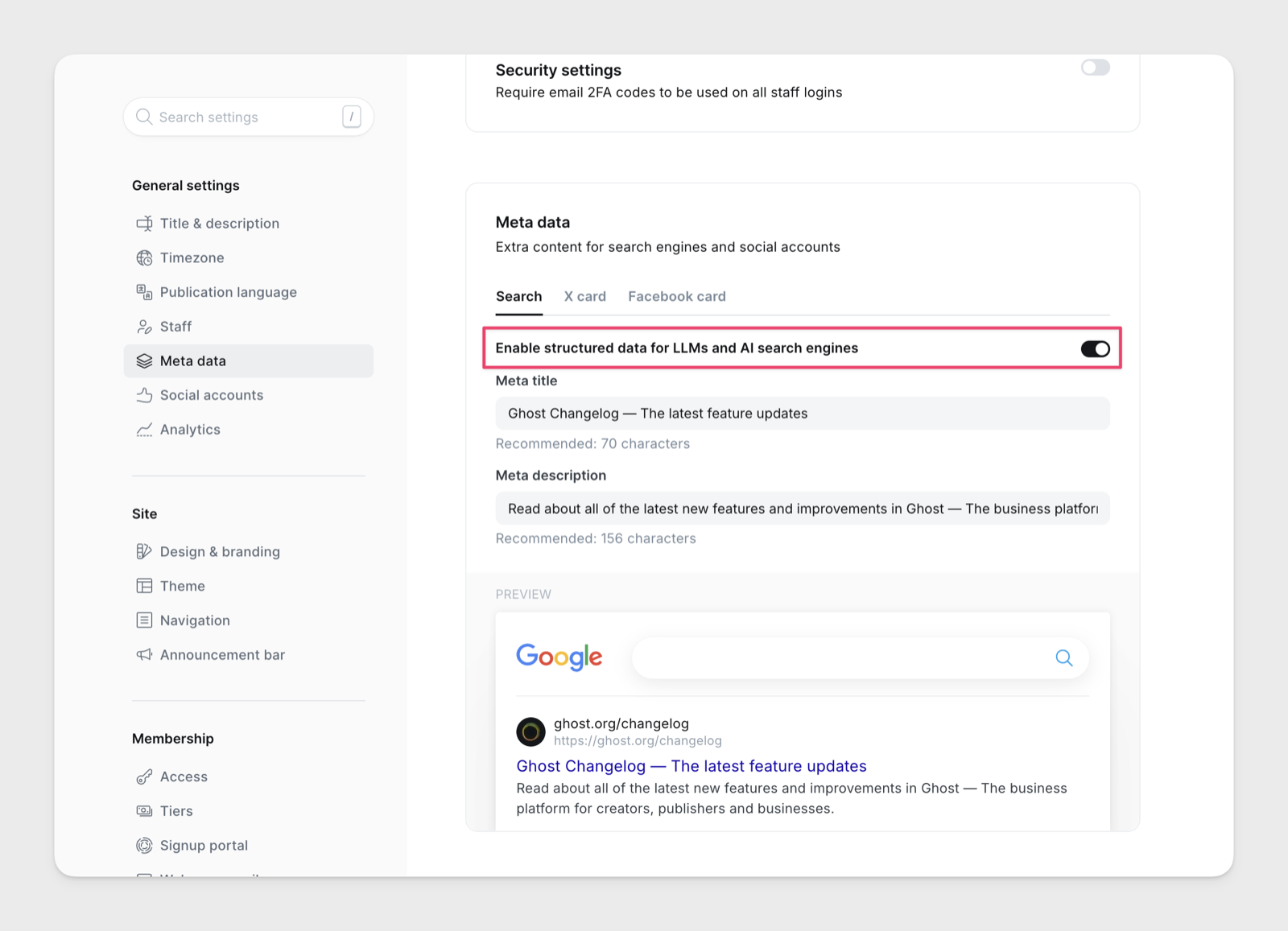
Ghost calls these its built-in GEO tools, for generative engine optimization. One switch, under Settings and then Meta data, publishes an llms.txt at the root and serves a Markdown copy of any public post when .md is added to the end of its address. Framer does the same for its pages. Webflow takes an llms.txt you upload, with no Markdown copies.
Verdict: the platform for a SaaS company whose marketing is a publication, run as its own site. Skip it for a site of product pages, pricing and several languages, which it was not built to carry. On a Ghost site, the check we run first is redirects, because the whole map lives in one file and every upload replaces it.
Before You Switch Builders, Map Every Redirect
A builder switch is where the plumbing breaks, because each builder writes its own addresses: /post/ on Wix, the collection folder on Webflow, the root on Ghost. Every old URL needs a 301 to its new one. In a short answer for Google Search Central, Google’s John Mueller says to keep each of those redirects for at least a year.
So the tool you move to has to hold the whole map for a year, and the six handle it differently.
| Builder | Where redirects live | Bulk import |
|---|---|---|
| Webflow | Site settings, with capture groups | CSV that replaces every redirect |
| Framer | Site settings, on Pro | CSV through a Framer plugin |
| WordPress | A plugin such as Redirection | CSV, .htaccess or Nginx |
| HubSpot | URL redirects, with patterns | 500 rows a file, all or nothing |
| Wix Studio | Redirect manager, group rules | 500 a file |
| Ghost | One redirects.yaml file | Each upload replaces the file |
When we run a migration for a partner, we treat it as a clean-up rather than a copy. Slugs get cleaner and folders fewer. Titles and meta descriptions get rewritten, because language models lean on them heavily. Every changed URL gets a 301, whether or not anything links to it. A SaaS team posting its own move on r/webflow counted what that takes:
“204 redirects mapped by hand, plus 189 old URLs we pruned on purpose rather than redirecting. Deciding what deserved to survive took longer than moving the content did.” — r/webflow, Aug 2026
Before an Agent Edits the Site, Keep a Copy It Can’t Touch
Every builder here except Ghost now ships an agent that can rewrite pages and CMS items in bulk. Some hold its edits for review, through Framer’s branches, Webflow’s drafts and HubSpot’s content agent, which never publishes on its own. None of that helps once a bad edit has gone live.
Before any AI bulk edit, we keep an independent plain-text copy of a partner’s content in version control. It paid for itself the day a mistaken bulk edit stripped every outbound link from a partner’s published content, and the links came back from the copy rather than from memory.
The Empact Zone runs the same way: every article lives as a folder in a Git repository and reaches Webflow’s CMS through its API. Checking each publish against the live sitemap is how we found that a Webflow CMS item published alone stays out of sitemap.xml until the next full publish.
Which Builder Fits Your Team
Match your team to a line, then read that entry.
Whichever you choose, run the four checks the week the site launches and after every redesign, starting with the one your builder is weakest on: the sitemap on Webflow and HubSpot, and redirects on the other four.
Empact Partners starts every SEO engagement with that audit, run on the site you already have. The roadmap that follows puts two or three workstreams in motion, and a named senior consultant runs them and joins your team’s calls. Expect the work to pay back over quarters.
If your site is due for a rebuild and you want the builder chosen on what it does for search, book a call with us, and let’s see whether we could work together.


