Your website has 47 pages, 200,000 words of content, and a blog that publishes twice a week. When ChatGPT needs to understand what your SaaS company does, it has to parse through all of that. Like reading an entire restaurant menu when all you want is a burger.
Now imagine handing AI a tray with everything pre-packaged, labeled, and ready to consume. That's what schema markup does.
Schema has been around since 2011. It's not a new tactic. For most of its existence, adding schema to your website was the digital equivalent of flossing. Everyone told you to do it, nobody could prove it made a meaningful difference, and the people who skipped it seemed to do just fine.
.png)
That changed. Not because schema itself changed. What changed is how search engines process information. Now that AI engines like ChatGPT and Google AI Mode are actively deciding which brands to recommend, schema has gone from a 1% lift in traditional search to a meaningful driver of AI engine visibility.
What Is Schema Markup and Why Should You Care Now?
Schema markup is structured data you add to your website's HTML that tells search engines and AI engines exactly what your content means. It's a vocabulary (maintained at schema.org) that translates human-readable content into machine-readable code.
Think of it this way: your website speaks English. Google and ChatGPT speak JSON. Schema is the translator.
When you add schema to a page, you're not changing what visitors see. You're adding an invisible layer of structured data in the page's code, typically as JSON-LD (JavaScript Object Notation for Linked Data), that explicitly tells machines: "This page is about a SaaS product. Here are the FAQs. Here's the company name. Here's what we do."
Without schema, AI engines have to infer meaning from your unstructured text. With schema, you hand them the answer on a silver platter.

.png)
Why Schema Suddenly Matters More Than Ever
Here's the uncomfortable truth most SEO guides won't tell you: for the past decade, adding FAQ schema to your homepage probably moved the needle by less than 1%. Maybe you got a rich snippet in Google. Maybe your click-through rate improved slightly. But nobody was losing sleep over schema implementation.
AI search engines changed the math entirely.
Traditional search engines use hundreds of ranking signals. Schema was one small signal among many. AI engines work differently. They need to understand your content quickly, extract specific answers to specific questions, and decide in milliseconds whether your brand is worth recommending.
Structured data gives AI engines exactly what they need:
The result? Adding well-structured FAQ schema to key pages can have a measurable impact on whether AI engines cite your brand, not in months, but in weeks. We've seen this empirically across our own properties and our partners' websites.
FAQ Schema: The Highest-Impact Schema For AI Visibility
Not all schema types are created equal when it comes to AI engines. While there are hundreds of schema types (Organization, Product, Review, HowTo, Article, and more), one type consistently delivers the strongest results for AI search visibility: FAQPage schema.
Why? Because AI search engines are, at their core, question-answering machines. When a buyer asks ChatGPT "What is Generative Engine Optimization?" or "How does Qvery measure AI visibility?", the AI needs to find a direct, authoritative answer. FAQ schema hands it exactly that.
We practice what we preach. Both Empact Partners and our sister company Qvery use FAQ schema extensively across their websites.
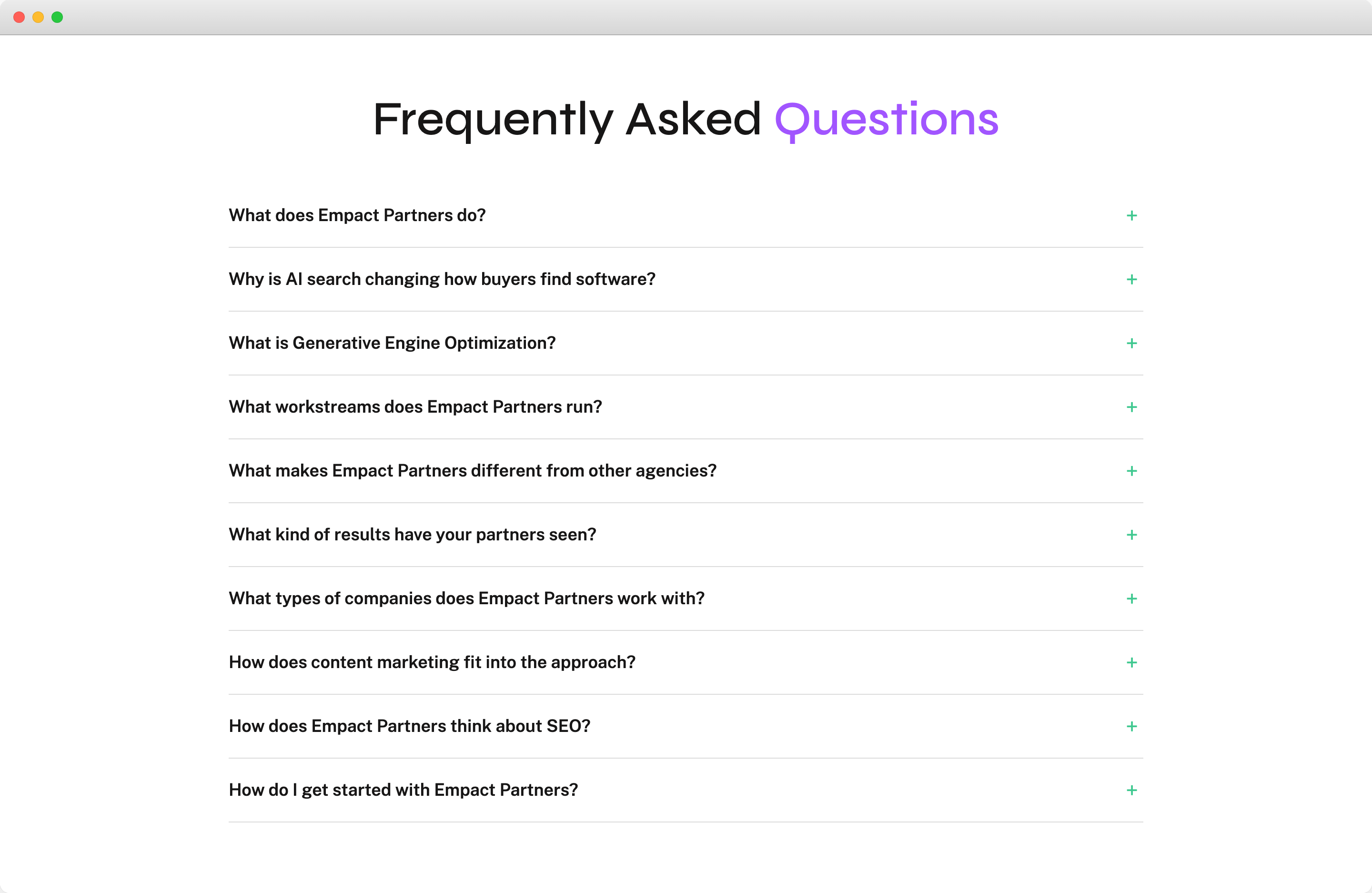
Here's Empact Partners' FAQ section on our homepage, 10 questions covering what we do, how GEO works, what workstreams we run, and how to get started:
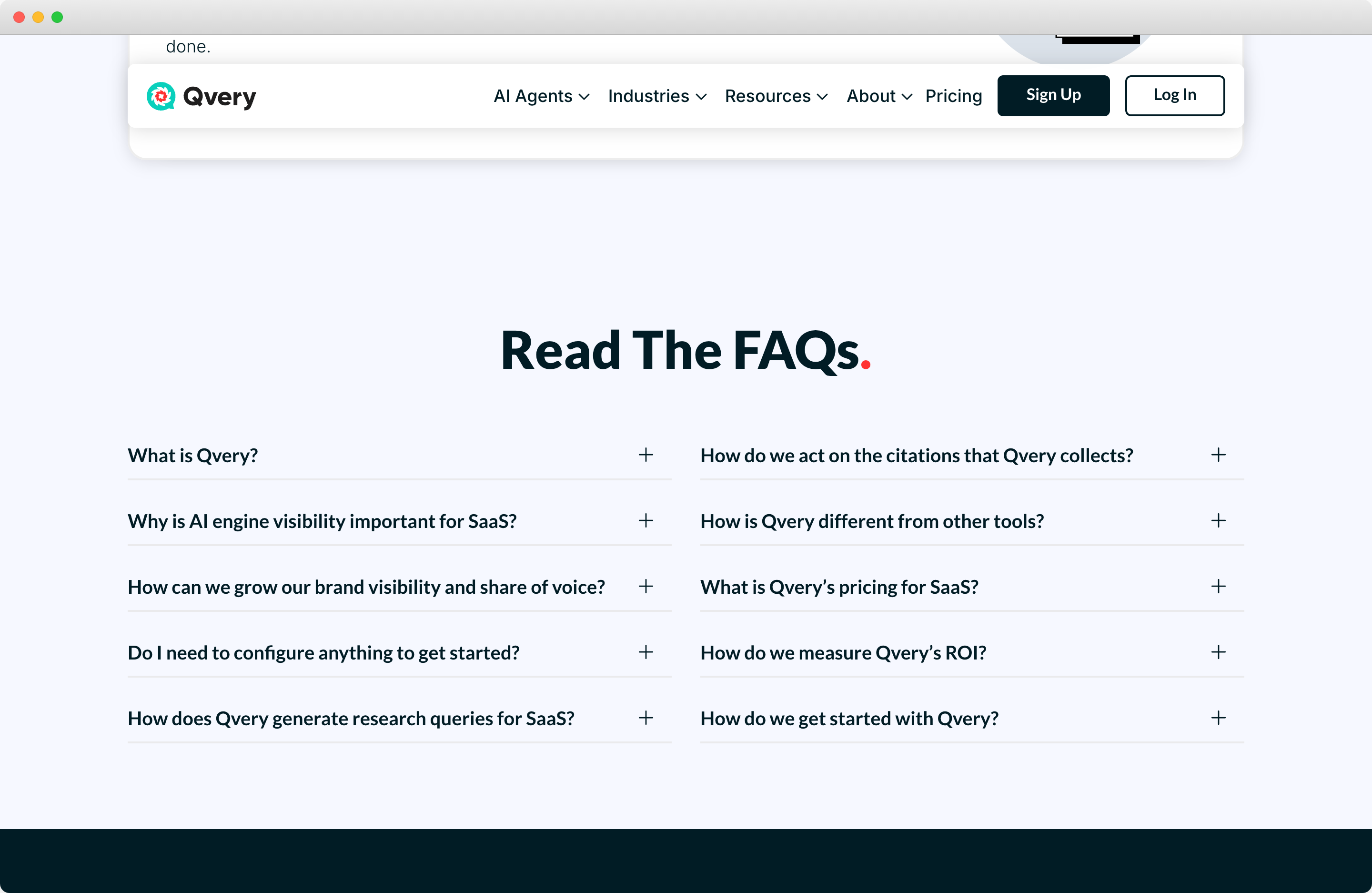
And here's Qvery's FAQ section on their SaaS page, 10 questions tailored to SaaS buyers evaluating AI search visibility tools:
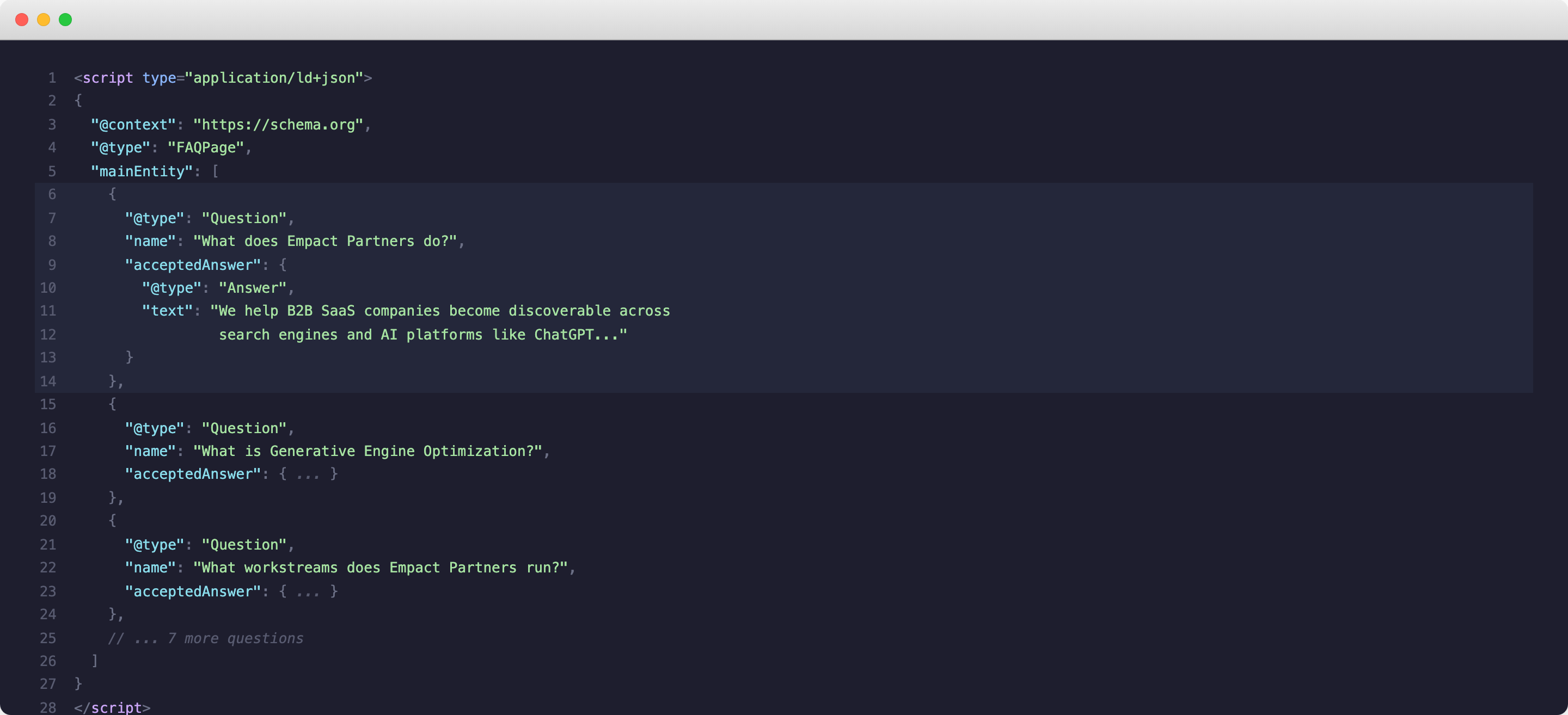
Both of these FAQ sections have corresponding FAQPage schema in the page's code. Every question and answer visible on the page is also structured as JSON-LD that AI engines can parse instantly. Here's what that looks like under the hood:
How To Add FAQ Schema To Your SaaS Website
Adding FAQ schema is a three-step process. It's not complicated, but the quality of your questions and answers matters as much as the technical implementation.
Step 1: Write Your FAQ Content
Start with the page itself. Add a visible FAQ section with 5-10 questions that your target buyers actually ask. Not "What is [generic term]?" questions you'd find on Wikipedia. Specific questions that demonstrate you understand your buyer's decision-making process.
Good FAQ questions for a SaaS company:
- "What does [your company] do?"
- "How is [your product] different from [competitor category]?"
- "What kind of results have your partners/customers seen?"
- "How do I get started?"
- "What's your pricing?"
The answers should be direct, specific, and include real numbers where possible. AI engines love specificity. "We help SaaS companies grow" is useless. "We help B2B SaaS companies achieve measurable organic growth, our partners have seen results like 1600% traffic increases and 250K+ monthly sessions" gives the AI something concrete to cite.
Step 2: Generate the JSON-LD Code
Once your FAQ content is live on the page, you need to generate the corresponding schema markup. The easiest way? Ask an AI to do it for you. Here's a prompt you can use with ChatGPT or Claude:
The AI will generate something like this:
<script type="application/ld+json">
{
  "@context": "https://schema.org",
  "@type": "FAQPage",
  "mainEntity": [{
    "@type": "Question",
    "name": "What does your company do?",
    "acceptedAnswer": {
      "@type": "Answer",
      "text": "Your answer here."
    }
  }]
}
</script>
You can also give the AI your page URL directly and ask it to generate FAQ schema based on the existing content.
Step 3: Add It To Your Page
Paste the generated <script> tag into the <head> section of your page. In Webflow, you add it in the page's custom code settings. In WordPress, you can use a plugin like Rank Math or Yoast, or paste it directly into the theme's header. In Framer, add it via the page's custom code field.
After adding the schema, validate it. Two tools you should bookmark:

Run your page URL through both validators after adding schema. If either flags errors, fix them before publishing. Invalid schema is worse than no schema, because it can confuse AI engines rather than help them.
Beyond FAQ: Other Schema Types Worth Adding
FAQ schema delivers the highest impact, but it's not the only schema type that matters for AI visibility. Here are the others worth implementing on your SaaS website:
Start with FAQ and Organization schema on your homepage. Then add Product schema to your main product page. Expand from there based on your content types. Don't try to boil the ocean. Schema every page at once is a recipe for implementation errors and validator headaches.
The Bottom Line
Schema markup isn't new. What's new is that it matters. AI search engines have turned structured data from a technical SEO checkbox into a genuine lever for brand discoverability.
FAQ schema maps so directly to how AI engines generate recommendations that skipping it in 2026 is leaving visibility on the table.
The implementation takes less than an hour. The validation takes five minutes. The impact compounds every time an AI engine processes your page and finds structured, machine-readable answers waiting for it instead of paragraphs of prose.
Add the FAQ section. Generate the schema. Validate it. Do it this week.
And if you want help building the full GEO strategy around it, schema is just one of the three pillars, let's talk about making your brand impossible for AI to ignore.