Digital asset management software, DAM for short, keeps a brand’s logos, colors, fonts, photography, templates and decks in one place, so nobody has to pull a copy from an old folder.
The tools have split into two kinds. Some are archives a team files finished work into. Others are living libraries a team works from every day, where the usage rules sit beside each file and one change reaches every copy. For a SaaS brand, whose screenshots, feature names and decks change with every release, that difference decides whether the brand drifts.
Empact Partners builds go-to-market for B2B software companies as a consultancy, and this list belongs to our Brand Marketing workstream: deciding what a company says, then keeping it the same everywhere. We cut ten candidates to these six, each at a different point between those two kinds.
| Tool | Best for | Starting price |
|---|---|---|
| Lingo | One brand kit for the whole company | $80/mo + $16 per editor |
| Frontify | A brand system across markets | Quote, per active user |
| Brandfolder | One file embedded everywhere | Quote |
| Air | A creative team’s working library | Free; then $900/mo |
| Pics.io | A library on top of Google Drive | $100/mo |
| Bynder | An enterprise archive with templates | Quote |
1. Lingo
Best for: a SaaS team that wants one brand kit the whole company works from, with the rules attached to every file.

Lingo is a brand asset library built around Kits, pages that hold a brand’s logos, colors, fonts and files together with the guidance on how to use them. It is made for design and marketing teams that have outgrown a shared drive and do not want an enterprise rollout, which describes most SaaS brand teams.
The mechanism is the one this list turns on. A Kit is edited in place, Direct Links keep an embedded image current when the file behind it changes, and version control lets an editor prepare a change before everyone sees it. Prices are published, from $80 a month plus $16 per editor.
The knock is the editor. Reviewers on G2 describe actions that report success and do not apply, a “select all” that selects only what has loaded, and plan gating that surprised them. With 29 G2 reviews against hundreds for most tools here, its user record is also the thinnest on this list.
Pricing
Pros and cons
What reviewers say on G2
G2 rating: 4.4 out of 5 from 29 reviews, read 15 October 2026.
“I also appreciate the version control feature, which allows me to prepare changes before releasing them for everyone to use.” — Reviewer at a mid-market company, G2, Aug 2026
“When we tried to put our portal on our custom domain, we were told it was only available on the Business plan (3k/year for us). After upgrading, we realized that “custom domain” meant a subdomain like ourbrand.lingoapp.com, not something like brand.ourbrand.com.” — Creative Director, mid-market company, G2, Sep 2026
Standout feature: Kits
A Kit reads like a brand guide and works like a library. The logo sits under the note on when to use it, a color swatch copies its own hex code, and the page goes to an agency or reseller as a public, private or password-protected link. When the brand changes, the Kit changes, and nobody receives a new PDF.

Verdict: the brand kit for a SaaS team that wants the whole company working from one current page and can live with a lighter editor. Skip it if you need the portal on your own domain or deep Adobe workflows. If the guidelines are still being argued over, settle them first: a living library keeps a brand consistent once someone has decided what it is.
2. Frontify
Best for: a brand team running one identity across several markets, product lines or agencies.
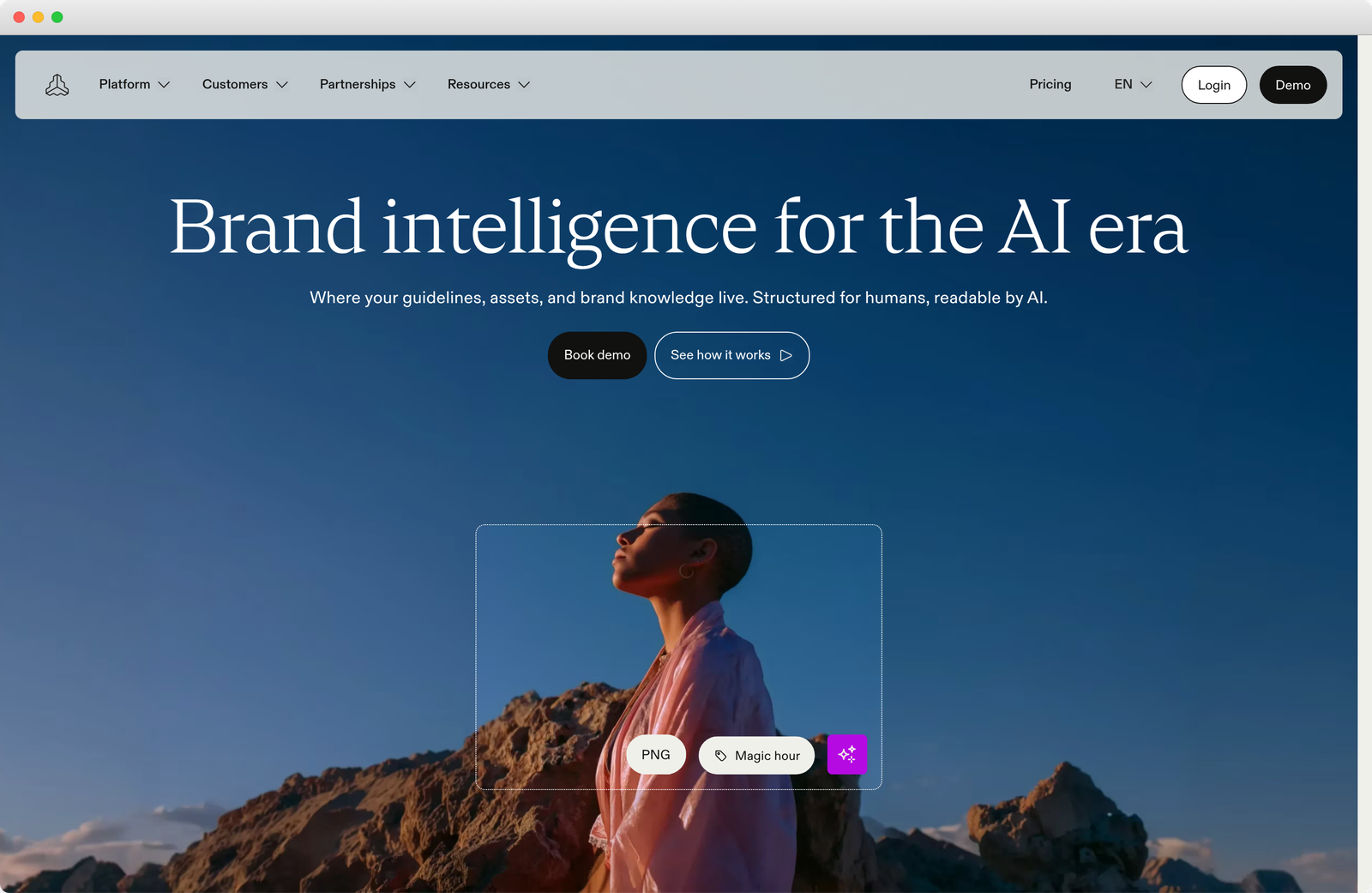
Frontify is a brand platform where the guidelines, the asset library and templates sit together, built for brand teams that run one identity across several markets, product lines or agencies. Its pricing page leads with enterprise security, permissions and localization, which tells you who buys it.
Its core is the guidelines, pages assembled from more than 40 content blocks that everyone reads in one place, with the approved files beside them. A Brand Assistant answers brand questions and suggests on-brand copy, and G2 reviewers single it out for people new to a company.
The knock is cost and setup. Frontify publishes no prices, bills by monthly active user, and counts any agency or freelancer who logs in. Reviewers describe a setup that takes real time and effort, and a search that works only when everyone tags the same way.
Pricing
Pros and cons
What reviewers say on G2
G2 rating: 4.5 out of 5 from 223 reviews, read 15 October 2026.
“The AI powered brand assistance is a great asset that helps teams flag when something doesn’t fit with the wider brand image.” — Verified user in hospitality, mid-market company, G2, Oct 2026
“Keyword filtering is kind of limited: search relies on exact matches on tags and general data, so unless everyone tags consistently, some assets get lost.” — Verified user, small business, G2, Oct 2026
Standout feature: Guidelines
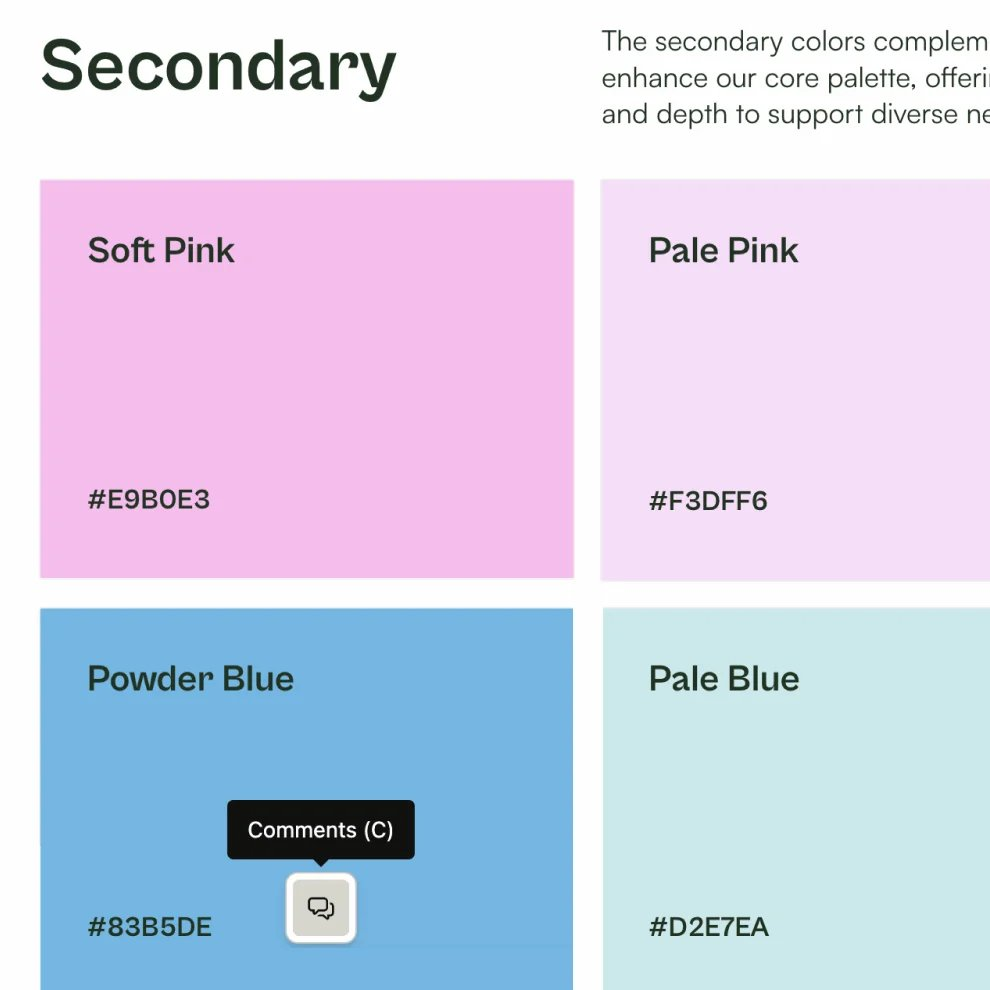
Frontify’s guidelines are pages built from blocks for colors, type, imagery and voice, edited by the brand team while everyone else reads the current version. Comments sit on the block they concern, and AI translation puts the same page into each market’s language, which is the problem a multi-market brand team pays Frontify to solve.
Verdict: the system for a brand team that governs several markets or product lines and can carry a quoted, per-user platform. Skip it if your brand team is one marketer and a designer. Whoever buys it should name the owner of the guidelines before signing, because a living system is only as current as the person who keeps it.
3. Brandfolder
Best for: one approved file embedded on the website, in sales tools and on reseller pages, updated from one place.
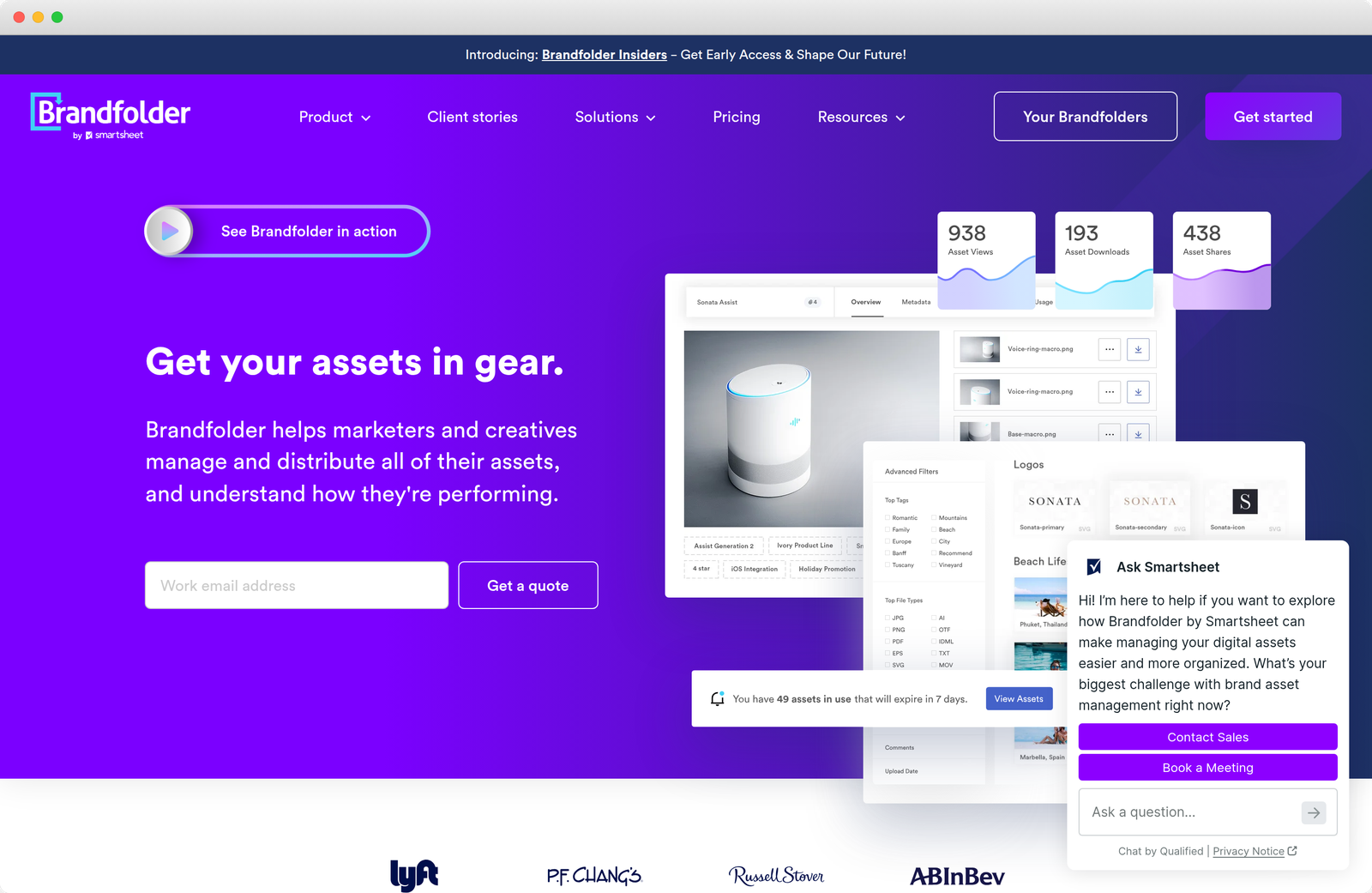
Brandfolder, owned by Smartsheet, is a digital asset management platform for marketing teams that send a lot of approved files to a lot of people: sales, resellers, regional teams and the website. It sells two plans, Premium and Enterprise, and quotes both.
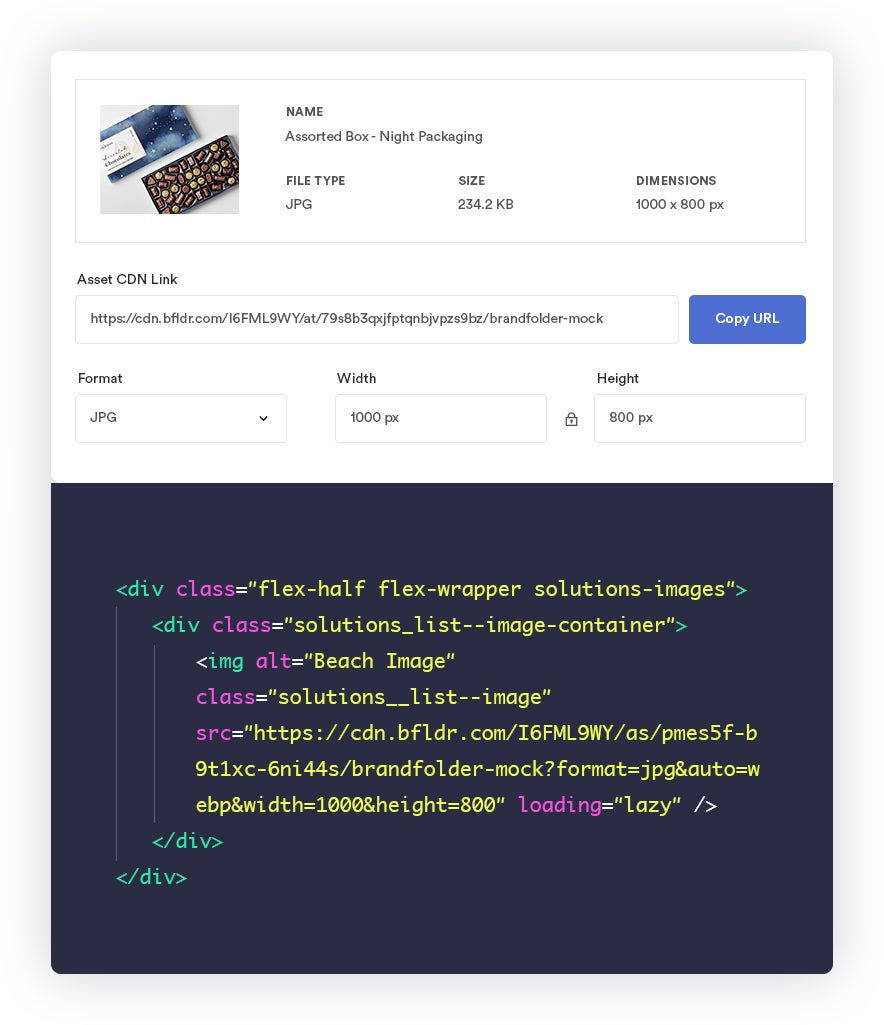
What sets it apart is Smart CDN. Every asset gets an embed link, and replacing the file in Brandfolder replaces it wherever that link is used, on a web page, in an email or in a CMS. Brandguide keeps brand elements beside the library, and Brand Intelligence reports which assets people use.
The knock is price and service. One reviewer who left calls it far more expensive than the alternatives and describes a year of slow support. Another, who stayed, finds reporting limited and work in progress awkward to manage inside it.
Pricing
Pros and cons
What reviewers say on G2
G2 rating: 4.4 out of 5 from 1,428 reviews, read 15 October 2026.
“The image embedding feature is fantastic because it allows me to make changes to an image without having to reupload it to multiple sites.” — Director of Web Experience, small business, G2, Apr 2026
“Super expensive compared to others we looked at. We also had basically zero customer service support for a year. Our sales team hated Brandfolder with a passion, they used it for 2 years.” — Verified user in veterinary, mid-market company, G2, Jul 2026
Standout feature: Smart CDN
Smart CDN is the living-library idea applied to the file itself. The website, the email template and the reseller page all point at one link, so on the day the logo or the product screenshot changes, the people who embedded it do nothing. The link survives moving the asset within a Brandfolder, and changes if it moves to a different one.
Verdict: the library for a team whose problem is distribution: the same approved file on the website, in sales tools and on reseller pages, changed in one place. Skip it if you need a price before a demo. Embedded links fix the copies you control; the ones already in decks and agency folders still need finding by hand, before the migration.
4. Air
Best for: a content or creative team that ships campaigns and video every week and needs review where the files live.

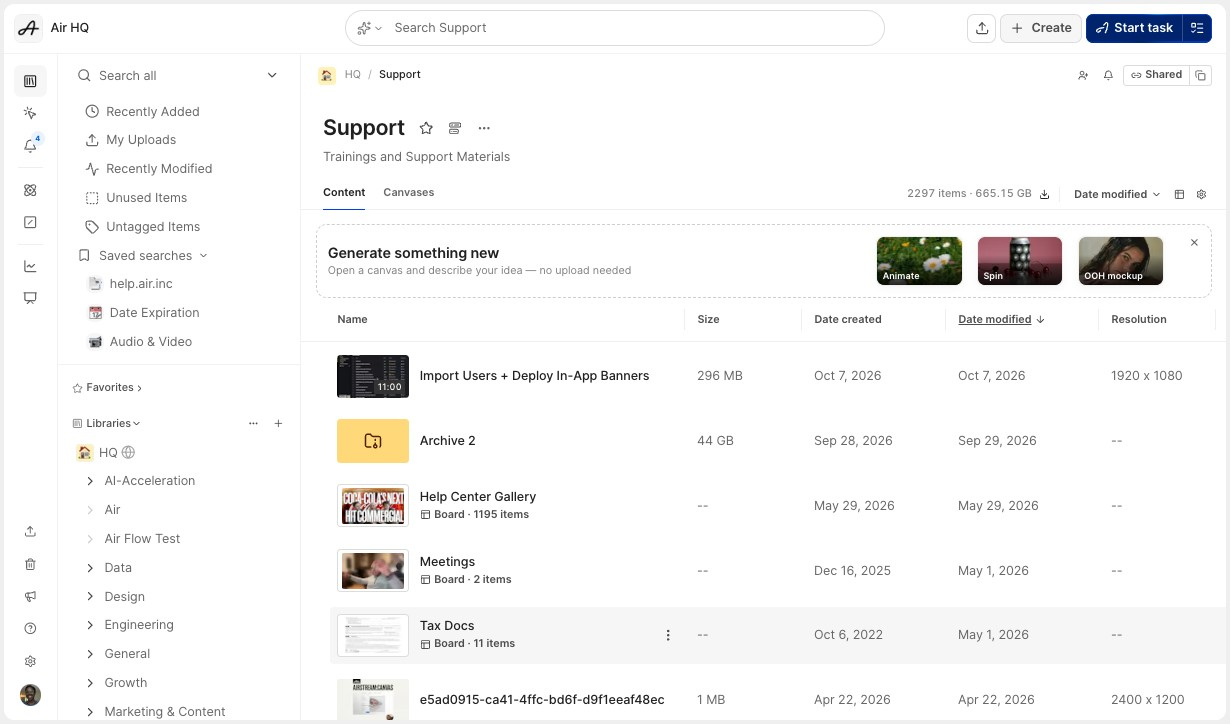
Air is a visual asset library and creative workspace that now describes itself as an agent for creative tasks. It is built for content and creative teams producing campaigns, social and video every week, and it charges for usage rather than seats.
Air keeps the library where the work happens, in boards that departments share, with comments and versions on each asset, CDN links for the website and AI editing paid for in credits. Every plan includes unlimited seats, and the free plan carries every feature with no card required.
The knock is the step from free to paid. The next plan up is Business at $900 a month, billed annually, and reviewers who like the product still call the price tough. A shared workspace with no agreed structure also clutters fast, as one lead editor puts it.
Pricing
Pros and cons
What reviewers say on G2
G2 rating: 4.6 out of 5 from 897 reviews, read 15 October 2026.
“The biggest win for our team, from a logistical standpoint, is that different departments can interact in the same creative space to share feedback, stay organized, and deploy our ads.” — Lead Creative Editor, mid-market company, G2, Jul 2026
“I think the general price point of Air is a bit tough. I think there are a lot of really great features it offers at a very, very high price point.” — Graphic Designer, small business, G2, Oct 2025
Standout feature: Boards
Boards are how Air organizes a library around work rather than file types. A campaign board holds the drafts, the comments and the approved finals, and a board can sit inside another, so the brand folder and this week’s launch share one place. That suits a team whose drift starts in review, when the wrong version ships.
Verdict: the workspace for a content team that produces every week and needs review and versions where the files are. Skip it if what you lack is brand rules: Air holds the work, and the guidelines have to live elsewhere. If both problems are yours, decide which tool is the source of truth before your team decides for you.
5. Pics.io
Best for: a lean team whose files already live in Google Drive and that wants search and sharing without moving them.

Pics.io is a digital asset management layer that can run on storage you already own, Google Drive or Amazon S3, or on its own storage. It suits lean teams that want search, metadata and sharing on their files without moving them anywhere.
Its prices are published, from Solo at $100 a month to Micro at $225 a month billed annually for ten users and Small at $680 a month billed annually for fifty. Reviewers credit the tiers and the support, and Google Drive users describe adopting it without changing their habits.
The knock is that it organizes files and stops there. It has no guidelines layer, so the rules still live in a PDF somewhere. Reviewers also flag an AI add-on they call expensive and an automatic upgrade when a library reaches its asset limit.
Pricing
Pros and cons
What reviewers say on G2
G2 rating: 4.6 out of 5 from 67 reviews, read 15 October 2026.
“The granular tier model was one of the key reasons why we ultimately chose Pics.io, because we simply can’t pay for unnecessary bells and whistles.” — Head of Digital, mid-market company, G2, Oct 2026
“The AI kit is super expensive. Also, they send 100s of emails a day. Also, if you reach your asset limit, they upgrade you without telling you.” — Reviewer at a small business, G2, Apr 2026
Standout feature: Google Drive integration
With bring-your-own-storage, the files stay in the team’s Google Drive and Pics.io adds the library on top: metadata, search, permissions and shareable websites, synced both ways. Nothing migrates, which makes it the cheapest way out of a bare shared drive, and also why the old versions sitting in Drive stay where they are.

Verdict: the library for a lean team that lives in Google Drive and wants search and sharing this month without a migration. Skip it if drift is the problem, because files that stay where they were keep their old versions beside the new ones. Before buying, clear the retired logos and decks out of Drive; a layer on top inherits whatever is underneath.
6. Bynder
Best for: a large marketing organization with many regions, a big archive and templated local production.

Bynder is an enterprise digital asset management platform sold as a modular package: the asset library, plus Studio for templated creative, Content Workflow for review and approval, and brand guidelines. Its buyers are large marketing organizations with many regions and agencies.
Studio is where it earns its place in a big team. Designers build a template, and local marketers produce on-brand images, video and GIFs from it without design software. G2 reviewers add that non-technical colleagues pick up the library quickly, which matters when hundreds of people need it.
The knock is the size of the commitment. There are no published prices, Bynder’s own pricing page quotes a customer on a roughly three-month onboarding, and reviewers describe add-ons, even extra administrators, priced on top. One customer on Reddit found the contract rising with inflation every year.
Pricing
Pros and cons
What users say, on G2 and Reddit
G2 rating: 4.5 out of 5 from 1,188 reviews, read 15 October 2026.
“Bynder has an easy to navigate user interface, so onboarding non-technical users does not take a significant effort.” — Digital Marketing Specialist, enterprise company, G2, Sep 2026
“Bynder seemed reasonable at first, but my contract increases yearly by the rate of inflation so that could ballon up pretty quickly these days (not that it isn’t fair); had I thought through the contract more carefully though, I may not be with Bynder right now.” — r/marketing, Jul 2023
Standout feature: Studio
Studio turns the archive into something local teams can use without breaking it. A designer builds the template and sets what stays fixed, the logo, the type and the layout, and a marketer in another region fills in the title and footage and saves the result straight to the asset bank. For a brand produced in many hands, the template does the enforcing.

Verdict: the platform for a global marketing organization with a large archive, many regions and the budget for a quoted package. Skip it if you are a SaaS team of a few hundred people or fewer; it is sized for a bigger problem. Whatever your size, read the renewal terms before signing: an archive is the hardest kind of library to leave.
Why a Living Library Suits a SaaS Brand Better Than an Archive
A SaaS brand changes whenever its product does. Linearity’s design app was still called Vectornator when our partnership began, and Empact Partners supported the rebrand to Linearity Curve and helped build the new website. Each rename or interface refresh makes yesterday’s screenshots and decks wrong, the part of a SaaS rebrand nobody budgets for.
An archive cannot keep up with that. Every download leaves as a copy, and a copy stops updating the moment it leaves: the sales deck, the reseller page, the new hire’s first presentation. Reviewers of most tools here describe the same strain in their own words: search works only when everyone tags the same way.
An archive is still the right buy for a large volume of licensed photography and video, with rights that expire, approvals across regions and agencies producing for many markets. That is Bynder’s end of the line, and a consumer brand with a photo studio lives there. Most SaaS brands do not, and buy the archive for a problem they never had.
What no tool on this list does is recall the copies already out. We have watched a partner’s retired name keep turning up in AI answers long after its rebrand, carried by old threads and pages nobody on its team controls. That off-site half, and the question of what the brand should say at all, is where a library ends and brand work begins.
Which One Fits Your Team
Find your situation below and start with that entry.
At Empact Partners, Brand Marketing starts with a brand evaluation: we read every surface the identity appears on side by side, from the website and the product to sales decks, reseller pages and what AI engines say about the company.
Where the words are the gap, positioning and messaging come before any asset work. On SystemOne’s rebrand we wrote the website copy alongside the design team, and a style guide that keeps the voice consistent. A named senior consultant runs the work from inside your team, and the horizon is quarters.
If your brand has started to look different on every surface it reaches, book a call with us, and let’s see whether we could work together.