
5 Best Programmatic SEO Tools for SaaS Websites
Five programmatic SEO tools compared by where each page’s facts live and what happens to the live page when one of them changes.
 Gabby SaaymanWith
 Vlad Shvets
On this page
Empact Newsletter
One email a month on what is working in AI search and SaaS go-to-market.
A programmatic SEO tool turns rows of data into pages, one for each integration, use case, competitor or location, all built from one template. The tools on sale in 2026 add AI text and a live connection to your content management system (CMS), so publishing a few hundred pages is no longer the hard part. What they cost shows up later, when an integration changes and its page keeps describing the old version to a buyer comparing you with a rival.
Empact Partners builds the apps and integrations SaaS marketing teams are missing, page engines among them, for the work a team keeps patching by hand. Where each page’s facts will live after launch is the question we would put to any of these tools.
That is how we reviewed the five below, from the facts behind each page to what the live page does when one of them changes. Bulk article writers are left out, because they produce posts rather than pages from your own records. All five assume you already know which pages deserve to exist, the earlier step our free Page Engine Blueprint is built for.
Scroll horizontally to see all columns when the table is wider than this page.
| Tool | Best for | Where the page facts live | When a fact changes | Published price |
|---|---|---|---|---|
| Whalesync | Webflow collections fed from Airtable | Airtable, Notion, Google Sheets or Postgres | The CMS item updates, then someone publishes the site | From $16 a month, billed yearly |
| WP All Import | WordPress custom post types and fields | A CSV, XML, Excel or Google Sheets file | You rerun the import, matched by a unique identifier | Free plugin, Pro from $149 a year |
| LPagery | One designed WordPress page, cloned | A spreadsheet or a Google Sheet | Sheet Sync creates, updates or deletes pages on a schedule | Free plugin, Sheet Sync from $20.25 a month, billed yearly |
| SEOmatic | Lean teams on one of its 18 CMSs | Your own rows, kept only where people search | Its pages describe building and publishing, not updating | $99 a month, Page Templates from $249 |
| Byword | Pages that need generated text | A CSV, an API or manual entry | Its pages describe generating, not updating | From $99 a month for 25 articles |
Whalesync
Best for: Webflow teams that keep integration or comparison records in Airtable and want each edit to reach the CMS.
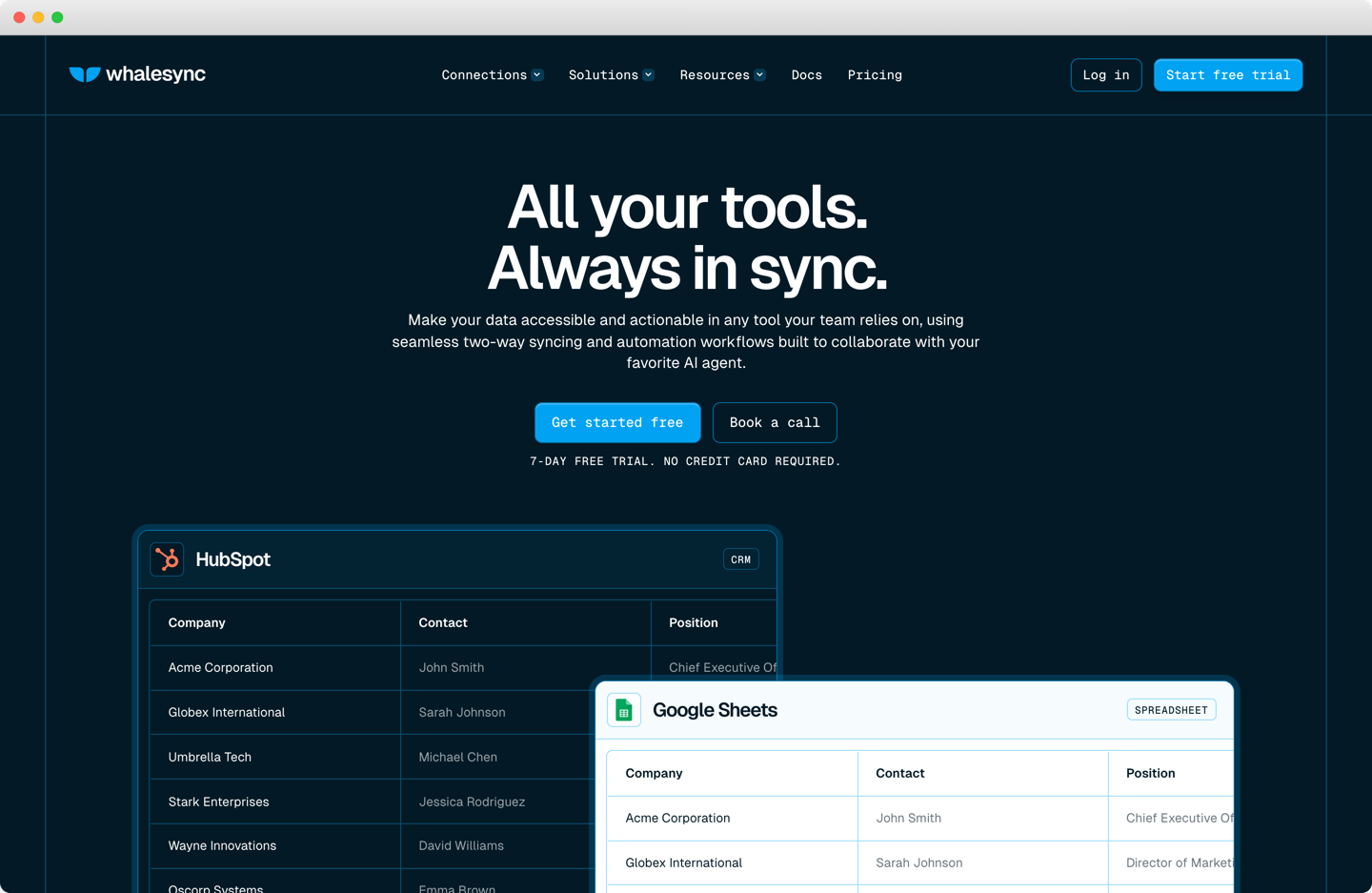
Whalesync keeps two tools in sync in both directions, and for programmatic pages that usually means an Airtable base on one side and Webflow CMS collections on the other. You map the tables and fields once, and every later edit to a record reaches its CMS item, with no cap on updates 1 2.
That makes Whalesync the strongest fit here for SaaS teams whose integration directory or comparison pages already run on Webflow. Marketers edit rows in a base they understand, nobody touches the design, and reference fields, rich text and images sync as they are 2. When a record fails, the Issues page names it, shows Webflow’s error and lets you retry it, while the other records keep syncing 3.
Whalesync gets your records into the CMS, not onto the live site. An edit stays unpublished until someone publishes the Webflow site, a new field means republishing it, and an update clears any publishing schedule set on that item 2.
Pricing
- Starter: $16 a month billed yearly ($192), or $20 month to month, for 2,000 records in sync, with Webflow, Airtable and WordPress among its connectors.
- Plus: $32 a month billed yearly for 2,000 records, priced higher for more records, adding CRM connectors such as HubSpot and chat support.
- Pro: $160 a month billed yearly for 2,000 records, with every connector, Salesforce included, and priority support.
- Trial: seven days free with no card, and unlimited updates on every plan.
Pros and cons
Whalesync is the cleanest path from records to pages on Webflow, and it leaves publishing to you:
Pros
- Two-way sync between Airtable and Webflow CMS collections
- Unlimited updates on every plan
- Failed records shown with the error and a retry
Cons
- Edits wait for someone to publish the Webflow site
- An update clears the item’s publishing schedule
- The price rises with the number of records in sync
What G2 reviewers say about Whalesync
Reviewers praise the sync and the support, and their complaints are about price and fiddly fields:
an impressive lag time that is usually just 30 seconds to a minute.
Director of design at a small businessOct 2024 we have some particularly messy CMS collections in Webflow with numerous custom fields, and mapping every single field into Notion isn’t always straightforward.
Manager of content marketing at a mid-market companyOct 2024 If I’m being picky, pricing can add up as you scale, but you get what you pay for.
Co-founder at a small businessSep 2026
An Issues page that names the failed record
A page engine breaks quietly when one record fails and nobody notices. Whalesync’s Issues page shows each failure with the service that rejected it, the record affected and the exact error, plus an AI suggestion and a retry button 3.
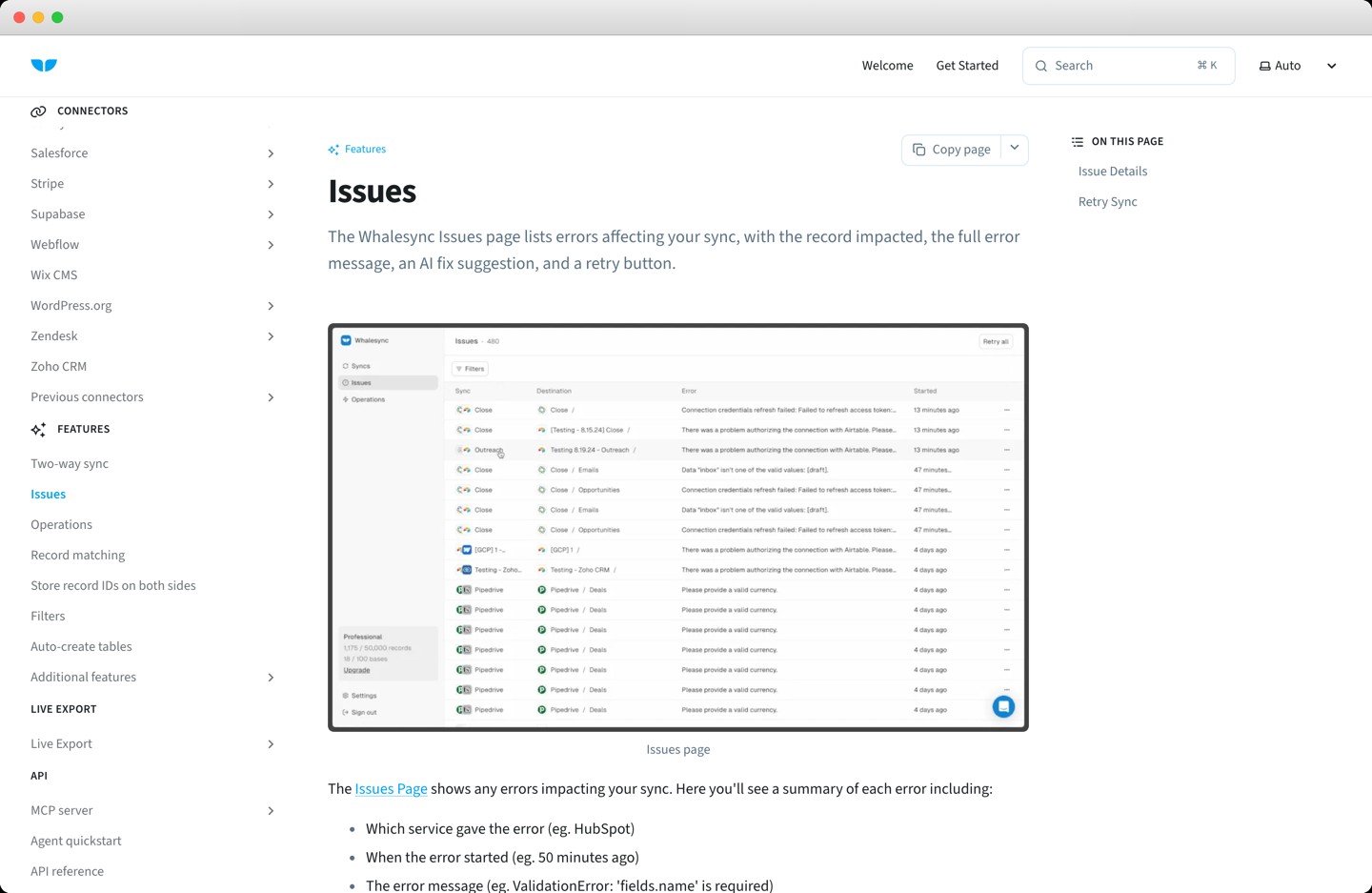
Check it after every round of edits. A record that fails there never reaches its page, so the live page keeps its old facts until someone fixes the row.
Verdict: buy Whalesync if your pages live in Webflow and your records already live in Airtable or another tool it syncs. Give one person the publish step, or synced edits will sit unpublished. Skip it if your pages live in WordPress, where the next two tools were built for the job, or if you have more than 20,000 records, which means a sales call before you see a price.
WP All Import
Best for: WordPress teams with custom post types and fields who import an updated records file again and again.
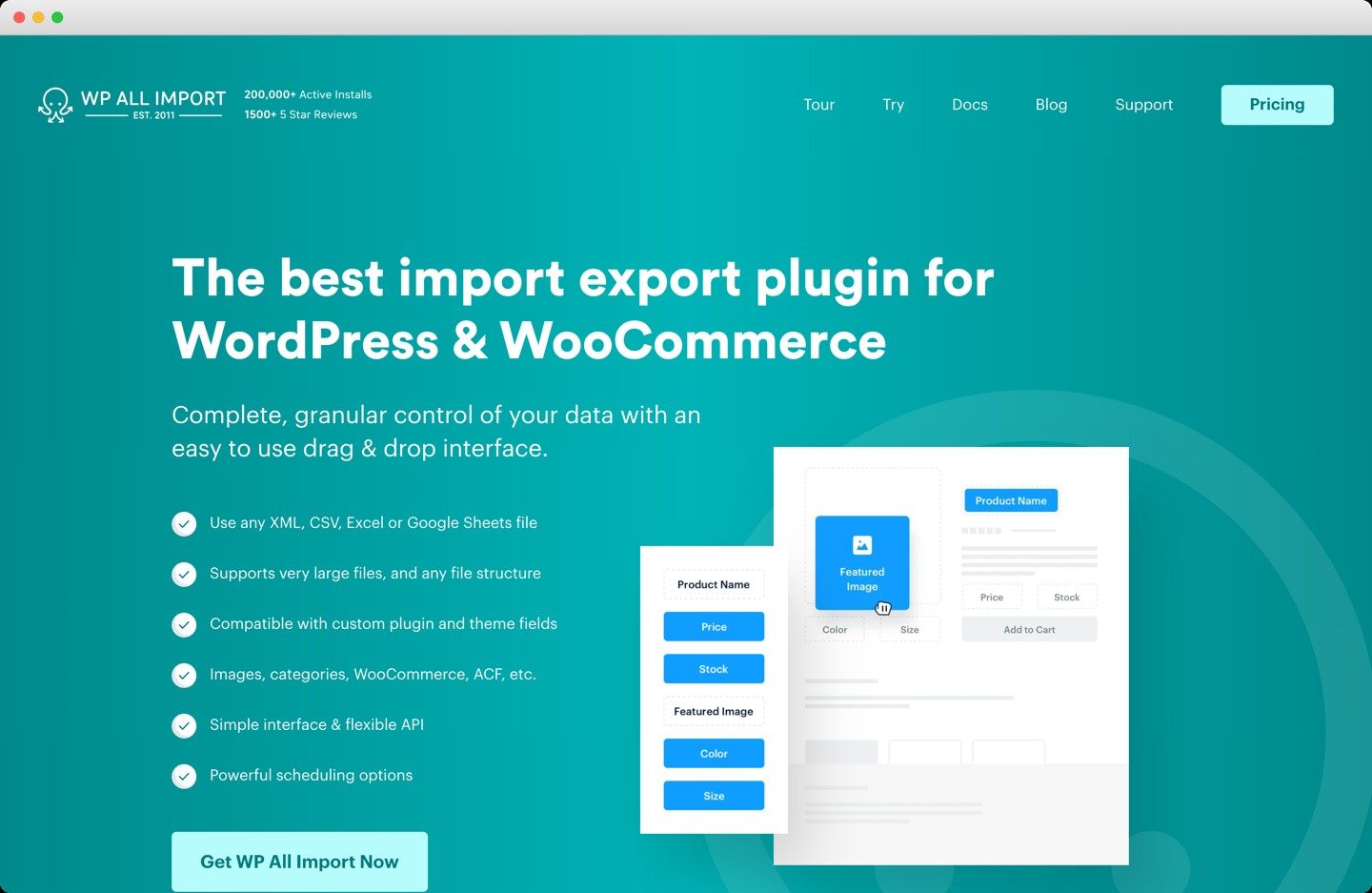
WP All Import maps a file into WordPress, whether it is a CSV, XML, an Excel sheet or a Google Sheet. It writes into posts, pages, custom post types, custom fields and SEO plugin fields, and its free version on WordPress.org holds 4.7 stars from 1,966 reviews 7.
Its strength for a page engine is the second run. Each import has a unique identifier, such as a product ID or a title that never changes, which links every record in an updated file to the post it created last time. Run the import again and the same posts update, with any fields you choose left alone 5. Pro adds custom fields and recurring imports that add, edit and delete posts from a file at a URL 7.
Buying it takes more reading than it should. On 23 November its pricing page showed yearly plans beside a banner saying every plugin currently comes with a lifetime license while it tests annual pricing 4. Automatic scheduling is a separate service at $19 a month, unless a developer sets up cron jobs, and a Google Sheet is imported through its public URL 6 7.
Pricing
- Free: the base plugin on WordPress.org, without custom fields or recurring imports.
- Developer: $149 a year, shown as reduced from $299, for posts, pages, taxonomies, custom fields and users on unlimited sites.
- Professional: $299 a year, shown as reduced from $599, adding WooCommerce, ACF, JetEngine, Meta Box and manual scheduling.
- Unlimited Lifetime: $1,299 once, marked as a limited-time offer.
- Automatic Scheduling: $19 a month for unlimited sites, on top of any plan.
Pros and cons
WP All Import handles custom post types and fields better than anything else here, and it expects someone to run it:
Pros
- Writes into custom post types, custom fields and SEO plugin fields
- A unique identifier updates the same posts on every run
- Unlimited sites on every paid plan
Cons
- The pricing page contradicts itself on yearly and lifetime licenses
- Scheduled imports cost $19 a month or need your own cron jobs
- A Google Sheet has to be shared by public URL
What G2 reviewers say about WP All Import
Reviewers trust it with large imports into custom post types and find it dense to learn:
We use it to import information for custom post types, and the plugin allows us to plug the information into the pre-created template with little to no tweaking.
Verified user in legal services at a small businessOct 2023 it’s a bit on the expensive side, and given its huge breadth of features, it can be daunting to figure out at times.
Verified user in the internet industry at a small businessOct 2023 Occasionally the import duration time out due to the call time of your server. Sometimes, I need to re-upload the data.
Verified user in retail at a small businessSep 2022
The unique identifier keeps every rerun on the same posts
Every page engine needs a rule for which page a record belongs to, or a corrected file creates duplicates. WP All Import makes that rule explicit. You pick a value that stays the same when the file changes, and its documentation warns against anything that might change, like a description or a price 5.
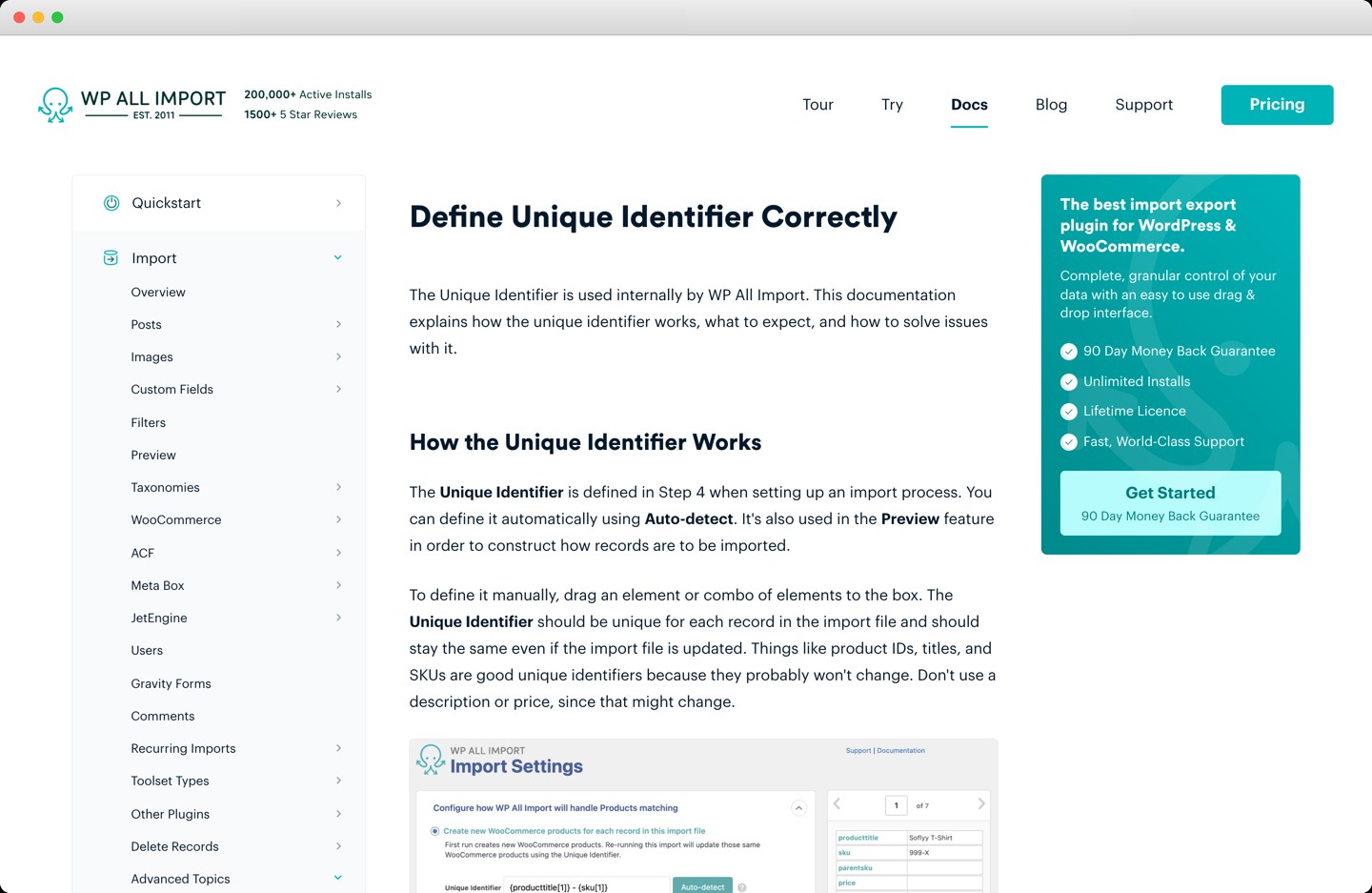
Pick it badly and the import skips records or overwrites the wrong ones, so agree this field with whoever owns the data before the first run.
Verdict: buy WP All Import if your WordPress site already has a custom post type with its own fields, such as integrations, and your records arrive as a file you can export again. Budget for Pro and decide who runs the schedule. Skip it if all you want is one designed landing page cloned many times, which LPagery does with less setup.
LPagery
Best for: WordPress marketers who clone one designed page across a Google Sheet of industries, use cases or regions.
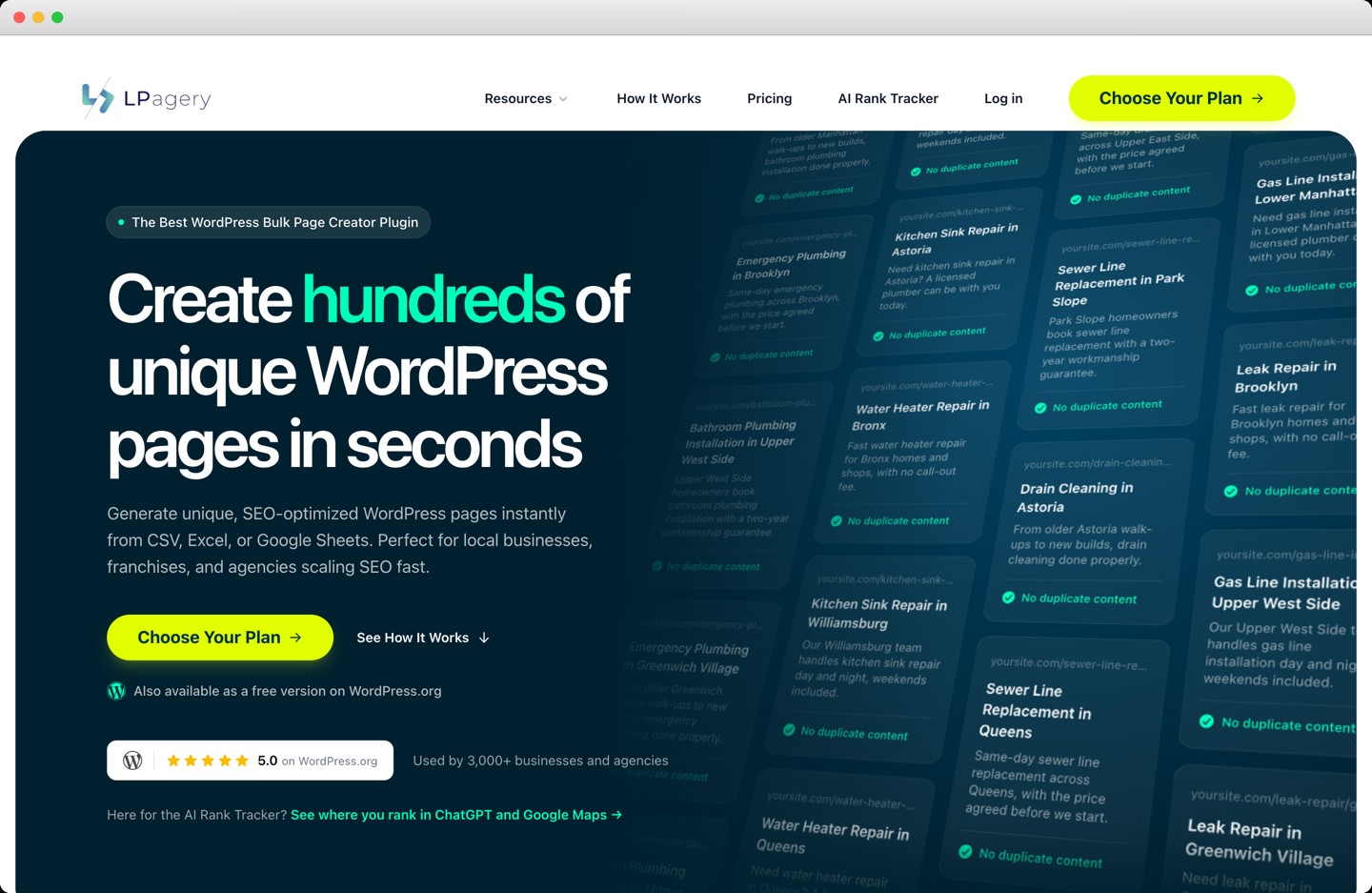
LPagery generates WordPress pages from one template page and a spreadsheet. You design the page in the builder you already use, put placeholders such as an industry or a city in it, and each row of the sheet becomes a page. The free plugin on WordPress.org makes 100 pages per run with up to three placeholders 11.
Its paid plans keep the pages in step with the sheet. On Extended, Google Sheet Sync checks the sheet hourly by default, creates pages for new rows, updates pages whose row changed and can delete pages for removed rows. Live Mode goes further, filling each page from the template when someone opens it, so a template edit reaches every page at once 8 10.
LPagery’s homepage says it is made for local businesses and franchises, with a plumber’s city pages as the example 12. A SaaS team can use the same mechanics, but the sync reads your sheet as a public CSV link, so nothing confidential can sit in it 10. Its changelog also shows two security fixes this year, both patched 11.
Pricing
- Free: 100 pages per run and up to three placeholders, on WordPress.org.
- Standard: $19 a month, or $14.25 a month billed yearly, for one site, unlimited pages and spreadsheet uploads, without Google Sheet Sync.
- Extended: $27 a month, or $20.25 a month billed yearly, adding Google Sheet Sync, bulk updates and Live Mode.
- Ultimate: $77 a month, or $57.75 a month billed yearly, for unlimited sites.
- Terms: prices exclude VAT, and every plan has a seven-day money-back guarantee.
Pros and cons
LPagery is the fastest way to turn one good WordPress page into many, as long as the sheet behind it can be public:
Pros
- Any page builder works as the template
- Google Sheet Sync creates, updates and deletes pages
- Live Mode pushes a template edit to every page
Cons
- Built and marketed for local service pages
- The synced sheet is read as a public link
- Two security fixes in 2026, both patched
We found no G2 or Capterra profile for LPagery. Its users review it on WordPress.org, where all 31 reviews give five stars, most of them for the support, and the most detailed one describes going back to update every page after launch 11. That habit starts with who owns the sheet, which is where I would begin:
A Google Sheet is a good source for pages when one person owns it and nothing in it is private. Name that person before the first sync, because every typo in the sheet goes live at the next check.
 Gabby Saayman on LinkedInOpens in a new tab
Google Sheet Sync makes the sheet the source of every page
The sync is what separates LPagery from a one-off generator. Edit a row and its page follows on the next check, and with deletions switched on, a removed row takes its page down with it 9 10.
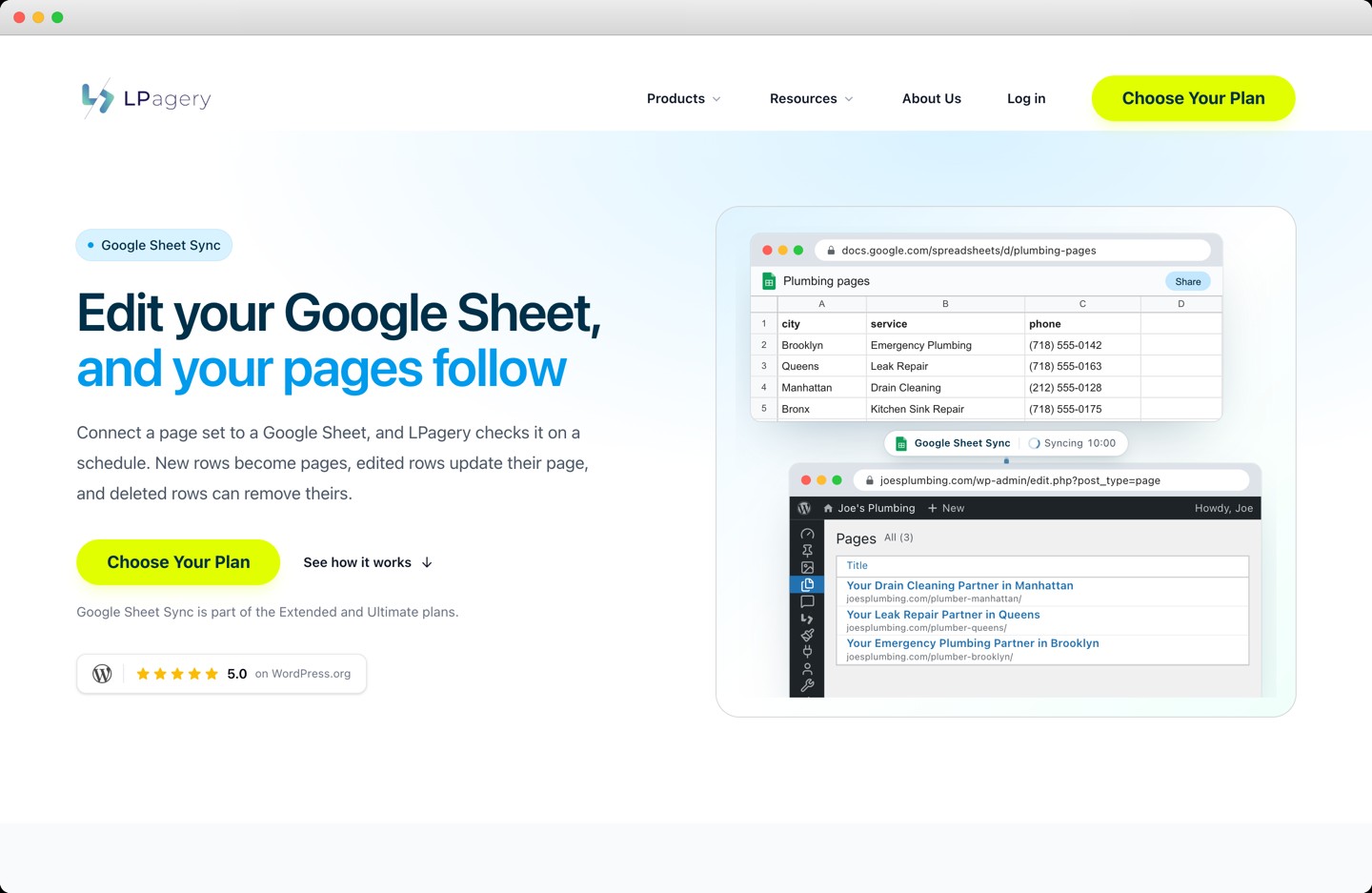
The sheet is checked hourly by default and as rarely as weekly if you choose, so set that interval to how often your product facts change 10.
Verdict: buy LPagery if a designed WordPress page should exist once per industry, use case or region, and a Google Sheet is where your team will keep the rows. Skip it if the rows hold anything you would not publish, or if your pages need custom post types and fields, where WP All Import fits better.
SEOmatic
Best for: lean SEO teams that want agents to choose the pages from Search Console data and publish approved batches to their CMS.

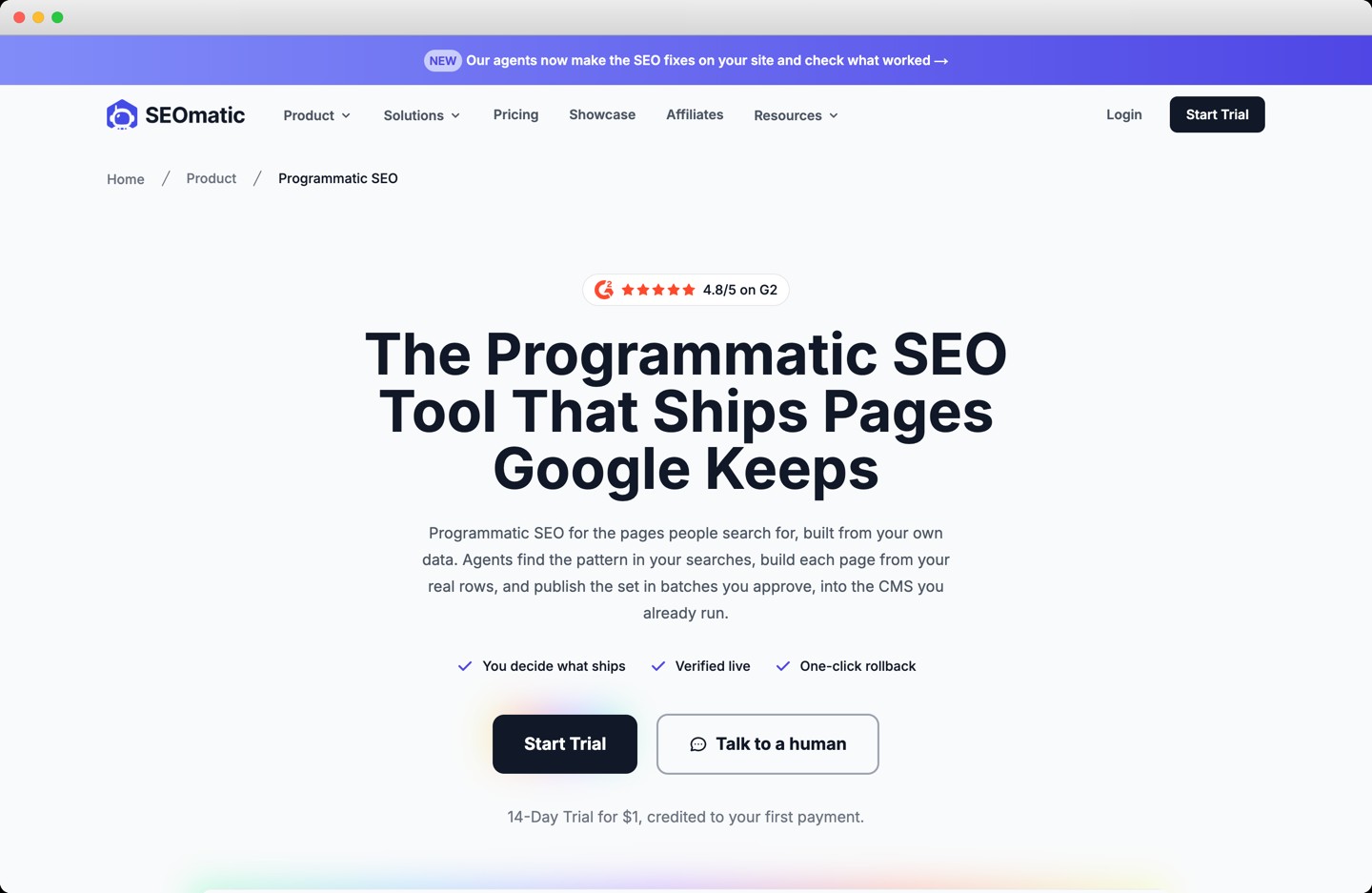
SEOmatic’s homepage now sells AI SEO agents for most of the SEO work on a site, and programmatic pages are one product among several 13. That product reads your Search Console data, finds the page type people search for, models the set on one of your best pages and builds each page from your rows 14.
Two choices make it careful by default. Only rows with search demand become pages. The set then goes live a few pages at a time, in batches you approve, and the agents check indexing after each batch. It publishes into WordPress, Shopify and 16 other CMSs 14. For a lean team, that hands the choice of pages to an agent.
Page Templates sit on the $249 Scale plan rather than the $99 Launch plan, so price the plan you will need for the set 13. The company’s focus has moved toward agents for every SEO task, and G2 shows three reviews, all from 2023, so nobody has reviewed the current product there yet.
Pricing
- Free: five SEO questions a month and one AI visibility scan.
- Launch: $99 a month for one site and three seats, with agents and CMS publishing.
- Scale: $249 a month, adding Page Templates and up to five sites.
- Infrastructure: $699 a month for up to 20 sites, white labeling, a REST API and webhooks.
- Trial: 14 days for $1, credited to the first payment, and yearly billing takes two months off.
Pros and cons
SEOmatic makes the decisions for you, which is its appeal and its risk:
Pros
- Builds only the rows people search for
- Publishes in batches you approve, with indexing checks
- Publishes into 18 CMSs, Webflow and WordPress among them
Cons
- Page Templates start on the $249 plan
- The product’s focus has moved to agents for all SEO work
- Three G2 reviews, all written in 2023
What G2 reviewers say about SEOmatic
Its three G2 reviews all date from 2023, so read them as a record of the older product:
I was looking to generate pages quickly for programmatic SEO, and SEOmatic delivered.
Owner at a small businessFeb 2023 SEOmatic helped our team to fill the content gap by providing content.
Verified user in computer software, mid-marketAug 2023
Only rows with search demand become pages
Most page engines publish every row you give them, and the thin ones are your problem. SEOmatic’s agents drop the rows nobody searches for before building, then ask for your approval before each small batch goes live 14.
That filter checks demand, and it cannot check whether your product team stands behind what each page says, so that review stays with you.
Verdict: buy SEOmatic if you are a small SEO team that wants an agent to pick the pages and build them from your rows. Check that your CMS is among the 18 it supports, and budget for the Scale plan. Skip it if you want to own the data model and the sync yourself, or if you want a vendor whose page builder is its main product.
Byword
Best for: content teams whose pages need article text generated from a dataset, with an editor reviewing every page.
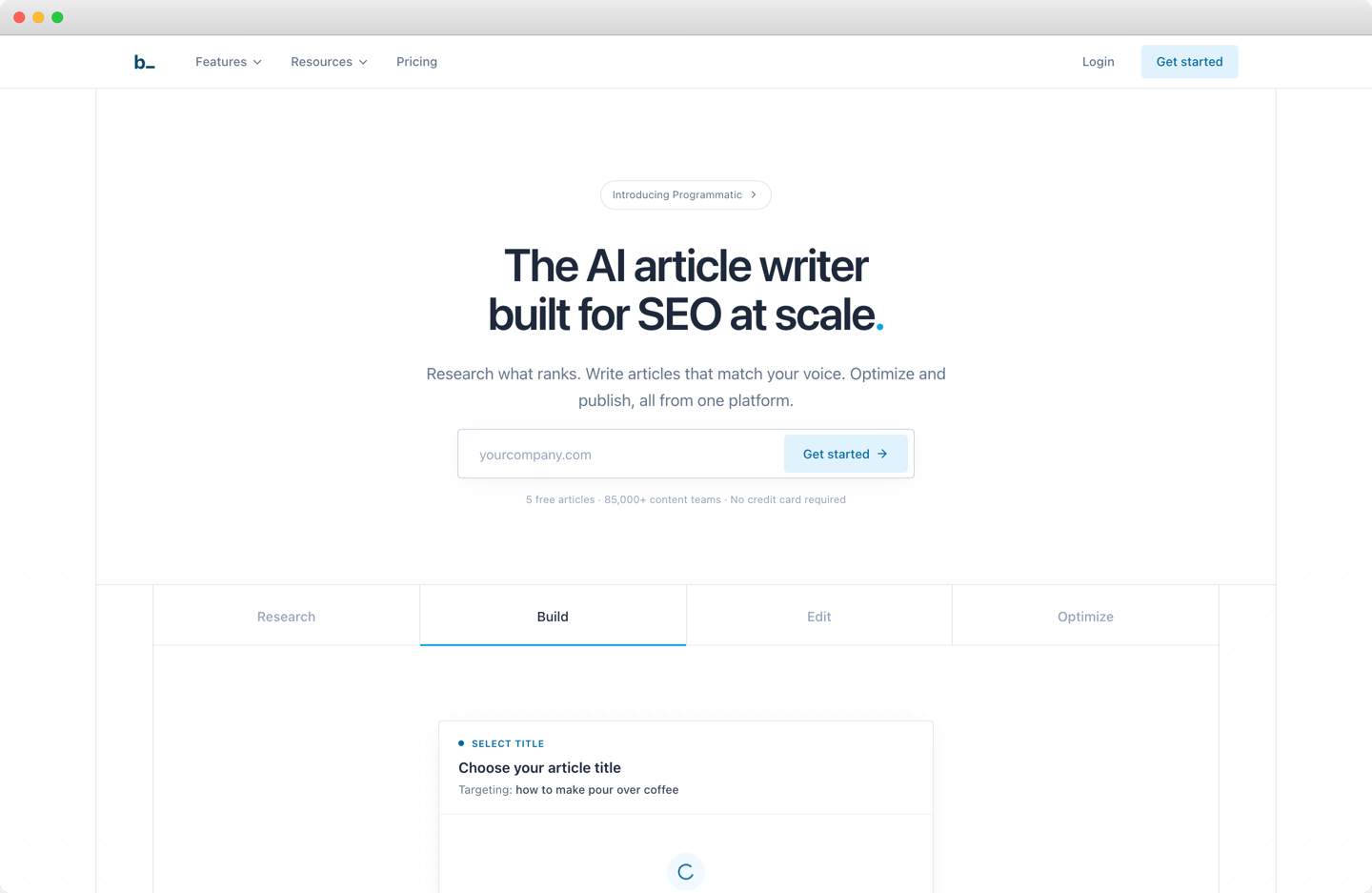
Byword is an AI article writer built for SEO, and its programmatic mode turns one template and a dataset into many pages. The data comes from a CSV, an API or manual entry, each page gets its own research, and the template gallery includes integration, use case, comparison and alternatives pages for software companies 16 17.
Byword belongs here for one situation, when a record cannot carry the page on its own. An integration row may hold the two product names and the records that sync, while the page needs a few hundred words on why a buyer would connect them. Byword writes those words, matches the voice of your existing content and publishes to WordPress, Webflow and other CMSs 15 16.
Generated text is also where thin pages come from. Byword’s pages describe generating and publishing, not how a page changes when its record does, and every plan is priced in article credits, so price a large set before you build it 15. Its public record is small, with three reviews on G2, one on Capterra and seven on Trustpilot, where the most recent says generated articles linked to the reviewer’s competitors 18.
Pricing
- Free: five articles, no card.
- Starter: $99 a month, or $83 a month billed yearly, for 25 articles, then $3.50 each.
- Standard: $299 a month, or $249 a month billed yearly, for 80 articles, then $3.00 each, with three seats and the API.
- Scale: $999 a month, or $833 a month billed yearly, for 300 articles, then $2.50 each, with ten seats.
- Credits: unused articles carry over and never expire.
Pros and cons
Byword is built to write the page text, which is both why you would buy it and what you would have to review:
Pros
- Writes page text from each row, with research per page
- Integration, use case and comparison templates
- Unused credits never expire
Cons
- Its pages do not say how a page updates when its row changes
- Priced per article, so a large set gets expensive
- Few reviews, and those warn about its links
What G2 and Capterra reviewers say about Byword
Its reviews are few, and they praise the batches while warning about the links it writes into the text:
it may take a bit of time and tinkering to understand how it should be used
Founder at a small businessApr 2024
Capterra rating: 5 out of 5, from a single review, read 23 November 2026.
Capterra
Read reviewIt’s a tool that comes at quite a high price, but the convenience and the customisability make it worth it for us.
Head of operationsJul 2024 Capterra
Read reviewthe interlinking is often faulty, linking irrelevant content within the article, so one has to either meticulously customise the interlinking or perform manual adjustments.
Head of operationsJul 2024
Templates built for software pages
Byword’s gallery starts a set from a ready pattern, such as an integration page, a use case page for an industry, a comparison or an alternatives page, each with a target length 16.
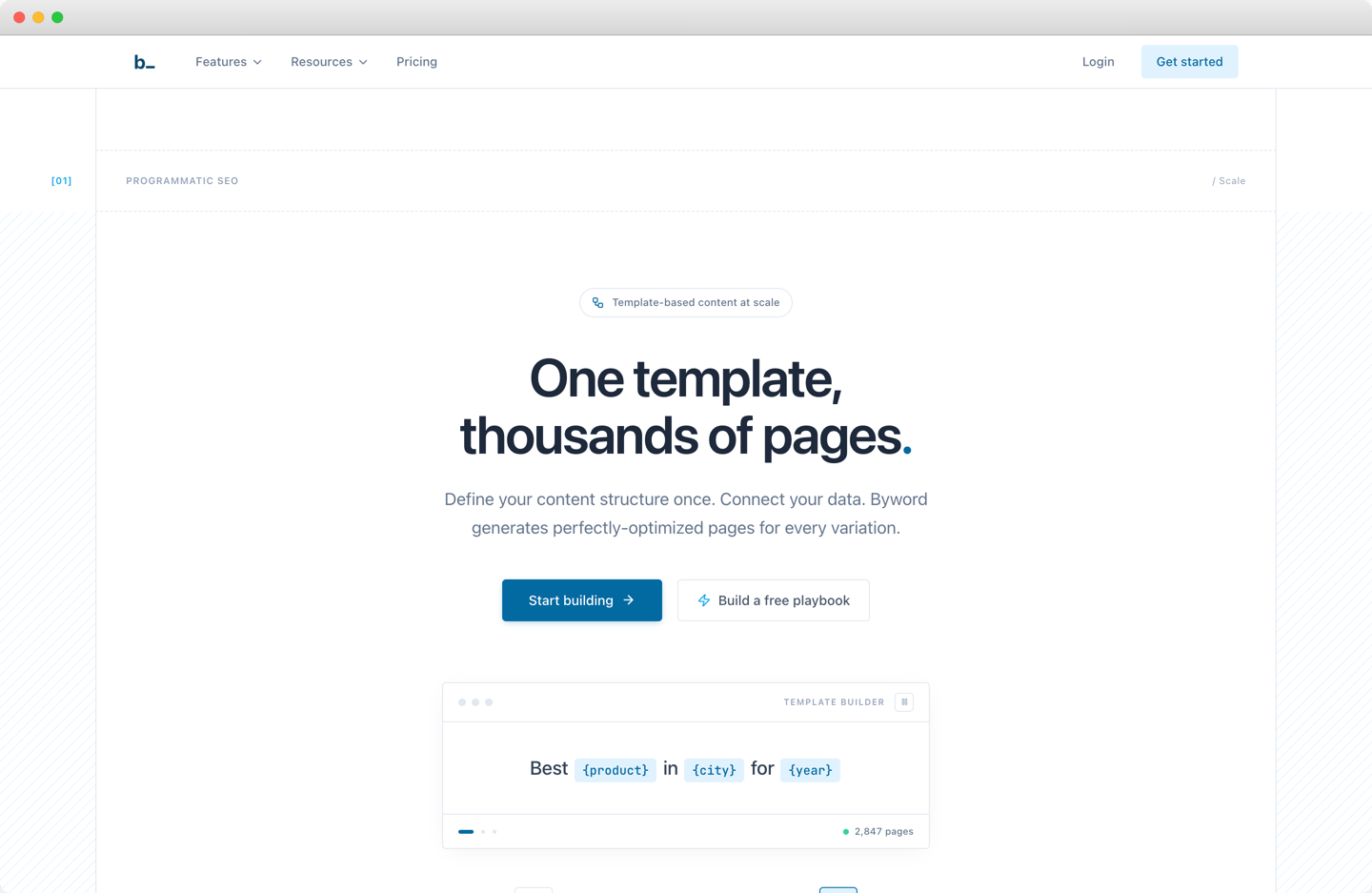
You pick the page type, and the text can only be as specific as the facts you load, so load the facts that differ by row first.
Verdict: buy Byword if each page needs prose your records cannot supply, and an editor on your team will read every page before it publishes. Skip it if your records already hold what a buyer needs, because a template over good data needs no generated text, and you would pay per page for words nobody asked for.
How to Choose by Where Your Page Facts Live
The five tools answer the same questions differently, so answer them for your own site before you compare prices:
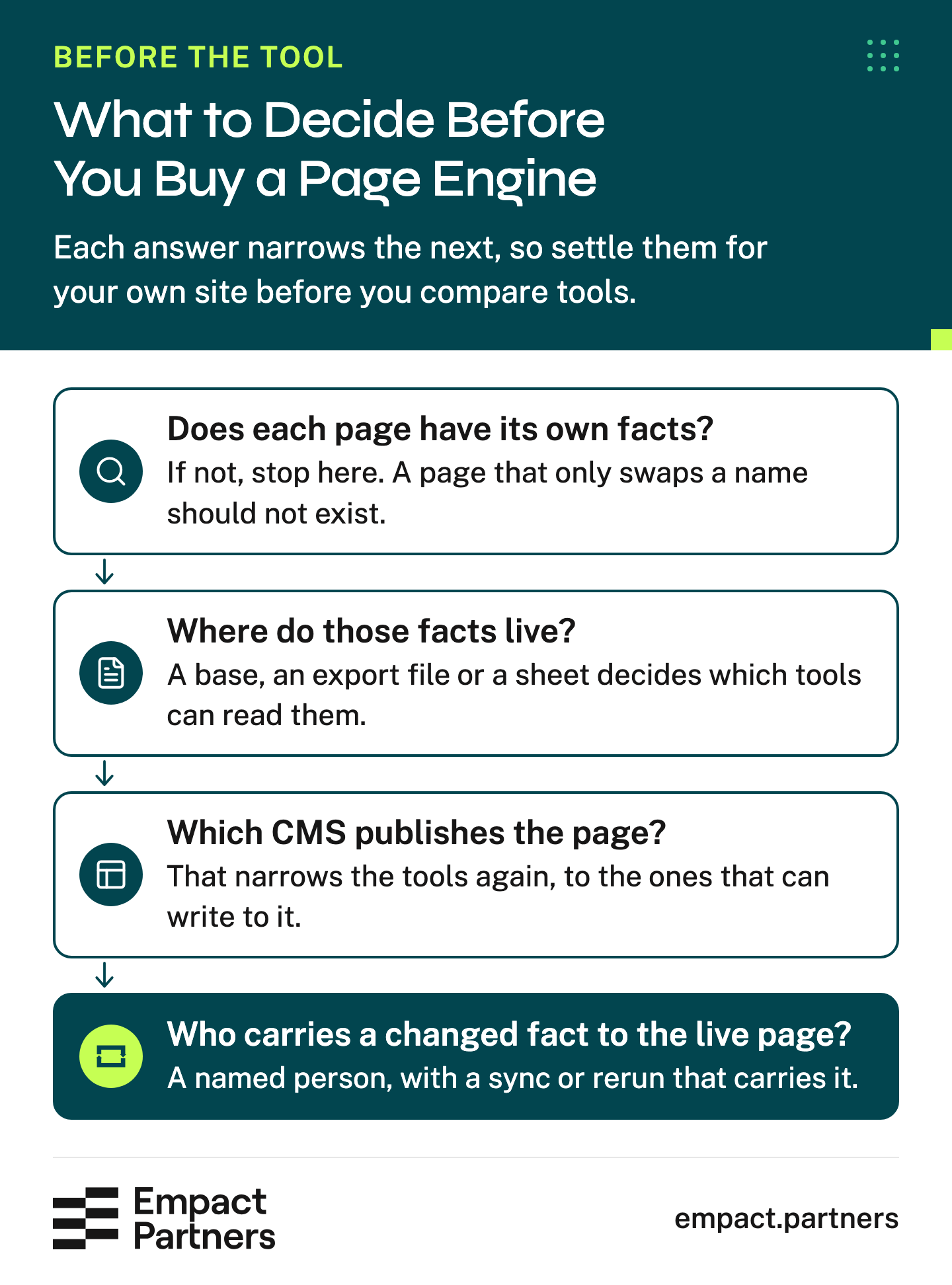
Whalesync, WP All Import and LPagery answer the last question with a sync or a rerun you control. SEOmatic’s and Byword’s pages describe building and generating, so ask both how a page changes after launch.
Pick the tool by what happens to the live page when one fact changes.
With your answers in hand, route by situation:
- Airtable records, Webflow pages: Whalesync, with one person owning the publish step.
- WordPress custom post types: WP All Import, with Pro and a schedule someone runs.
- One WordPress page, many regions: LPagery, if the sheet can be public.
- A small team wanting agents: SEOmatic, on the Scale plan.
- Pages that need prose: Byword, with an editor reading each page.
- No answer to question one: none of the five yet.
That first question is the one our free Page Engine Blueprint answers. It reads your website and proposes up to four page templates your site could generate. It checks search demand on sample keywords and flags templates whose material is too thin. Where the evidence supports a template, it mocks up one page, then sends the blueprint to your work email. This free version previews the agent our partners get in full:
Build Only the Pages Your Product Team Can Confirm
A page earns its place when it carries a fact only that page has, and someone on your product team can confirm the fact. An integration page passes that test when it says which records sync, in which direction and on which plan. A page that only drops the other app’s name into the same paragraph fails it, however many searches the keyword has.
A first batch also shows whether Google wants the pages at all. One SaaS founder who published more than 70 pages from API data had 26 indexed after six weeks. A week after linking the stuck pages from pages Google already knew, the founder posted this:
r/GrowthHacking
View threadThe indexing has now jumped from 26 to 66 in literally a week. Focused on strong interlinking and backlinking from indexed pages.
May 2026
Builders who have shipped these sets on Reddit keep landing on the same habits:
Tips from Reddit
What builders of page sets recommend
For writing, use templates with data fields. Build one base template for each category. Then fill in the geo and product parts in code. Do this automatically. Don’t call an LLM for every single page.
agent-generated pages from the same API schema tend to bleed into each other unless you deliberately vary the angle or intent per page
Deploying only 2-3 a day as pages dont seem to be indexing. The pages that did get indexed are generating traffic though
If we built yours, the audit that opens all our work would start where this comparison does, with which pages your product facts can support and where those facts live. We would then build the pages and the pipeline that keeps each one in line with its record, so a corrected fact reaches every page that shows it. The work covers:
- A roadmap for your page families, drawn from the audit
- The programmatic pages and the data pipeline behind them, built by us
- One senior GTM consultant in charge, on every call with you
- Your own repository for the engine, with documentation and training
Samantha Spiro’s playbook, How to Build Pages at Scale Without Publishing Thin Content, sets out how to decide which pages your team builds and which it leaves out:
Whichever tool you choose, publish a small first batch and change one record in it the week after. How long the live page takes to show that edit, and who had to do what to get it there, tells you more than the launch did.
Frequently Asked Questions
What is programmatic SEO for a SaaS website?
Programmatic SEO is publishing many similar pages from one template and a set of records, each aimed at a search buyers make. For SaaS companies the common families are integration pages, use case and industry pages, and comparison or alternatives pages. It works when each page carries facts specific to it, such as what an integration syncs, and fails when the template only swaps a name.
Which programmatic SEO tool works with Webflow?
Whalesync is the usual choice when your records live in Airtable, Notion, Google Sheets or Postgres, because it syncs both ways with Webflow CMS collections. SEOmatic and Byword also publish to Webflow. With Whalesync, a synced item reaches the live site only when someone publishes the Webflow site, so give that step an owner before the first sync.
Should a WordPress team use WP All Import or LPagery?
Choose WP All Import when your pages are a custom post type with its own fields, such as integrations, filled from a file you export again and again. Choose LPagery when you want one designed page cloned for every industry, use case or region, with a Google Sheet as the source. If you need custom fields and scheduled updates, WP All Import Pro is the stronger fit.
Do programmatic pages need AI-written text?
Often not. If your records already hold what a buyer needs, such as the two apps, what syncs and which plan includes it, a template can say it plainly. Generated text earns its place when a page needs explanation the records cannot supply. Then someone should check it against the record before it publishes, because a fluent paragraph can still describe a feature you do not have.
What happens to the pages when our product data changes?
That depends on the tool, and it is the question to ask before buying. Whalesync updates the Webflow item and waits for a site publish. WP All Import updates the same posts when you rerun the import. LPagery’s Google Sheet Sync updates pages on a schedule. SEOmatic’s and Byword’s pages describe building and generating pages rather than updating them, so ask each vendor directly.
How many pages should we publish at once?
Fewer than the tool allows. A small first batch shows you whether Google indexes the pages and whether anyone clicks before you have hundreds to fix. SEOmatic publishes in batches you approve, LPagery can set a publish date for each row, and builders on Reddit describe slowing to a few pages a day when indexing stalls. Grow the set once the first batch earns its keep.
Keep a note of the pages Google chose to leave out, because they are the first place to look for a template that needs more facts or better links before the next batch goes live.
Will Google index hundreds of new pages?
Not just because you published them. One SaaS founder on Reddit had 26 of more than 70 pages indexed after six weeks, then 66 a week after linking the stuck pages from pages Google already knew. Plan the internal links from your existing pages before launch, keep each page distinct, and expect pages that add nothing to stay out.
How much does a programmatic SEO tool cost?
On 23 November 2026 the five ranged from free WordPress plugins to $999 a month. LPagery’s Google Sheet Sync started at $20.25 a month billed yearly. WP All Import Pro cost $149 a year, plus an optional $19 a month for automatic scheduling, and Whalesync $16 a month billed yearly for 2,000 records. SEOmatic’s Page Templates need its $249 plan, and Byword charged per article, from $99 for 25.
Can we build a page engine without buying a tool?
Yes, if you have a developer. A static site generator or a headless CMS can render pages from records in code, with no tool between the data and the page. Every update then ships with your normal deploy. The cost moves from a subscription to engineering time, so it pays when the page set matters to how buyers find you and someone will keep the code current.
Which pages should a SaaS company build first?
Start with the family where your records are strongest and buyers already search, usually integrations or use cases. Those are the most common families on SaaS sites, and they are the easiest to keep true, because the facts come from your own product team. Comparison pages need the same care, plus facts about a rival that you have to keep current yourself, since no rival will tell you when its pricing changes.
Who on our team should own a page engine?
Whoever owns the records the pages come from, usually someone in product marketing who can get a product manager to confirm a fact. A marketing engineer or developer runs the sync or the import, and one named person approves what goes live. Split those three jobs and keep the names written down, because a page engine with no owner keeps publishing pages that were true last quarter.
Sources (18)
- Whalesync, "Plans and pricing" (2026)↩1
- Whalesync, "Webflow connector guide" (2026)↩1↩2↩3
- Whalesync, "Issues" (2026)↩1↩2
- WP All Import, "Pricing" (2026)↩1
- WP All Import, "Define Unique Identifier Correctly" (2026)↩1↩2
- WP All Import, "Run WordPress Import on a Schedule" (2026)↩1
- WordPress.org, "WP All Import plugin" (2026)↩1↩2↩3
- LPagery, "Pricing" (2026)↩1
- LPagery, "Google Sheet Sync" (2026)↩1
- LPagery, "vs Multiple Pages Generator" (2026)↩1↩2↩3↩4
- WordPress.org, "Bulk Page Generator, LPagery" (2026)↩1↩2↩3
- LPagery, "The best WordPress bulk page creator plugin" (2026)↩1
- SEOmatic, "AI SEO agents that fix, publish and prove what moved" (2026)↩1↩2
- SEOmatic, "The programmatic SEO tool that ships pages Google keeps" (2026)↩1↩2↩3
- Byword, "Pricing" (2026)↩1↩2
- Byword, "Programmatic SEO" (2026)↩1↩2↩3
- Byword, "llms.txt" (2026)↩1
- Trustpilot, "Byword reviews" (2026)↩1
Keep reading
Marketing Engineering Put Your Ops Lead in Charge of Your First AI Agent
Before you hire a marketing engineer, give your ops lead the hours, one job and a builder for your first AI agent.
Marketing Engineering When a Shared Marketing Spreadsheet Should Become an App
Six questions show whether your team’s shared marketing spreadsheet should become an app, and what the app must keep that the sheet can’t.

Marketing Engineering How to Judge a Marketing Engineering Partner Before You Sign
Judge a marketing engineering partner by who else can change what they build, where it runs, whose rules it reads and how it stops.