
5 Best ROI Calculator Builders for B2B Lead Generation
Five ROI calculator builders for B2B teams, routed by what happens after the number: a lead form, a quote, a score, a payment or an answer.
 Teddy CipollaWith
 Vlad Shvets
On this page
Empact Newsletter
One email a month on what is working in AI search and SaaS go-to-market.
An ROI calculator builder puts a working calculator on your site without a developer. The visitor types their own numbers, the page does the math, and the tool then captures a lead, prices a quote, scores the visitor or takes a payment. That step after the math is what vendors now sell. ConvertCalculator rebuilt itself as ConvertSite in February 2026 to sell whole quoting pages 1.
The number a calculator shows rarely stays on the page. A champion forwards it, a finance lead questions it, and a figure built on assumptions nobody can see is hard to defend in that meeting. So the builder you want lets the visitor see the inputs, change the assumptions and read the result before a form asks for anything.
Empact Partners built the Outsourcing vs In-House Cost Calculator, and it is the bar we held these five to. We do Marketing Engineering for SaaS teams, building the calculators and tools they can’t buy off the shelf.
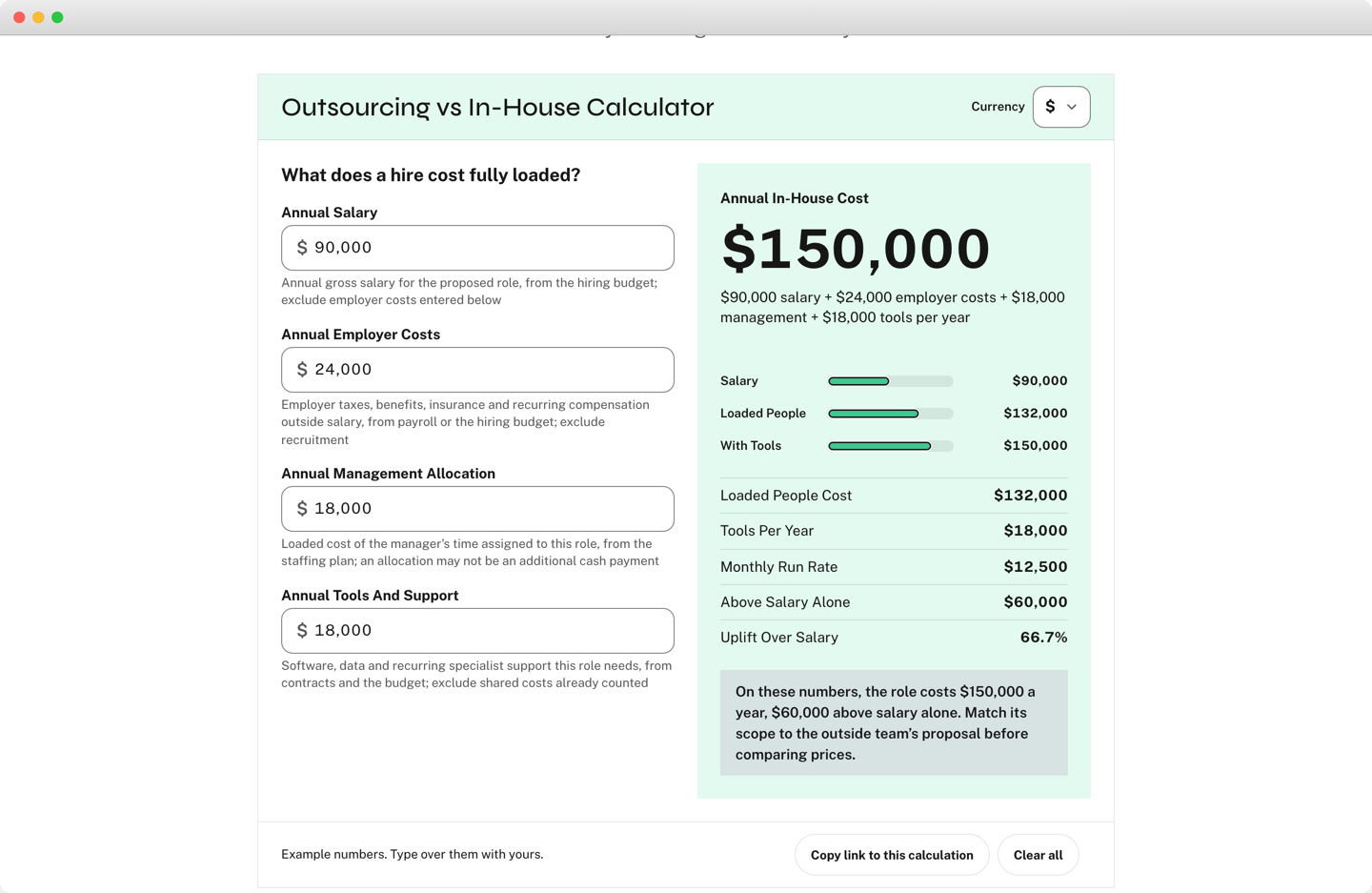
We went through each vendor’s pages, prices and Capterra reviews on 24 November 2026. Each builder does something different after the result appears, and each entry says how close it comes to that bar.
Scroll horizontally to see all columns when the table is wider than this page.
| Tool | Best for | What happens after the number | Lowest paid price | Free route |
|---|---|---|---|---|
| Outgrow | Programs of calculators and quizzes | The visitor fills Outgrow’s lead form and the lead goes to your CRM | $14 a month, billed yearly | A 7-day trial of the Business plan |
| ConvertSite | Quotes priced from options and rules | The visitor sees an itemized estimate and requests the work or pays a deposit | $25 a month | Free to build, paid to publish |
| involve.me | Scoring and routing leads | The answers score the lead and a rule moves it to a pipeline stage | $29 a month, billed yearly | The Free plan has no calculators |
| Calculoid | Taking payment for the computed price | The visitor pays that amount through Stripe or PayPal | $19 a month, payments from $39 | A 30-day trial, then 500 views a month |
| CALCONIC | A single calculator on your own site | The visitor reads the answer, with emailed results on paid plans | $5 a month, billed yearly | 5 calculators and 500 impressions a month |
Outgrow
Best for: demand teams running a program of ROI calculators, quizzes and assessments that all feed one lead form.
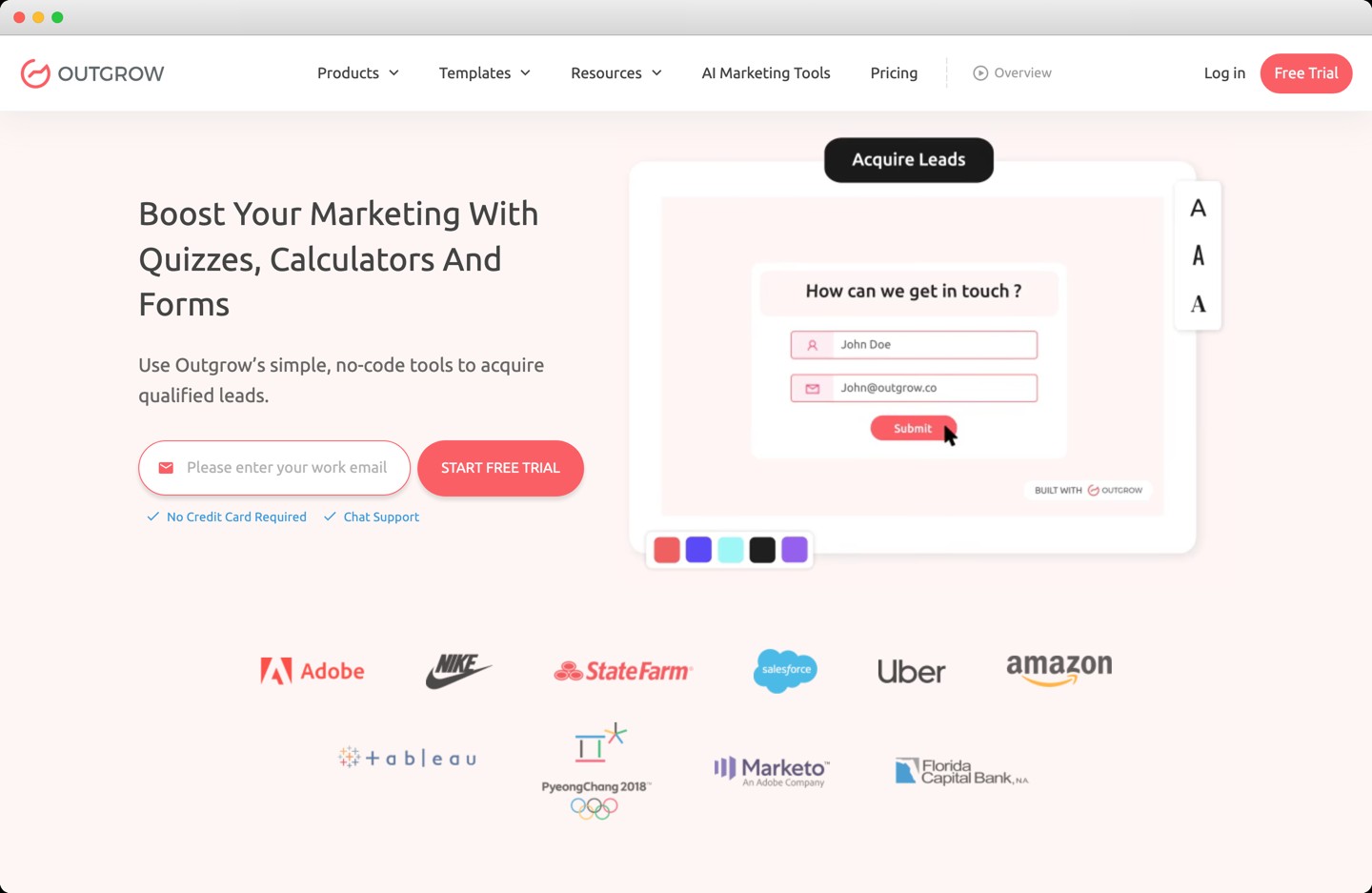
Outgrow is an interactive content platform. Calculators sit beside quizzes, assessments, polls, chatbots and landing pages, all feeding the same lead form and integrations 2. Its templates include an ROI calculator funnel and a HubSpot ROI calculator 3.
The case for Outgrow is volume. The Essentials plan allows unlimited pieces and 7,500 leads a month 2. A team can run a savings calculator, a readiness assessment and a pricing quiz without a new contract for each.
The knock is what the lower plans leave out. Charts, tables, your own domain and the removal of Outgrow’s branding belong to Business, and standard plans come with one integration 2. Every plan is also measured in lead-form submissions, so the form sits at the center of the product.
Pricing
- Freelancer Limited: $14 a month billed yearly, or $22 monthly, for 5 calculators or other pieces and 250 leads a month, with Outgrow’s branding.
- Freelancer Pro: $25 a month billed yearly, or $45 monthly, for 7 pieces and 1,000 leads a month.
- Essentials: $95 a month billed yearly, or $115 monthly, for unlimited pieces, 7,500 leads a month and 3 users.
- Business: $600 a month billed yearly, or $720 monthly, for 50,000 leads a month, 10 users, charts, PDFs and your own domain.
- Trial: 7 days of Business, with no card.
Pros and cons
Outgrow’s allowances reward volume, while charts, your own domain and branding controls sit on the top plan:
Pros
- Calculators, quizzes and assessments on one lead form
- If-else and nested logic in the formula on every calculator plan
- Unlimited pieces from the Essentials plan
Cons
- Charts, your own domain and branding removal only on Business
- One integration on standard plans
- Formula accuracy questioned in a detailed review
What Capterra reviewers say about Outgrow
Demand teams praise how fast they ship a new piece, and the complaints are about cost and formulas:
Capterra
Read reviewOutgrow allows us to create interactive content easily. This type of content is important to us as it allows us to address major objections or pain points before someone even gets to a sales person.
Director of demand generationJun 2026 Capterra
Read reviewCost was crazy expensive. We needed one feature/tool Outgrow offered that a competitor did not and that alone brought the cost up significantly.
COO at a small mental health care companyMar 2026 Capterra
Read reviewExcel gives correct result yet the speed is so slow that it makes the calculator practically unusable. The native formulas run fast yet the results are often incorrect
Marketing operations lead at a software companyMay 2024
A formula that changes with the visitor’s answers
Outgrow’s Formula Builder writes the math in terms of the questions and the results, with if-else logic, nested conditions, logarithms and powers, so a savings figure can move with the visitor’s team size or plan 2 3. Conditional messaging then changes the advice beside the number.
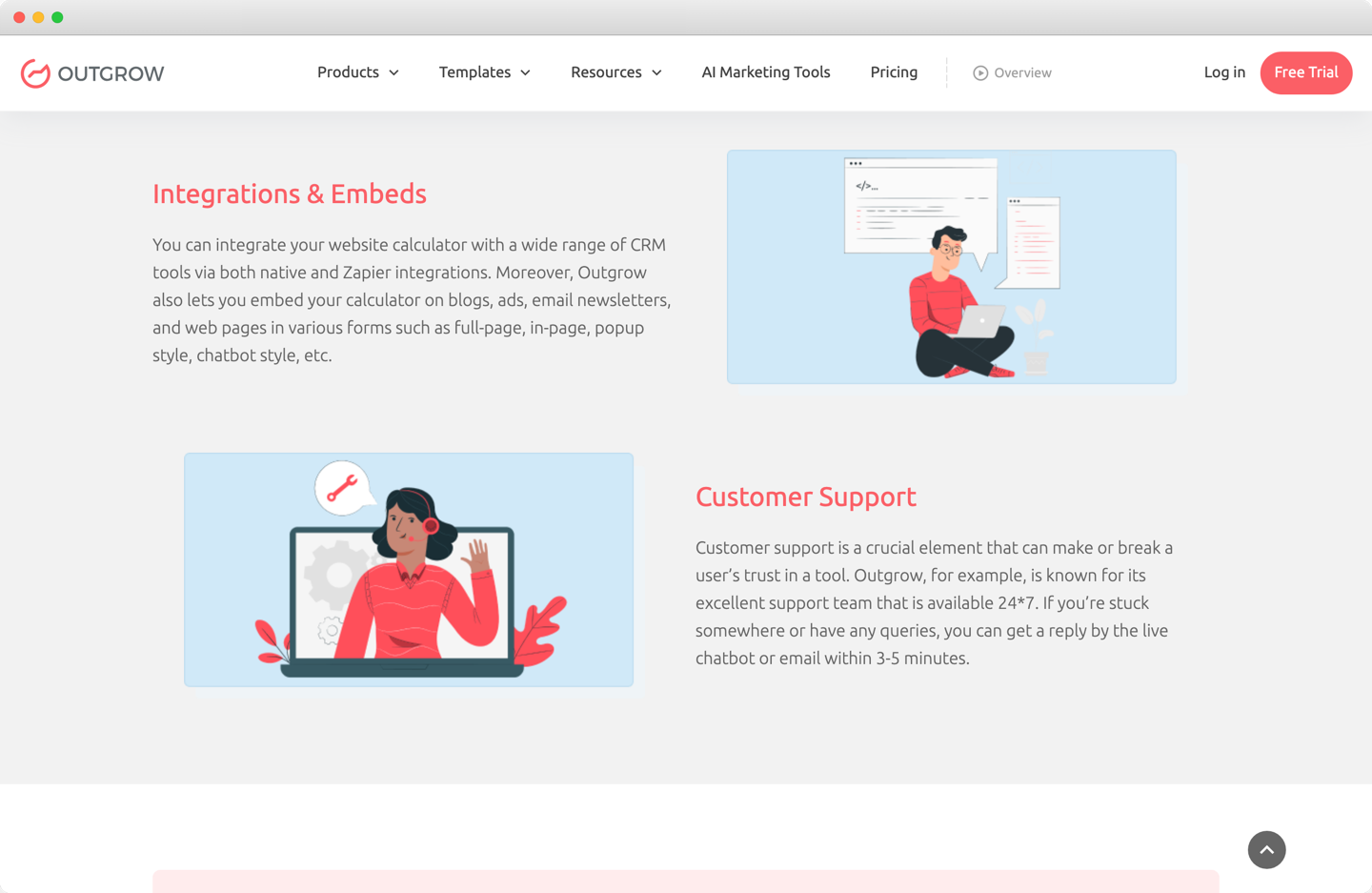
The formula field is also where the reviewer above found wrong results, so put your hardest formula through the 7-day trial. In the same trial, check that your calculator can show its result before the lead form, the step our bar asks for.
Verdict: buy Outgrow if you will run several calculators and quizzes for leads and want them on one form and one set of integrations. Budget for Essentials, or Business if you need charts or your own domain. We would put the result above the lead form on every calculator. Skip it for a single calculator, where you pay for a suite you will not use.
ConvertSite
Best for: sales teams that quote from options and rules and want the visitor to see an itemized price.
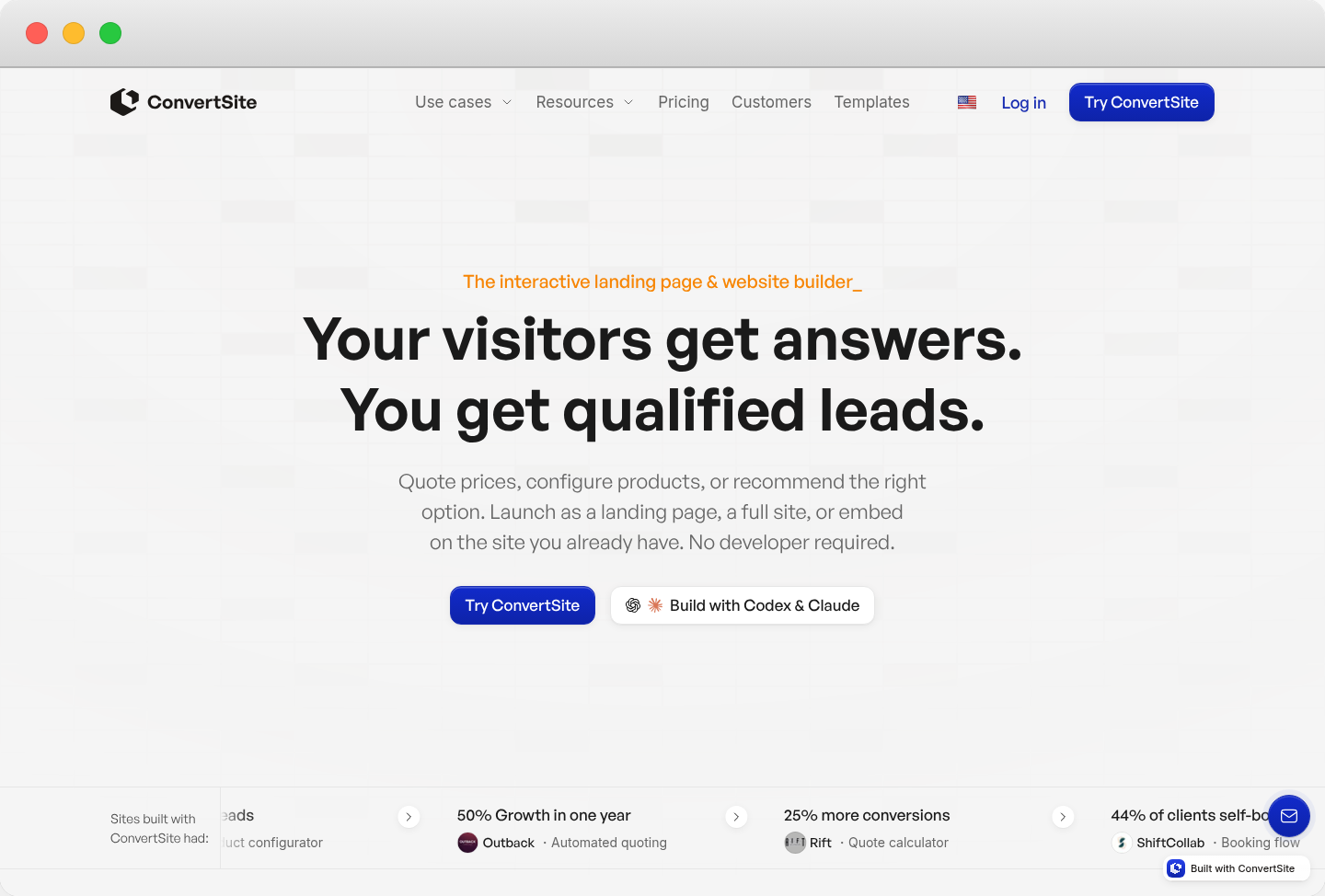
ConvertSite is the platform ConvertCalculator became on 5 February 2026, the day every new signup moved to it 1. It is a rebuild rather than a rename. ConvertCalculator embedded calculators and forms, and ConvertSite builds whole conversion pages and sites around them, with an AI assistant that assembles a flow from a chat 4.
For quotes, the pricing logic is the strength. ConvertSite handles tiered pricing, geographic zones, add-ons, travel costs and custom formulas, and the visitor sees an itemized breakdown as they change options 4. Prices can come from a Google Sheet, and Stripe checkout can take a deposit on the same page.
The knock is that the platform is new. Its own launch post calls it early, and in November its FAQ still promises a tool to move ConvertCalculator projects across “by the end of Q3” 1 4. Custom quote PDFs filled with the buyer’s details are marked as coming soon, and the native HubSpot connection comes only with the $100 Business plan 4.
Pricing
- Free: $0 to build and test, with 250 AI credits a month. Publishing starts a 7-day trial of a paid plan.
- Starter: $25 a month for analytics and funnels, with ConvertSite branding and no external integrations.
- Builder: $50 a month, adding your own domain, 23 languages and a custom API connection.
- Business: $100 a month, adding Zapier and HubSpot and removing ConvertSite branding.
- Add-ons: Documents at $50 a month for branded quotes and proposals, layered images at $100 a month.
- Every plan: unlimited visitors, form responses and teammates. Yearly billing saves 20%.
Pros and cons
ConvertSite is built for the price that depends on choices, and it is still finishing the rebuild:
Pros
- Itemized live estimates from tiered and conditional pricing
- Unlimited visitors and responses on every plan
- Prices pulled from a Google Sheet your team already edits
Cons
- An early platform, with the migration tool still promised
- Native HubSpot only on the $100 Business plan
- Custom quote PDFs listed as coming soon
What Capterra reviewers say about ConvertCalculator
Capterra has no ConvertSite profile yet. The reviews of ConvertCalculator, the product ConvertSite replaced for new signups, praise how fast a pricing calculator goes live and warn that complex builds take work:
Capterra
Read reviewManaged to very quickly, easily create a pricing calculator in 3 hours that I expected to take several days / need custom code.
Founder of a hospitality companyAug 2021 Capterra
Read reviewIt may be challenging for a non-coder to design complex calculators. Navigating the dashboard may not be intuitive.
Owner of a real estate companyJul 2021
An itemized estimate beside the inputs
ConvertSite’s own price quote calculator comes closest to our bar of the five. The visitor answers on the left, and the right side itemizes the rate, the subtotal, the travel costs and the total price before any request button 5.
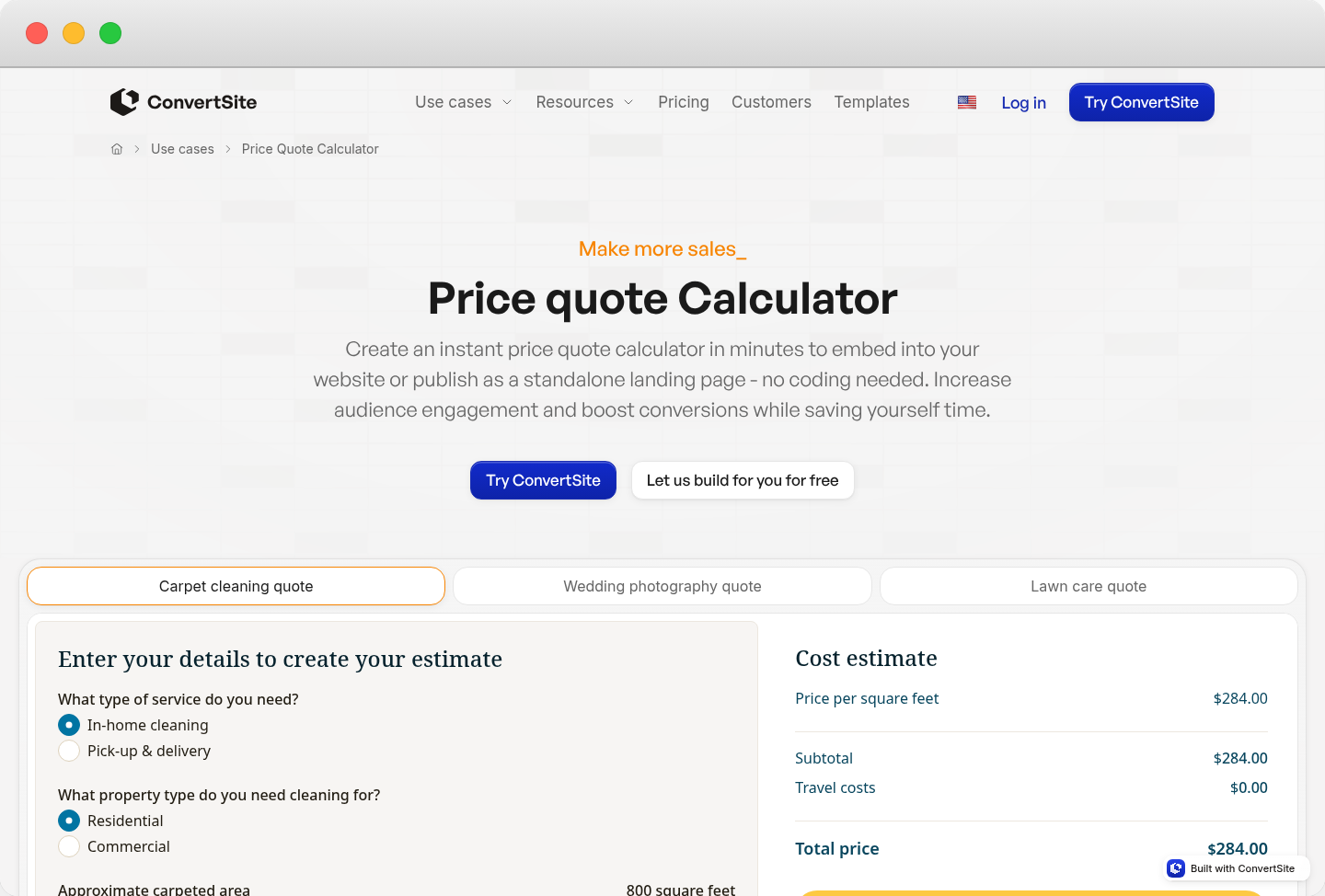
Rebuild your real prices that way in the trial, and check that every line the total depends on stays visible.
Verdict: buy ConvertSite if your price depends on options, zones or volumes and you want visitors to see an itemized quote before they talk to sales. Plan for Business if leads must reach HubSpot. We would keep the prices in the Google Sheet your pricing owner already edits, so the page never drifts from them. Skip it if you need quote PDFs today.
involve.me
Best for: teams that want the calculator result to score each lead and decide who sales calls first.

involve.me is a lead capture platform with its own CRM. A calculator is one funnel type beside assessments, product finders and intake forms. Every answer can carry points, and a score-based outcome page shows each visitor a personal result 6. The lead lands in the free CRM with its answers and score, and email workflows branch on both.
That chain makes it the qualification pick. The vendor’s own B2B software example moves high-fit accounts to Demo requested and the rest into nurture, with the ROI figure on the record 6. Its help center tells you to show the result first and ask for contact details on the next page 7, the order we would choose too.
The knock is the plan ladder. The Free plan has no calculators at all 8. HubSpot, Pipedrive and Attio start on Grow, and Salesforce, Marketo and webhooks wait for Scale 9. One long-time user also found it too simple once the qualification turned nuanced.
Pricing
- Free: $0 for 2 live funnels and 50 submissions a month, with no calculators.
- Start: $29 a month billed yearly, or $49 monthly, for 3 live funnels, scoring and email workflows.
- Grow: $69 a month billed yearly, or $99 monthly, for 5 live funnels, HubSpot, your own domain and no branding.
- Scale: $139 a month billed yearly, or $199 monthly, for 25 live funnels, A/B tests, Salesforce and webhooks.
- Enterprise: from $499 a month on an annual contract.
Pros and cons
involve.me joins the score, the record and the follow-up, and gates the bigger CRMs behind its upper plans:
Pros
- Scores, outcome pages and a CRM in one tool
- Email workflows that branch on the score
- Stripe, PayPal or Square payments on every paid plan
Cons
- No calculators on the Free plan
- HubSpot from Grow, Salesforce from Scale
- Too simple for nuanced qualification, by one user’s account
What Capterra reviewers say about involve.me
Users like the weighted scoring, and the complaints are about what each plan holds back:
Capterra
Read reviewI explored multiple platforms (I don't really remember which ones now) but settled on involve.me because of the weighted quizzes and integration options.
Director of operations at a coaching companyDec 2024 Capterra
Read reviewIf the flow is simple, I think Involve.me is a great, easy to use option. If the choices are more nuanced and require more qualification criteria, Involve.me is probably too simplistic to use.
Marketing managerAug 2023 Capterra
Read reviewThey block the Google Tag behind a paywall, they know people want to track conversions so it's basically useless if you don't pay extra.
Creative content manager at a software companyMar 2025
Rules that sort each lead by its score
involve.me draws the whole route on its homepage in three cards. A quote calculator collects a budget, a rule marks budgets over $10,000 as high value and assigns them to sales, and a workflow sends the high scorers a booking email 6.
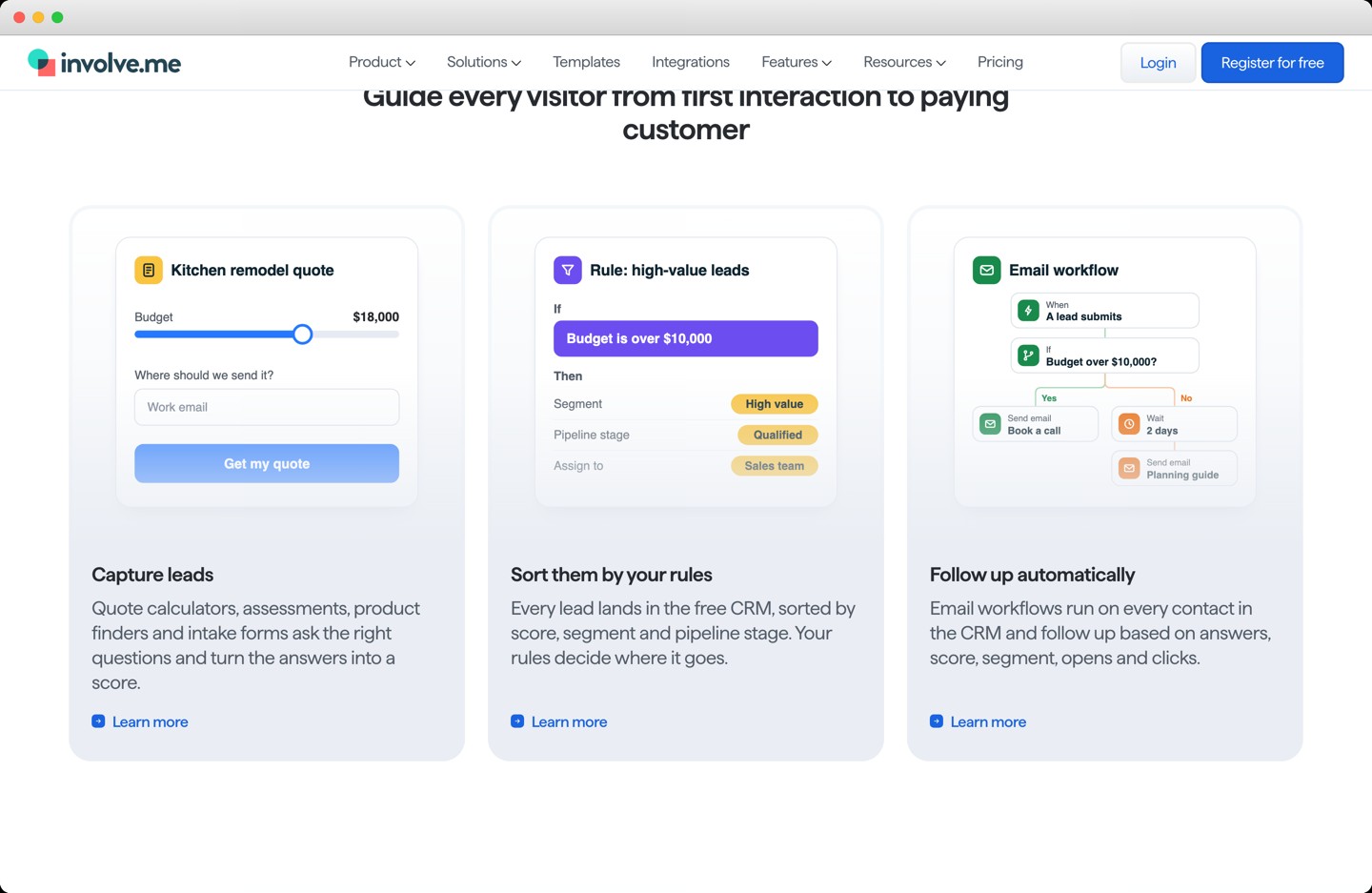
Write your routing rule before you build the calculator. Once you know what sends a lead to sales, you know which inputs the calculator has to ask for.
Verdict: buy involve.me if the calculator’s job is to sort leads into a CRM and a follow-up. Budget for Grow if leads go to HubSpot. We would write the routing rule before any input, then build only the inputs it needs. Skip it if qualification turns on many weighted criteria, or if Salesforce is your CRM and Scale is out of budget.
Calculoid
Best for: sellers whose calculator should take payment for the exact amount it just worked out.
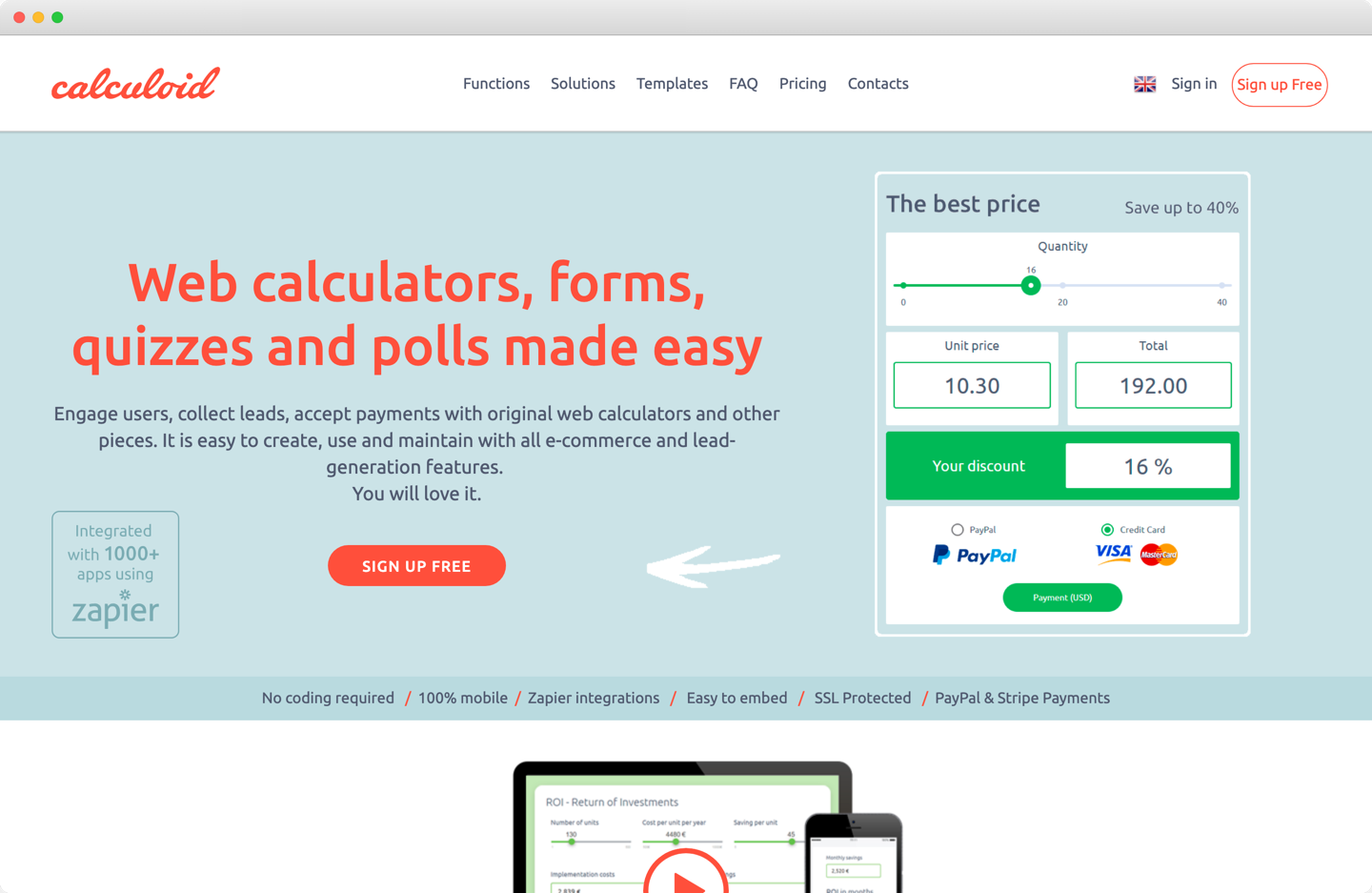
Calculoid is a web calculator builder with payments built in. Its homepage leads with a quantity slider, a unit price, a discount and a total, with PayPal and card buttons underneath 10. The templates include a pricing calculator and a small online store, both set up to get paid.
The payment field is the reason to pick it. Calculoid calculates the price and the visitor pays that amount through Stripe or PayPal 11. The payment token is saved with the calculator’s field values, and the payment appears beside the submission. The visitor never retypes a total into a separate checkout.
The knock is age and support. Online payments start on the $39 plan, and the free plan has none once its 30-day trial ends 12. Calculoid’s setup guide has visitors leave contact details to get their result 10, the opposite of our bar, so keep the price visible in your build. It has five Capterra reviews, the newest from 2022, and one describes a bug report that got no answer.
Pricing
- Free: $0 for 500 views a month and no private calculators, after a 30-day full trial.
- Lead generation: $19 a month for 2 private calculators, 2,000 views and lead capture, without payments.
- High traffic & E-commerce: $39 a month for 5 private calculators, 10,000 views, payments and multi-page calculators.
- Largest plan: from $99 a month for 100,000 views and more.
- Guarantee: 7 days, money back.
Pros and cons
Calculoid closes the gap between the number and the payment, and its review record is thin and dated:
Pros
- Charges the amount the calculator computed
- Stripe and PayPal side by side
- Payments stored with the visitor’s inputs
Cons
- Payments only from the $39 plan
- Five Capterra reviews, the newest from 2022
- Lead capture designed to hold back the result
What Capterra reviewers say about Calculoid
The few reviews like the builder, and the complaints are about payments and support:
Capterra
Read reviewVery Easy to use. The calculation Tools are simple and userfiendly.
Director of a management consulting practiceNov 2019 Capterra
Read reviewThe platform is a little bulkier, but seems to be getting better. I don't like their payment platform, but the tool itself works quite well
Online marketing manager at a consumer goods companyJul 2019 Capterra
Read reviewI found a bug with the check box feature. I sent this information to their support team and got no response
Business ownerOct 2022
A payment field that charges the computed price
Calculoid’s Stripe demo shows the route on one screen. The visitor picks a plan and a number of users, and the pay button already carries the total, $70 a month for 14 users on the cheapest plan 11.
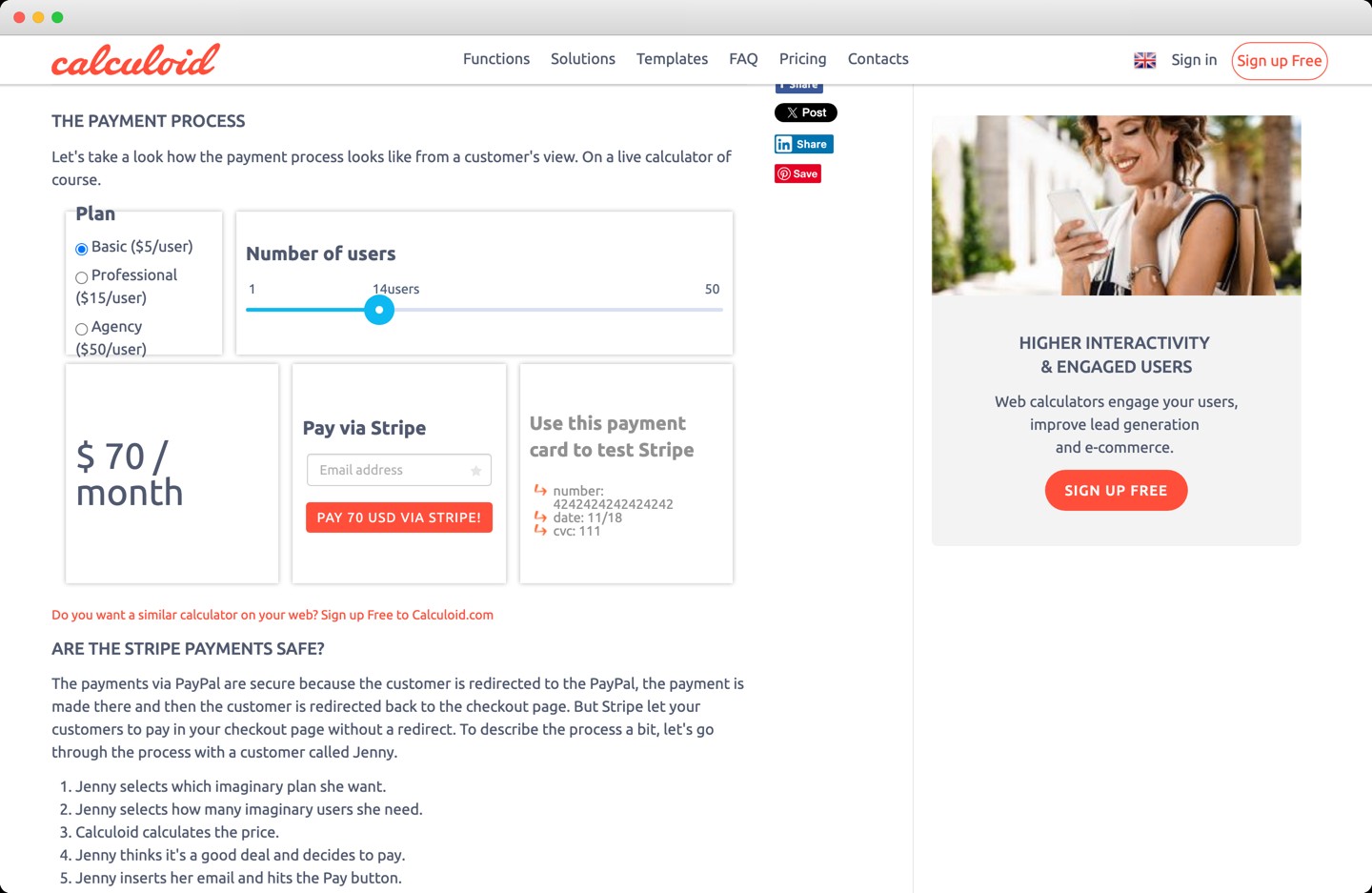
The demo dates from 2015, so confirm in the trial that your gateway and currency connect the same way today.
Verdict: buy Calculoid if the visitor should pay the exact amount the calculator shows, such as a plan, a deposit or a small order. Plan on the $39 tier. We would show the full price breakdown above the pay button. Skip it if you need recent reviews and quick support, or if the calculator’s job is a lead rather than a payment.
CALCONIC
Best for: a small marketing team adding a cost or savings calculator to an existing site for a few dollars a month.
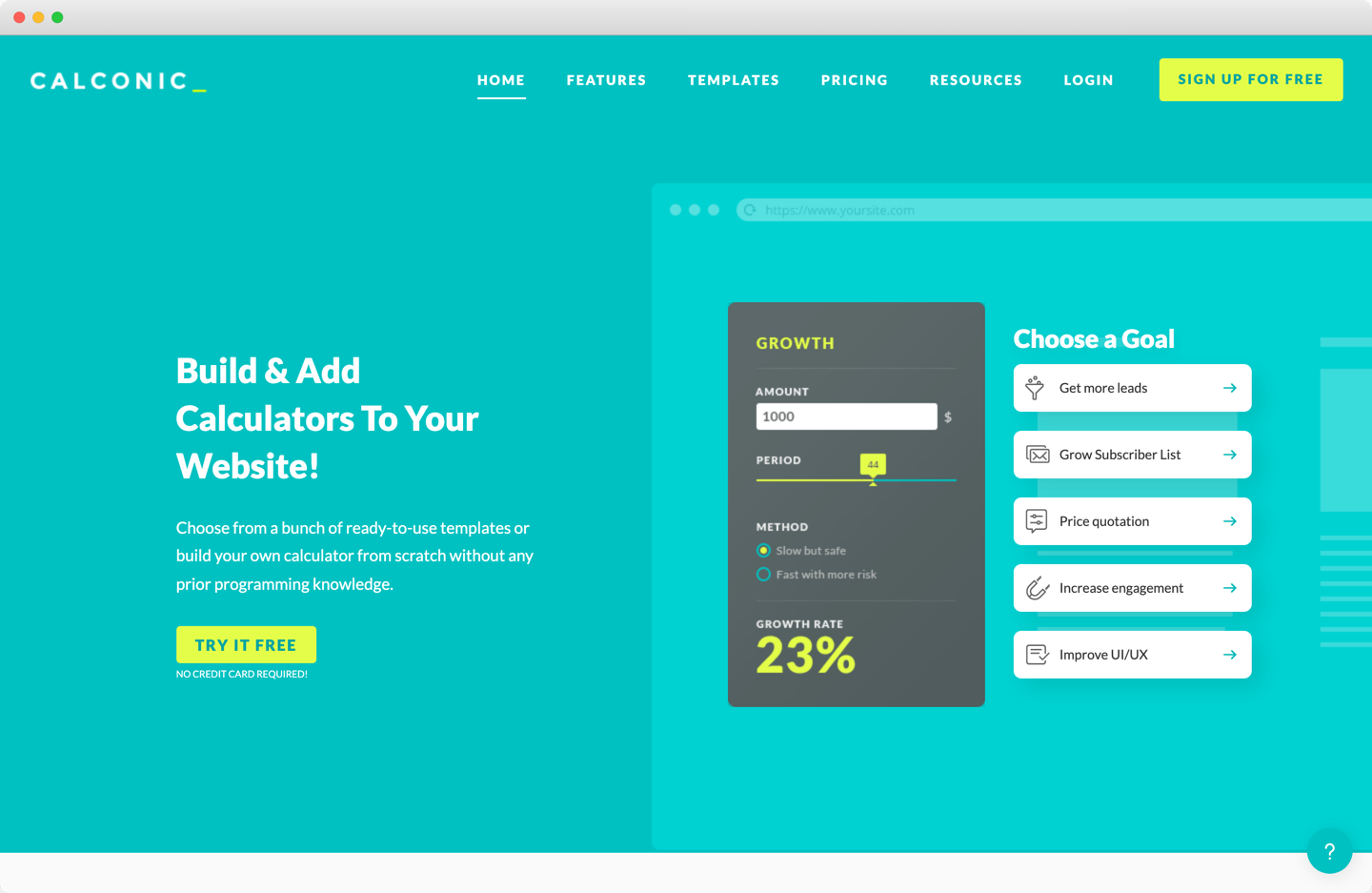
CALCONIC is a no-code calculator widget builder. You drag fields into a calculator, write the formula and style it 13. Then you embed it as a standard embed, a popup or an iframe, on Shopify, Webflow, Wix, Squarespace, WordPress or any site that runs JavaScript 14.
For a calculator that answers on your page and stops, CALCONIC is the cheapest route here. You get 5 calculators and 500 impressions a month for free, and Light costs $5 a month billed yearly 14. Paid plans add emailed results, order forms, PayPal payments and white labeling 14.
The knock is the ceiling. Reviewers describe a limited interface and a formula editor that is hard going for anyone who does not think in spreadsheets, and one misses Google Analytics events. Most of the Capterra reviews we read date from a few weeks in mid-2021. Billing is quarterly or yearly, with no refund after a quarterly payment 14.
Pricing
- Free: 5 active calculators and 500 impressions a month.
- Light: $5 a month billed yearly, or $6 a month billed quarterly, for 10 calculators and 3,000 impressions.
- Regular: $14 a month billed yearly, or $17 quarterly, for 20 calculators and 15,000 impressions.
- Bold: $44 a month billed yearly, or $55 quarterly, for unlimited calculators and 75,000 impressions.
- Paid extras: PayPal payments, order forms, emailed results and white labeling on every paid plan. Prices exclude value-added tax (VAT).
Pros and cons
CALCONIC is the cheapest builder here, and it has no scoring, routing or follow-up to grow into:
Pros
- The lowest prices here, with a free plan
- Embeds as a widget, a popup or an iframe
- Emailed results and order forms on paid plans
Cons
- A limited interface for complex calculators
- No Google Analytics events, by one reviewer’s account
- Quarterly or yearly billing only
What Capterra reviewers say about CALCONIC
Users praise how fast an ROI calculator goes live, and the knocks are about the limits:
Capterra
Read reviewThis was the perfect solution to embed an ROI calculator on our landing page. IT was quite easy and intuitive to set up and the price is good.
Chief revenue officerJul 2021 Capterra
Read reviewAlthough simple, the interface is fairly limited, and we had to make a few sacrifices to the final implementation due to this.
Director of business developmentAug 2021 Capterra
Read reviewLack of Google Analytics integration that can generate events
CEOJul 2021
A calculator editor that shows the result as you build
CALCONIC’s what-you-see-is-what-you-get (WYSIWYG) editor shows the finished calculator while you drag in fields and sliders, down to the decimal point and the thousands separator 15.
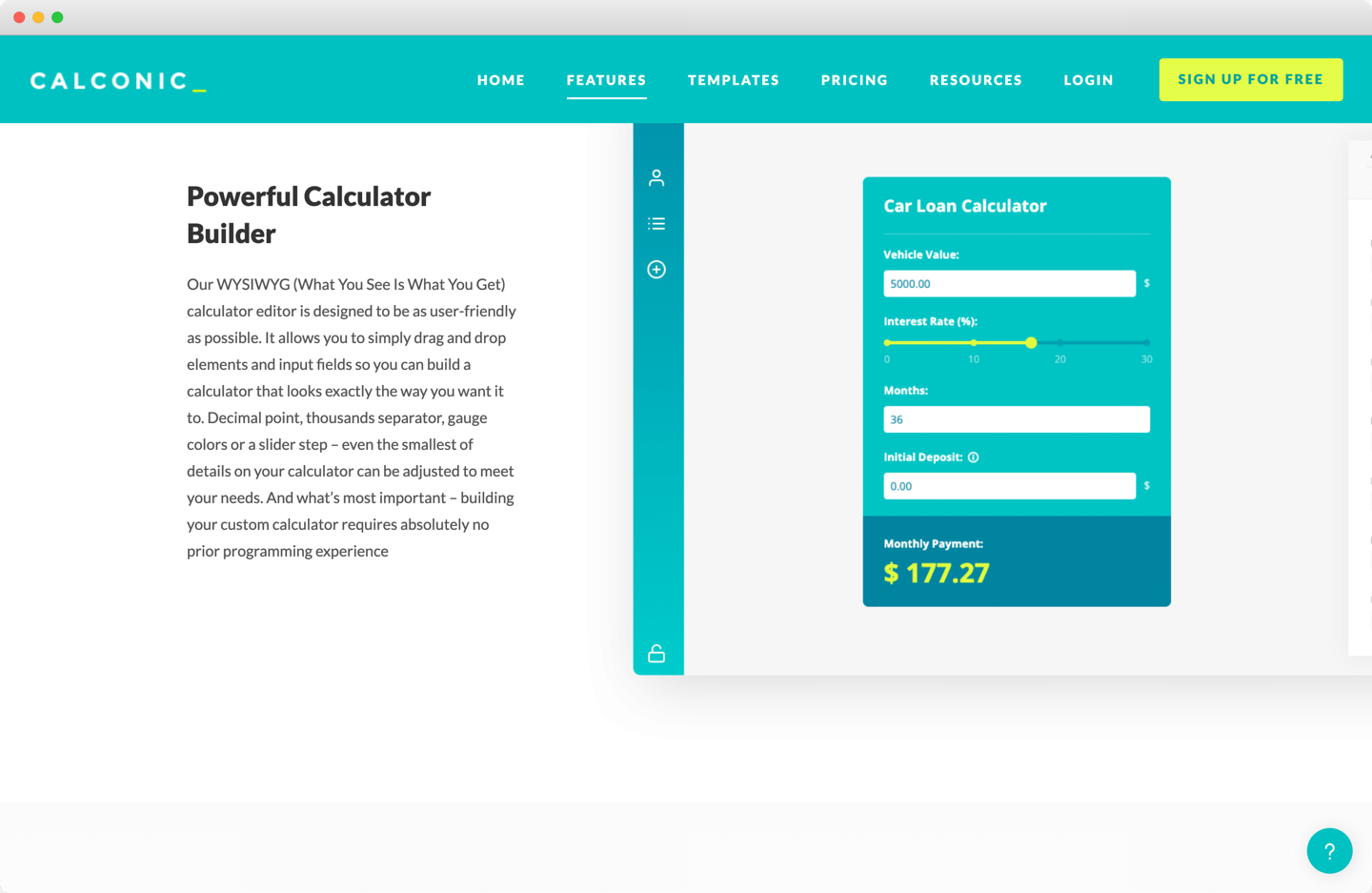
The editor is enough for a calculator with a handful of inputs and one answer. The result shows on the page as the visitor types, though the formula behind it stays hidden unless you write it out.
Verdict: buy CALCONIC if you need a calculator or two that answer on your own page and you want to spend a few dollars a month. We would print the formula in a note under the result, because the widget will not explain itself. Skip it if the calculator must score, route or follow up, because involve.me and Outgrow are built for those jobs.
How to Choose the Builder by What Happens After the Number
Every builder here has a formula field, so the step after it decides the purchase. A visitor who should pay now points to Calculoid, and a price set by options to ConvertSite. A result that decides who sales calls points to involve.me. A program of calculators and quizzes is Outgrow’s job, and a single answer on your page is CALCONIC’s.
Turn those routes into questions and ask them in this order. The first yes names the job you are buying for, even where a builder further down can do part of it:
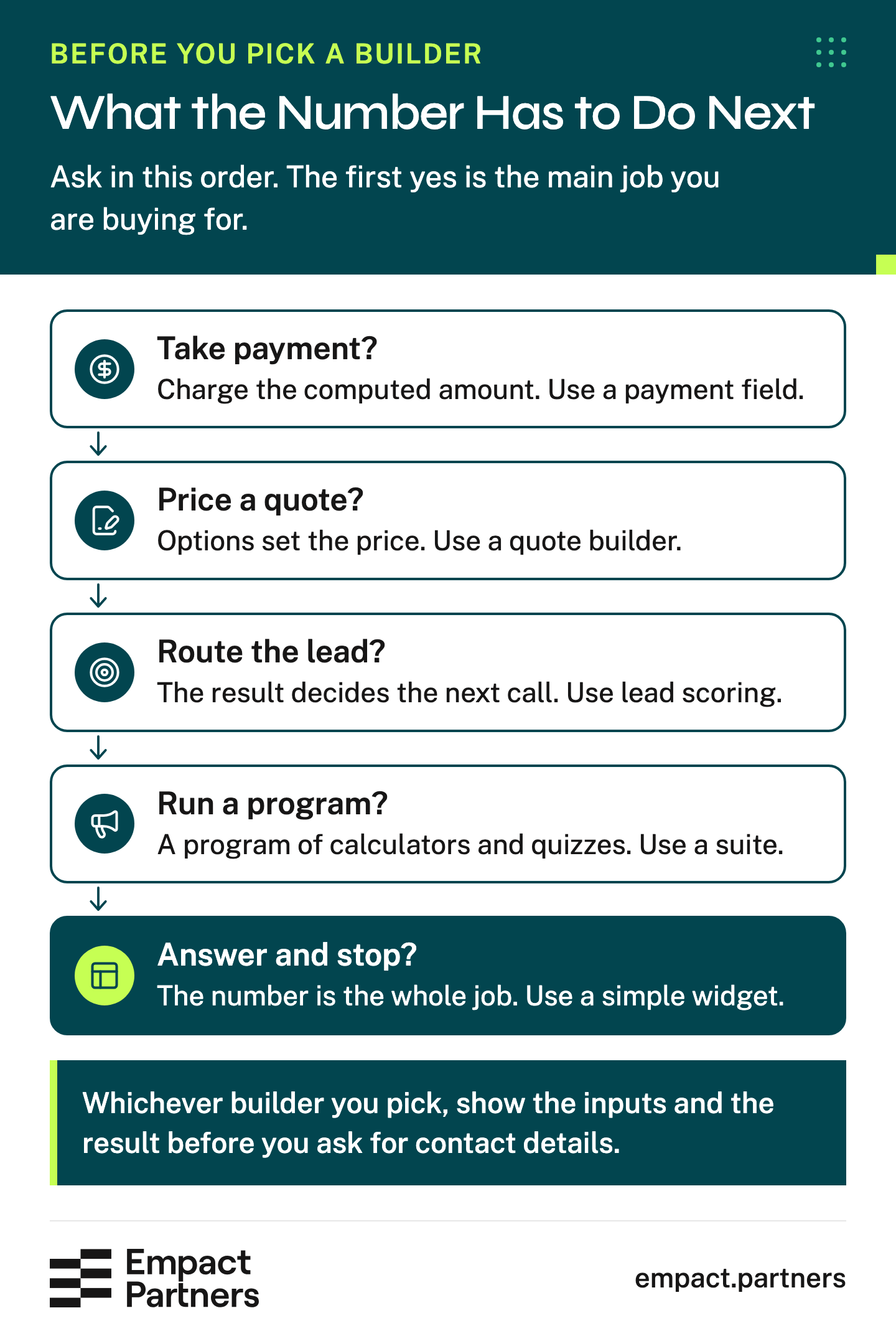
The questions after your first yes still matter as checks. A quote calculator that must also route leads needs its scoring tested in the trial, and every trial should test the math as much as the builder. A Reddit thread this month, about a free pricing calculator that brought in leads, collected advice worth putting into that trial:
Tips from Reddit
What a Reddit thread advised for a pricing calculator
Show the assumptions behind the range and let visitors change them, especially anything that could make the bill jump. Keep the estimate visible before asking for contact details, and label it clearly as an estimate rather than a quote.
One thing worth adding is a short example of what a typical project at that price looks like, right under the range, so the number has context instead of feeling like a quote.
The useful signal is whether people reduce scope after seeing the range. Repeated toggling can just be calculator tourism, but consistently removing the same feature shows where budget friction starts.
The first two tips ask for a number the visitor can check, and the third is a reason to keep every visitor’s inputs after launch, including those who never leave an email.
A calculator the buyer cannot check hands your champion a number to defend alone.
Your ROI math may still live in a shared spreadsheet the sales team passes around. If it does, our free Spreadsheet to App Blueprint turns that sheet into a clickable app prototype and sends it to your work email. What you get back previews the full agent, which runs for our partners:
When to Build the Calculator Yourself
A builder works while the calculator stands on its own. It struggles once the math has to use numbers you already keep elsewhere, such as live usage from your product or the prices in your billing system. A Google Sheet connection helps with a price table, but logic that lives in billing or the product ends up copied into the builder, and the copy drifts.
When the math is that central, Empact Partners would start where our own calculator starts, with every assumption written down beside the source of its number. Then we build the calculator your team runs, beside the other tools it keeps patching by hand. The work covers:
- An audit of the calculators and sheets your team keeps up by hand, then a roadmap
- The calculator itself, built in a repository your team owns
- Written documentation and a handover with training
- One named senior GTM consultant who leads it and is on your calls
Before any trial or build, the assumptions are where to start:
A calculator earns trust when the buyer can rebuild its answer from the inputs on the screen. Before you pick a builder, write down every assumption your number uses and where it comes from. If the builder cannot show those on the page, the number will not survive your buyer’s finance team.
 Teddy Cipolla on LinkedInOpens in a new tab
Buying a builder and building your own are both fair answers, and the right one depends on what owning the tool would save. Samantha Spiro’s playbook, How to Cut Your Software Stack by Building Your Own, shows how to tell where owning it beats every cheaper route:
Whichever route you take, check the calculator against real deals a month after launch: the inputs buyers typed, the number they saw and what they finally bought. When those agree, the calculator is doing its job.
Frequently Asked Questions
What is the best ROI calculator builder for B2B lead generation?
The right builder depends on what should happen after the visitor sees the number. Outgrow suits a program of calculators and quizzes that feed one lead form. ConvertSite suits quotes priced from options. involve.me suits scoring and routing leads into a CRM. Calculoid suits taking payment for the computed amount, and CALCONIC suits a single calculator that answers on your own page for a few dollars a month.
Should an ROI calculator show the result before asking for an email?
Yes, in our view. A visitor who sees the inputs and the result first can judge the math. The leads who then leave an email already know what they are asking about. involve.me’s own help center recommends showing the result immediately and putting the contact form on the next page. Gate a detailed report or a PDF if you need the email, never the number itself.
Can I build an ROI calculator for free?
Partly. CALCONIC’s free plan runs 5 calculators and 500 impressions a month. ConvertSite lets you build and test for free and charges when you publish. Calculoid gives a 30-day full trial, then 500 views a month without lead capture or payments. involve.me’s Free plan has no calculators, and Outgrow’s free plan covers forms and surveys only, with a 7-day trial of Business.
How long does it take to build an ROI calculator?
ConvertSite says a simple calculator can be running in under 15 minutes and a complex pricing configurator can take a few days. One ConvertCalculator reviewer built a pricing calculator in three hours. Plan more time for the choices around the formula. Decide which assumptions the calculator uses and which defaults it shows, because the result is only as right as those choices.
What happened to ConvertCalculator?
ConvertCalculator became ConvertSite on 5 February 2026, when every new signup moved to the new platform. ConvertSite is a rebuild that makes whole pages and sites around the calculator. ConvertCalculator stays available to existing users, the vendor says a migration tool is planned, and working on both platforms for now means paying for both subscriptions.
Which calculator builders connect to HubSpot?
Outgrow names HubSpot among its native integrations, though standard plans include one integration. ConvertSite connects to HubSpot on its Business plan at $100 a month, and involve.me from its Grow plan at $69 a month billed yearly. Calculoid connects through Zapier. Whichever you choose, check that the calculator’s inputs and result reach the HubSpot record, not only the email address.
Can a calculator take payment for the amount it calculates?
Yes. Calculoid charges the computed total through Stripe or PayPal on its $39 plan and above, and stores the payment with the visitor’s inputs. ConvertSite’s Stripe checkout takes one-time payments, which suits deposits. involve.me collects payments and subscriptions through Stripe, PayPal or Square on paid plans, and CALCONIC adds PayPal payments on its paid plans.
How do I make the assumptions in an ROI calculator defensible?
Let the buyer enter their own numbers, and label every field with where the number should come from, such as the hiring budget or the current invoice. Print the formula under the result, mark default values as examples, and keep any benchmark you supply visible with its source. Our Outsourcing vs In-House Cost Calculator labels each field’s source, marks its numbers as examples and spells out every cost in its result.
How much does an ROI calculator builder cost?
On 24 November 2026, the lowest paid plans ran from $5 a month billed yearly for CALCONIC to $29 a month billed yearly for involve.me. ConvertSite starts at $25 a month and Calculoid at $19, with payments from $39. Outgrow starts at $14 a month billed yearly, but unlimited pieces need Essentials at $95 and charts or your own domain need Business at $600.
When should we build a custom ROI calculator instead?
Build one when the calculation needs numbers you already keep elsewhere, such as usage in your product or prices in your billing system, or when it changes with every pricing review. At that point a builder’s formula field becomes a second copy of the truth that someone must keep in step with the real one. A build costs more up front, so weigh it against the hours your team spends keeping that copy in step.
What should we track after an ROI calculator goes live?
Track which inputs visitors change and where they stop, not only how many leave an email. Repeated changes to one input show what buyers care about. A visitor who cuts scope after seeing the price shows where budget friction starts. Then compare the inputs leads typed with the deals they became, and fix any default that real deals keep overriding.
Sources (15)
- ConvertSite, "ConvertCalculator just became ConvertSite" (2026)↩1↩2↩3
- Outgrow, "Plans and Pricing" (2026)↩1↩2↩3↩4
- Outgrow, "Interactive Website Calculator to Boost Your Leads" (2026)↩1↩2
- ConvertSite, "Plans and pricing" (2026)↩1↩2↩3↩4
- ConvertSite, "Price quote Calculator" (2026)↩1
- involve.me, "Lead Capture and Qualification, CRM and Email Automation" (2026)↩1↩2↩3
- involve.me, "Using Calculators" (2026)↩1
- involve.me, "Free Plan" (2026)↩1
- involve.me, "Pricing" (2026)↩1
- Calculoid, "Web Calculator Designer" (2026)↩1↩2
- Calculoid, "Stripe Integration Released" (2015)↩1↩2
- Calculoid, "Pricing" (2026)↩1
- CALCONIC, "Build and Add Calculators to Your Website" (2026)↩1
- CALCONIC, "Pricing" (2026)↩1↩2↩3↩4
- CALCONIC, "Features" (2026)↩1
Keep reading
Marketing Engineering 5 Best Programmatic SEO Tools for SaaS Websites
Five programmatic SEO tools compared by where each page’s facts live and what happens to the live page when one of them changes.

Marketing Engineering Put Your Ops Lead in Charge of Your First AI Agent
Before you hire a marketing engineer, give your ops lead the hours, one job and a builder for your first AI agent.
Marketing Engineering How To Score Your Target Accounts With Claude Code
Turn CRM and product exports into account scores sales can check, with a written scoring rule, dated signals and a rejects file.