5 Best Video Prospecting Tools for Outbound Sales Teams
Five video prospecting tools sorted by who records and what triggers the send, with live prices and where each fits in a sequence.
 Eulene du PlessisWith
 Vlad Shvets
On this page
Empact Newsletter
One email a month on what is working in AI search and SaaS go-to-market.
A video prospecting tool records a short video for a buyer, or makes one for you, puts it on a page with your booking link and tells the rep who watched and for how long. Until last year a rep always did the recording.
That changed on 6 February 2025. Vidyard launched an agent that sends a video in the rep’s AI likeness when the CRM records an event, such as a booked meeting 1 2. It renamed the product Video Agent that July and connected it to Zapier in January 2026 3 4. Sendspark changed hands that month too, bought by the private equity group Xenon Partners 5.
Making the video is the easy part now. Getting it watched is harder. A link from a stranger in a first email is what security teams train people to ignore, and some large companies block the players outright. The video earns its minutes once the buyer has given you a reason to send it:
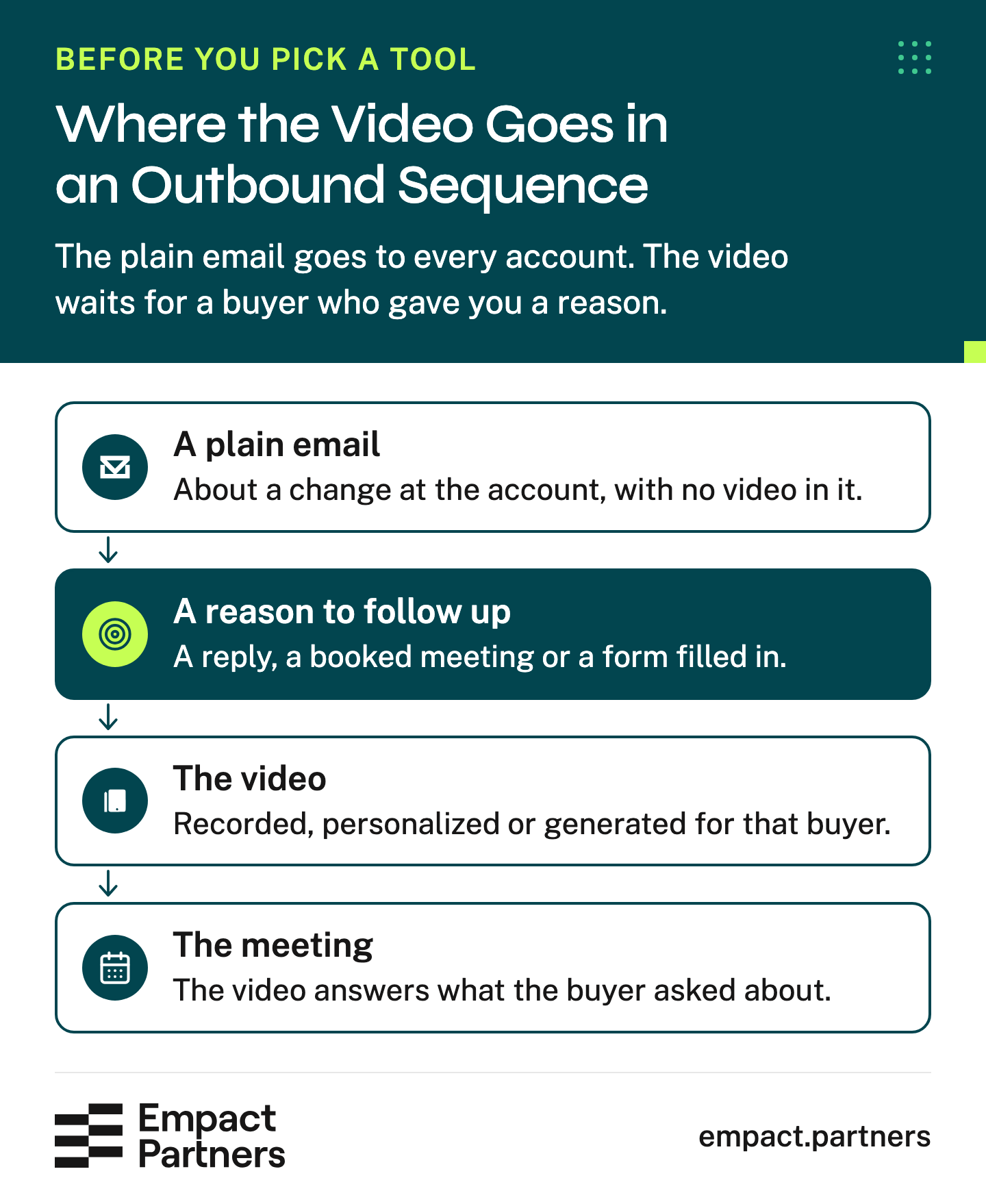
Every tool below makes the video in that third box. What separates them is who records it and what starts the send.
For SaaS companies, Empact Partners runs signal-based outbound, writing to an account when something changes there and handing the sales team every buyer who asks to meet.
We reviewed these five tools by where a video fits in that sequence. Prices are the ones each vendor’s site showed on 19 November 2026.
Scroll horizontally to see all columns when the table is wider than this page.
| Tool | Who records | What starts the send | Starting price | Link to your CRM |
|---|---|---|---|---|
| Vidyard | Nobody, the rep’s AI avatar speaks | A CRM event, a form or a booked meeting | $0, Starter $59 a seat a month | Triggers on every plan, view data from Teams |
| Sendspark | The rep, once | A CSV, a CRM sync or a workflow | Solo $49 a month | HubSpot on every plan, Salesforce from Growth |
| Hippo Video | Nobody, a script becomes an avatar video | The rep or a campaign | $0, Pro $20 a user a month | Sales tools from Teams, Salesforce on Enterprise |
| BombBomb | The rep, every video | The rep, from Gmail, Outlook or a phone | Core $36 a user a month | Salesforce and HubSpot on Pro |
| Dubb | The rep | The rep or Dubb’s own agent | $0, Pro $42 a user a month | HubSpot from Pro, Salesforce from Pro Plus |
Vidyard
Best for: revenue teams that want a video sent the moment the CRM records an event, with nobody recording it.
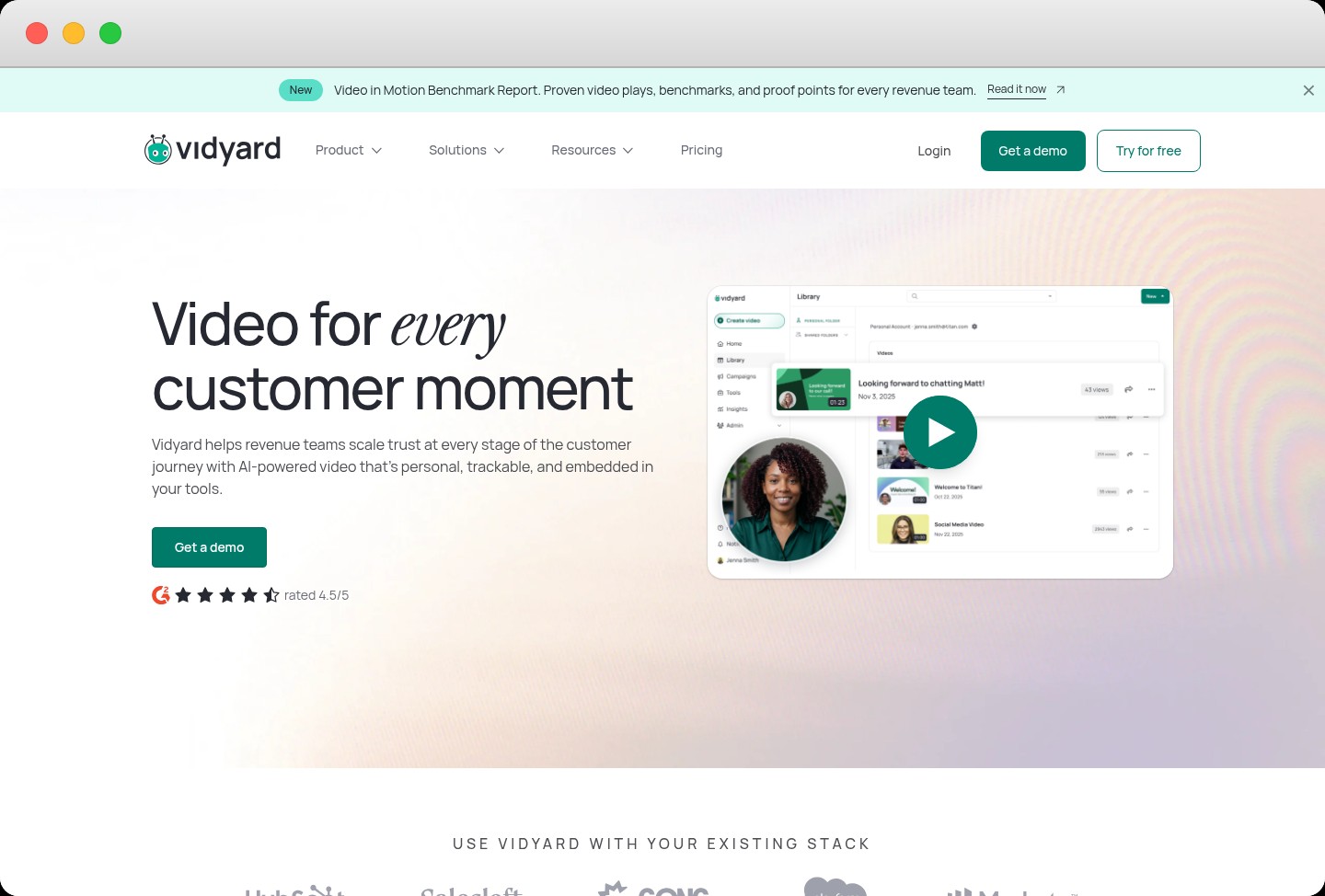
Vidyard records, hosts and tracks sales video, and more than 100,000 companies use it, by its own count 1. Its Video Agent takes a script built from the contact’s data, has the rep’s AI avatar speak it and sends the result when a trigger fires: a meeting booked in Calendly or Chili Piper, a form submitted, a lead created or updated in Salesforce, HubSpot or Pipedrive 4.
The recorder is free for five videos a month. Starter costs $59 a seat a month billed annually, and Video Agent is a $24 add-on for unlimited AI videos 6. The catch is the CRM. Triggers from HubSpot, Salesforce, Salesloft and Marketo work on every plan, but syncing who watched back to the contact record starts on Teams, which Vidyard prices only through sales 6.
Most of the triggers Vidyard itself suggests come after the buyer has acted, which is exactly where the drawing above puts a video, and that is where the tool is strongest. Pointed at cold accounts, the same agent sends a stranger’s avatar into companies that may block the player. One G2 reviewer at a mid-market plastics company found it hard to keep using at the corporate level for that reason.
Pricing
- Free plan: $0, 5 recordings a month of up to 30 minutes, 15 AI videos and 3 custom AI avatars.
- Starter: $59 a seat a month billed annually or $89 monthly, unlimited recording and full analytics.
- Video Agent add-on: $24 a seat a month billed annually on Starter or $29 monthly, unlimited AI videos.
- Teams: a quote, view data synced to 2 CRM or marketing systems, for teams of 5 or more.
- Enterprise: a quote, unlimited integrations, single sign-on and custom permissions.
Pros and cons
Vidyard is the only tool here that sends without a rep in the loop, and the price of that sits in the plans above Starter:
Pros
- Sends fired by a booked meeting, a form or a CRM change
- Native HubSpot, Salesforce, Salesloft and Marketo workflows, and Zapier for the rest
- A free recorder good enough for occasional personal videos
Cons
- View data reaches the CRM only on the quoted Teams plan
- An avatar of the rep is still a face a cold buyer has never met
- Players blocked by some larger companies
What G2 reviewers say about Vidyard
Reviewers like how quickly a rep can record from the inbox, and the complaints are about where the video ends up:
I can start a draft in Gmail, record with the plugin, and send it right away.
Owner at a small businessOct 2026 It was hard to continue to use this at the corporate level as many companies had the videos blocked so they could not play.
Reviewer at a mid-market plastics companyAug 2026 I personally prefer Loom, as I find Vidyard less intuitive.
Account executive at a small businessOct 2026
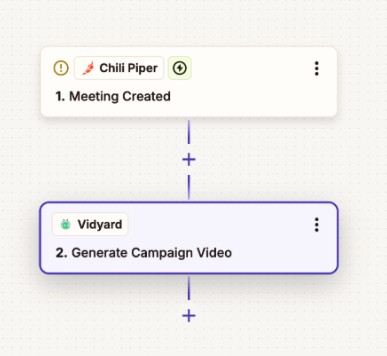
Video Agent sends the video when a meeting is booked
Video Agent runs as a workflow. A trigger in another tool, here a meeting created in Chili Piper, tells Vidyard to generate the campaign video for that contact. The link then goes out by email, Slack or a CRM task, and no rep copies it anywhere 4.
Verdict: the tool for a team whose sends already start in HubSpot, Salesforce or Salesloft, priced on Teams if the views need to land on the contact. Point it at booked meetings and form fills first, the triggers we would start any sequence with. Skip it if the plan is avatar videos to cold accounts.
Sendspark
Best for: sales development (SDR) teams that record one video and want each prospect to hear their own name in it.
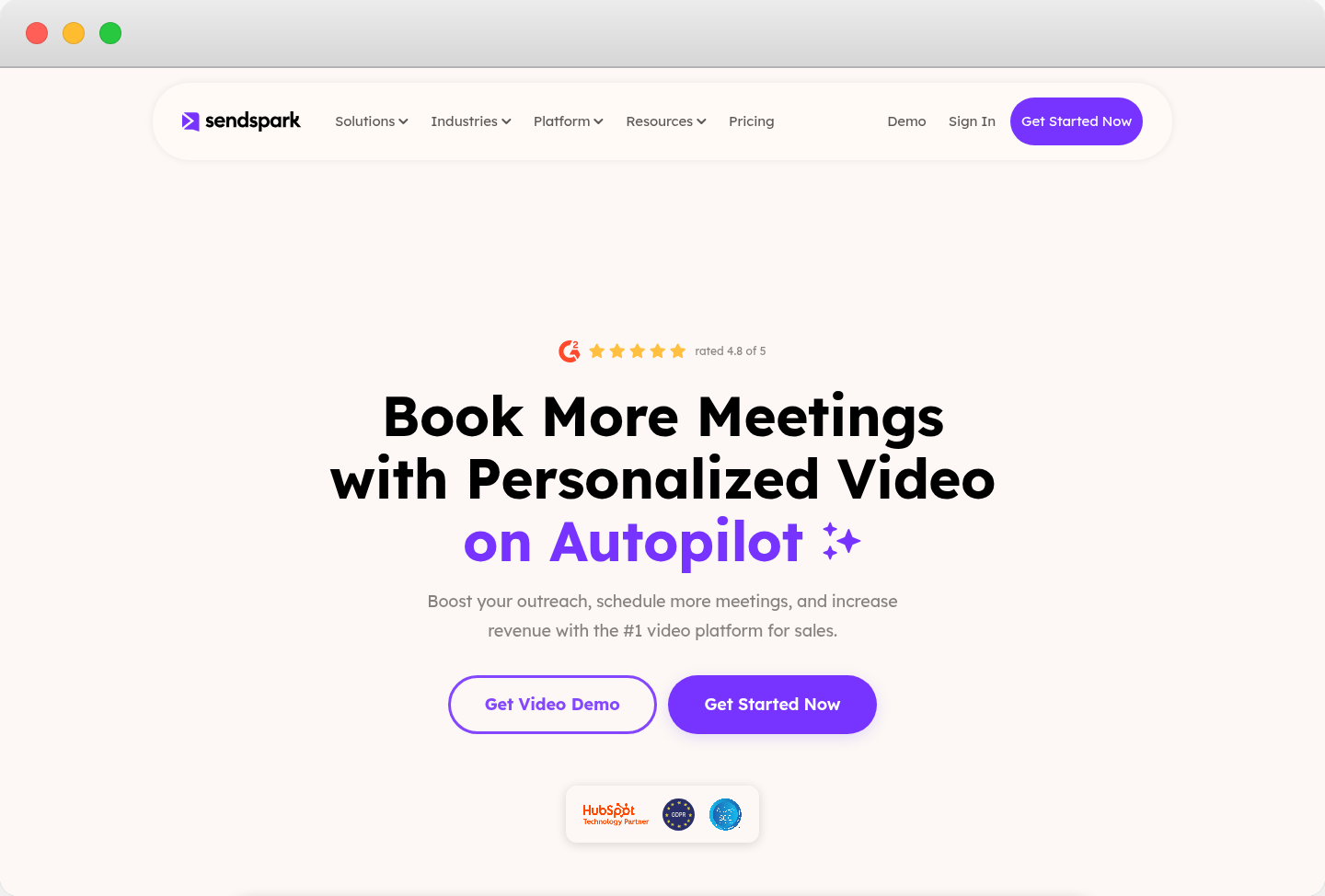
Sendspark turns one recording into a version for every prospect. The rep says a stand-in name, and Sendspark swaps in each prospect’s name and company in the rep’s cloned voice, lips matched, with the prospect’s website or LinkedIn profile behind them 7. Prospects come in from a spreadsheet (CSV), HubSpot, Salesforce, Clay or the API, and the videos go out through your own email or sequencer 7.
Plans are priced by seats and dynamic video minutes, and a one-minute personalized video uses one minute. Solo is $49 a month for a single seat, Growth adds Salesforce, Outreach and Salesloft at $99 for three seats, and extra minutes cost from $0.39 down to $0.19 8. Every plan starts with a 7-day trial and no card.
A spoken name does not make a cold video warm. Sendspark works best as the second step, once the plain email gets a reply the recording can answer. Reviewers add that the cloned voice is only as clean as the audio it learned from. The owner is new too: Xenon Partners bought the company in January 2026, the co-founders stayed as advisors and Abe Dearmer became CEO 5.
Pricing
- Solo: $49 a month or $468 a year, 1 seat and 100 dynamic video minutes.
- Growth: $99 a month or $828 a year, 3 seats, 250 minutes and the Salesforce, Outreach and Salesloft integrations.
- Team: $299 a month or $2,388 a year, 10 seats and 1,000 minutes.
- Business: $699 a month or $5,988 a year, 25 seats and 3,000 minutes.
- Enterprise: a quote, custom integrations and audited security compliance.
Pros and cons
Sendspark keeps a real person on screen at a volume no rep could record by hand, as long as the audio and the timing are right:
Pros
- One recording becomes a named video for every prospect
- The prospect’s own website or LinkedIn profile behind the rep
- Low entry price, with a 7-day trial and no card
Cons
- Voice cloning suffers from a poor microphone or a noisy room
- Salesforce and the sequencer integrations start on Growth
- A new owner since January 2026
What G2 reviewers say about Sendspark
The praise is for the quality of the personalization, and the warning is about the recording that feeds it:
The AI quality is high - wasn't sure what to expect when we first looked into tools in this space, but Sendspark's personalization is well done.
Head of growth marketing at a mid-market companyNov 2024 The AI voice cloning can be sensitive to source audio quality - low volume recordings or background static can affect the output quality in dynamic campaigns.
CEO of a small businessSep 2025
Voice cloning puts each name in the rep’s own voice
The name has to sound like the rep and line up with the rep’s mouth, or the buyer spots the edit in the first second. Sendspark clones the voice from the recording, syncs the lips to the new audio and can render the same video in the language the prospect reads 7.
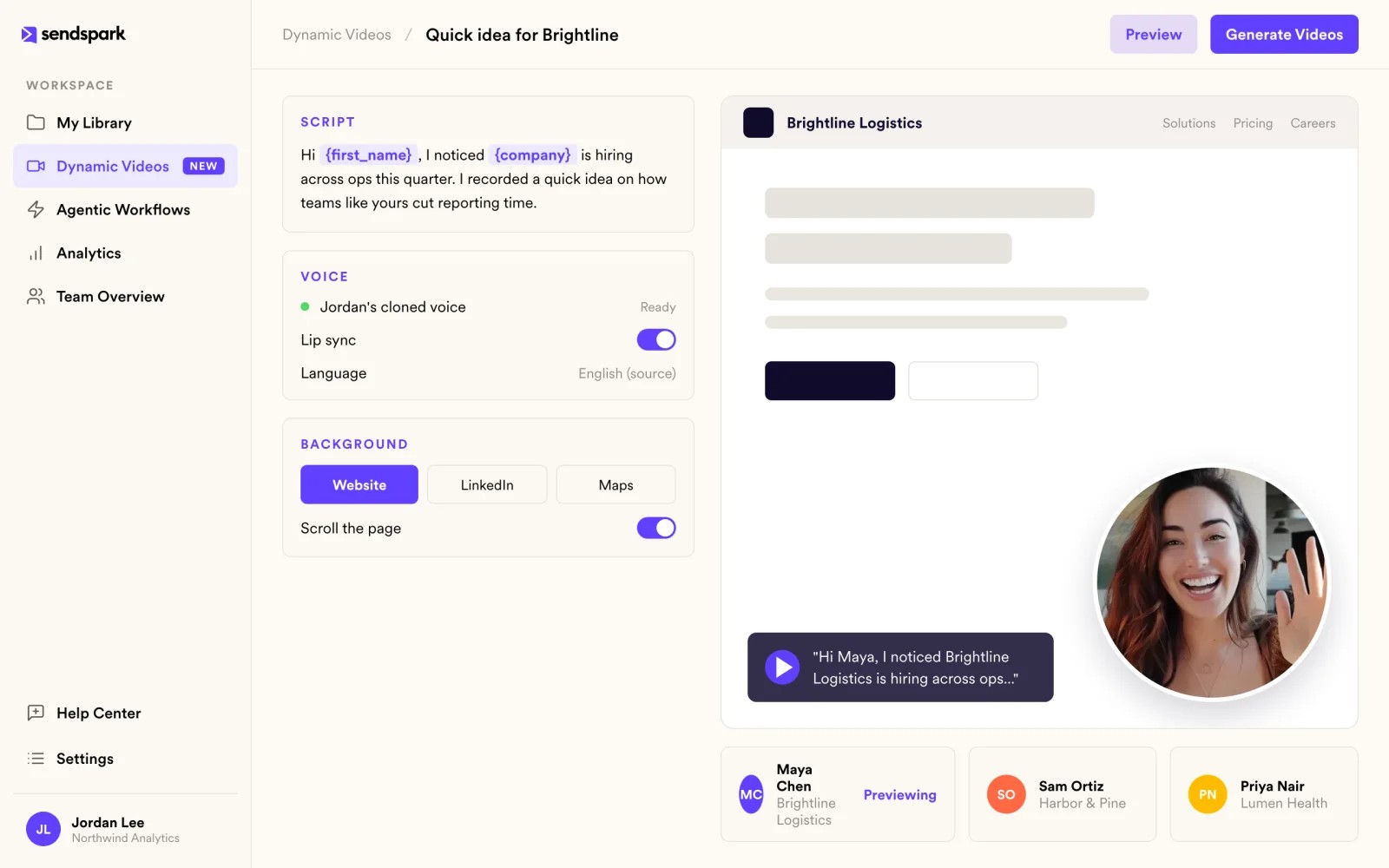
Verdict: the tool for an SDR team that wants a real face on every follow-up without recording each one. We would put it on the step after a reply, where the name lands with someone expecting you. Skip it if every buyer needs a different video, which one recording cannot cover.
Hippo Video
Best for: teams selling in several languages that want a video made from a script, with nobody on camera.
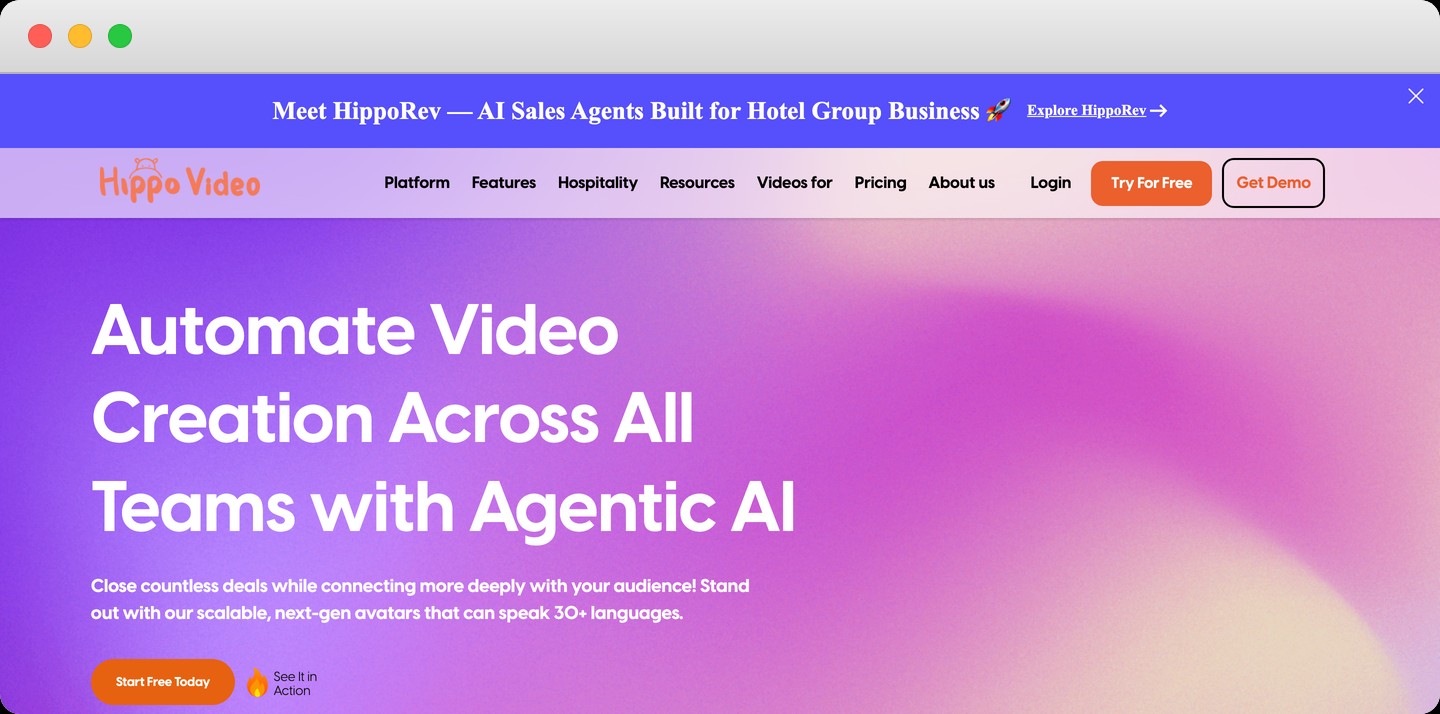
Hippo Video sells two products. Its video messaging plans record, personalize and send sales videos with a sales page around them. Its text-to-video plans turn a script, a deck, a PDF or a blog post into a video presented by an AI avatar, with voiceovers in more than 30 languages 9. For a team selling into several countries from one office, it is the only tool here built for that.
The messaging plans run from free to $80 a user a month for Enterprise, which needs 10 seats and is the only plan with Salesforce 10. Teams, at $60, connects Outreach, Salesloft and HubSpot and turns documents into video. The text-to-video plans are priced separately, from $24 a month, with translation on the $69 Creator plan and a custom avatar of your own rep at $1,000 once 10.
That split is the knock. Avatars and translation sit in one price grid and the sales integrations in the other, so most teams buy from both (messaging Enterprise includes text-to-video Starter). Hippo’s homepage now leads with HippoRev, a product for hotel group sales 9, so ask how much of the roadmap still serves software sellers.
Pricing
- Free plan: $0, 50 automated personalized videos and 50 recordings a month of up to 30 minutes.
- Pro: $30 a user a month, or $20 when billed annually, with 100 automated personalized videos.
- Teams: $60 a user a month billed annually or $75 monthly, 300 videos, Outreach, Salesloft and HubSpot.
- Enterprise: $80 a user a month billed annually, 10 seats minimum, 500 videos and Salesforce.
- Text-to-video: Starter $24 a user a month, Creator $69 with translation, custom avatar $1,000 once.
Pros and cons
Hippo Video reaches buyers in their own language, and a team pays for that in a more complicated purchase:
Pros
- Avatar videos from a script, a deck or a PDF
- Voiceovers and accents in more than 30 languages
- A free plan with 50 automated personalized videos
Cons
- Avatars and sales integrations sit in separate price grids
- Salesforce only on Enterprise, at 10 seats or more
- The company’s newest launch is built for hotel sales
What G2 reviewers say about Hippo Video
Reviewers rate the avatars and the all-in-one editor, and the recurring complaint is speed:
Expressive avatars adds even more realism.
Reviewer at a small health and fitness companyMay 2025 I can record a video, edit it, and create a marketing campaign all in one place.
Owner of a small businessApr 2026 The UI is a little clunky and sometimes it is very slow.
Reviewer at a small marketing companyDec 2024
Text-to-video turns a deck or a PDF into an avatar video
Hippo’s text-to-video plans start from what a team already has, a script, a sales deck, a PDF or a web page, and turn it into a video presented by an AI avatar 15. The platform can then translate it, so a rep who sells in English can send a buyer in Lisbon or Munich the same pitch in Portuguese or German without recording anything 15.
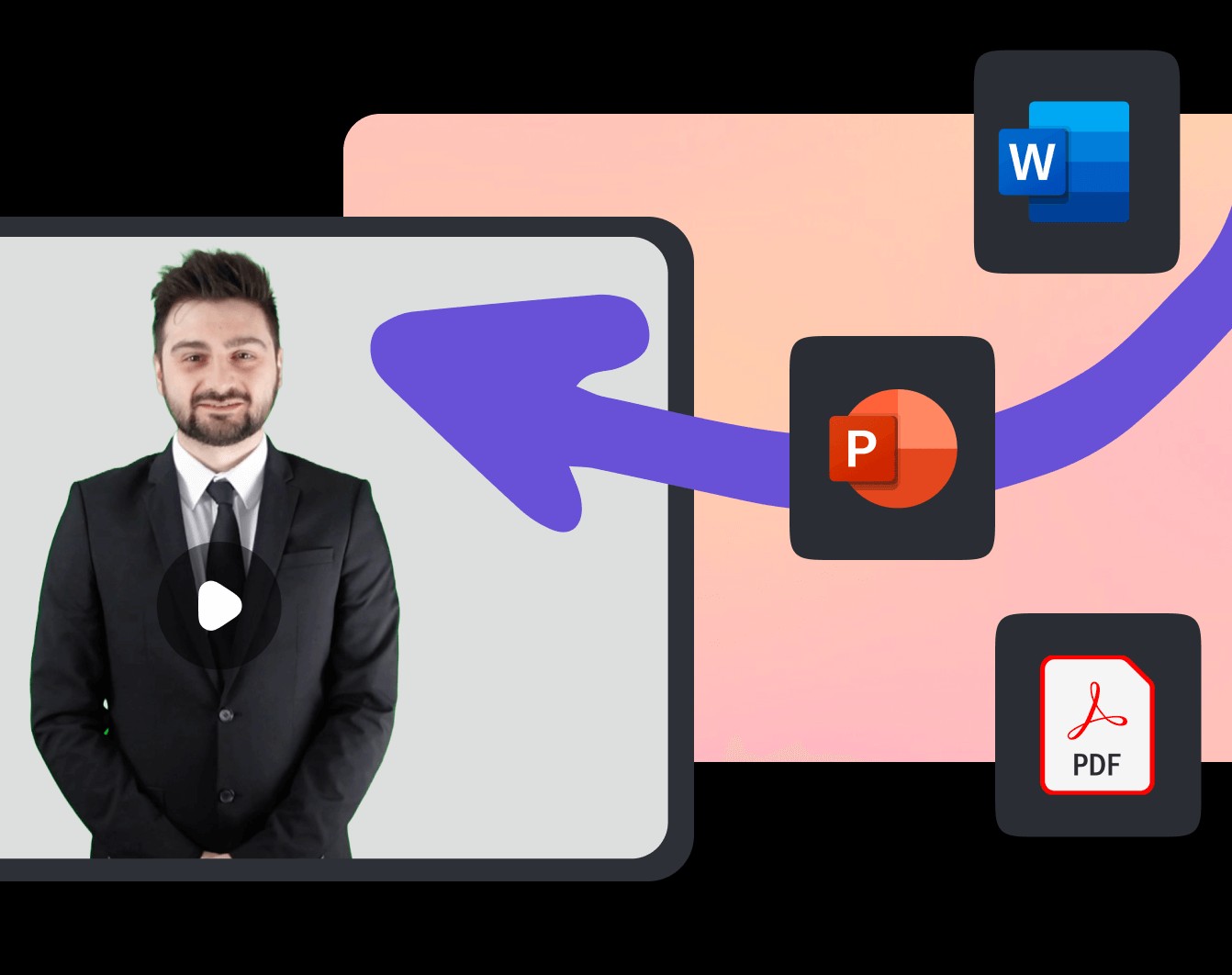
Verdict: the tool for a team whose buyers read in several languages, where a video in the buyer’s own language beats a rep’s video in English. An avatar is still a face the buyer has never met, so save it for buyers who already answered. Skip it if all your buyers read English, where a real recording costs less and reads warmer.
BombBomb
BombBomb
Best for: founders and account executives who record a personal follow-up after a call, from Gmail, Outlook or a phone.
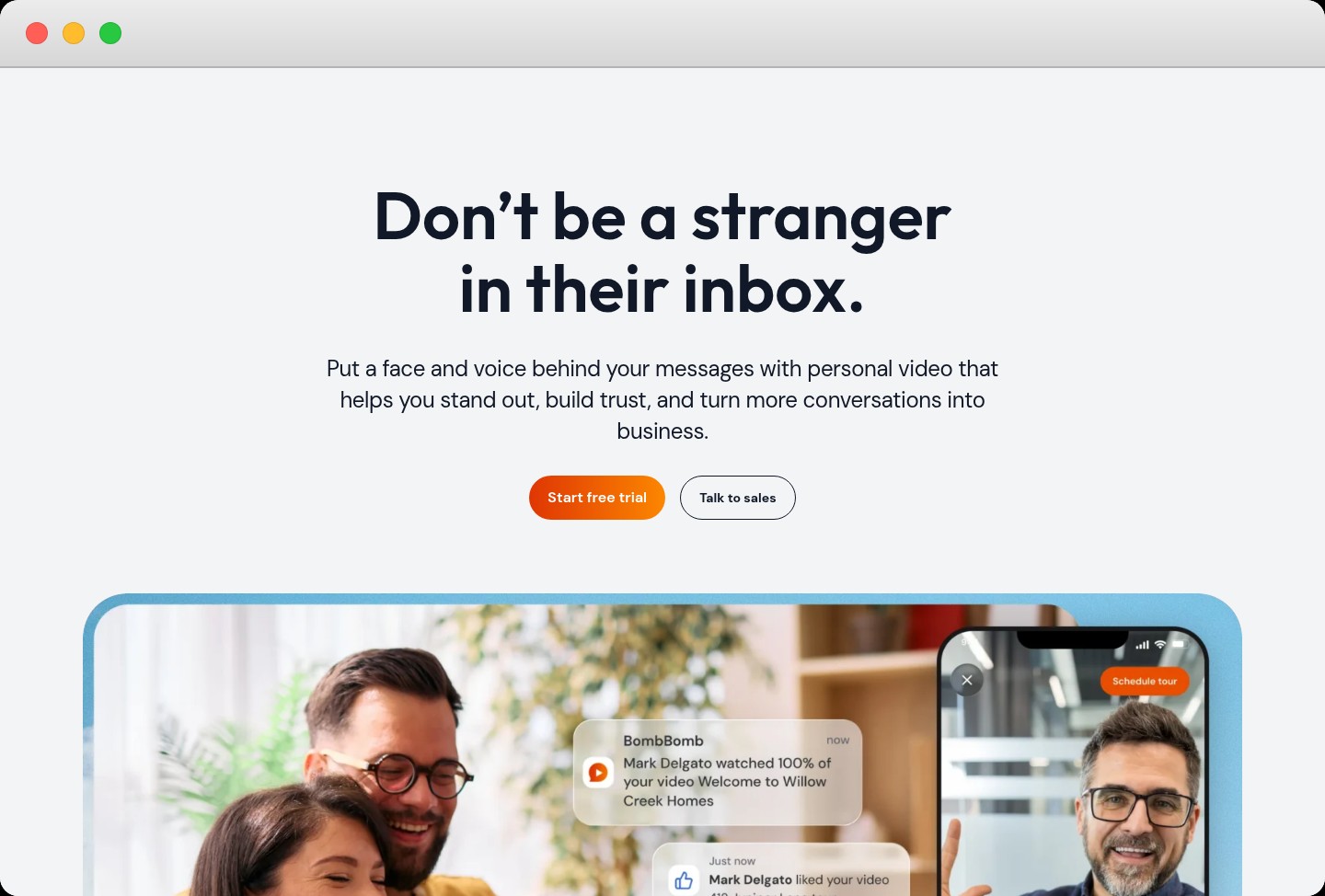
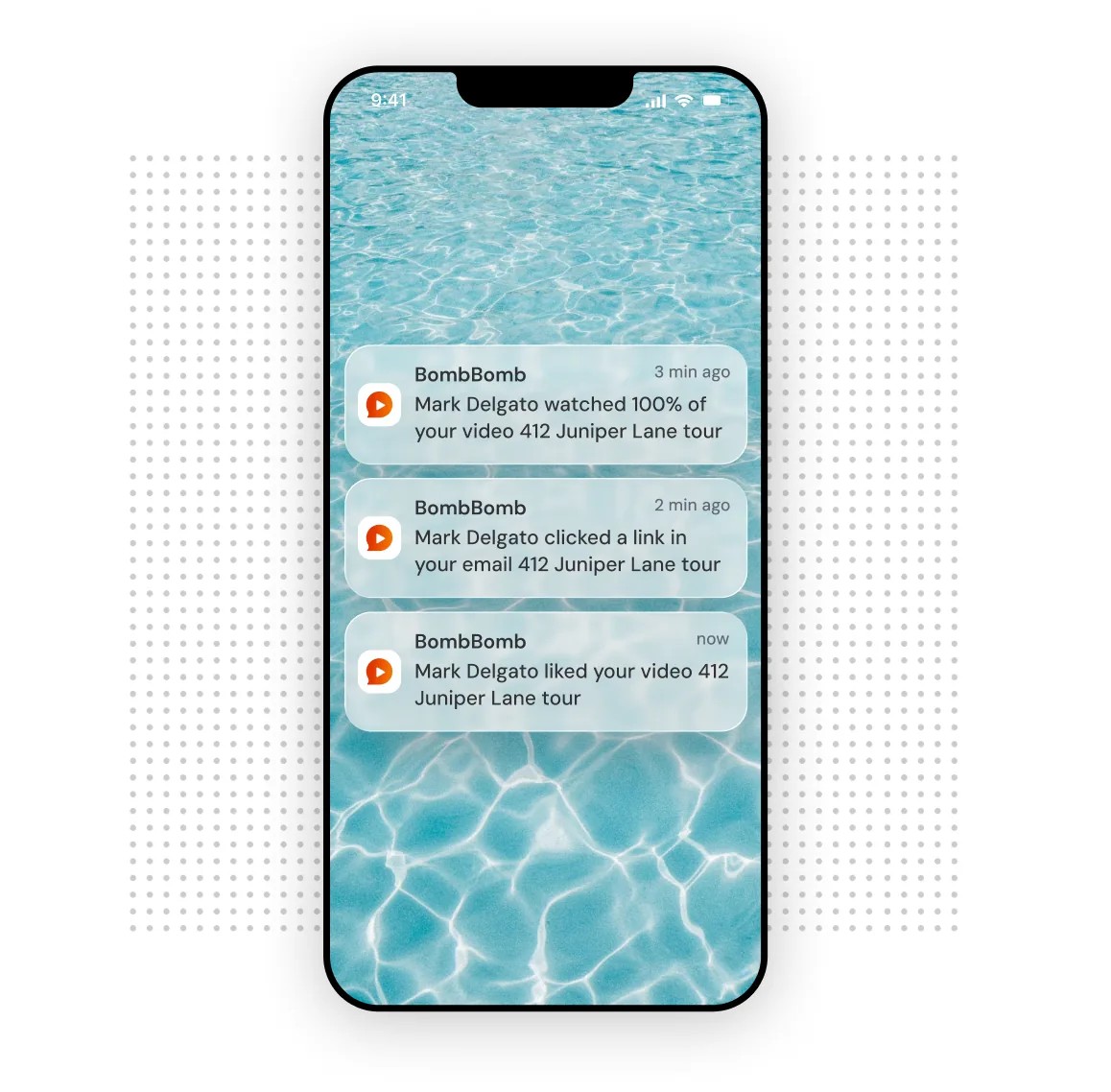
BombBomb records one person at a time and makes that fast. Reps record from the Chrome or Edge extension, inside Gmail or Outlook, or on the iOS and Android apps. An alert then shows who watched, when and how much 11. Every video carries automatic captions and a transcript.
Core covers that at $36 a user a month billed annually. Pro, at $56, adds team campaigns, email campaigns, 3,500 contacts and the Salesforce, HubSpot, Outreach and Zendesk integrations 11. The trial lasts 14 days and needs a card.
BombBomb is built around a different buyer. Its homepage names homebuilders, real estate agents and lenders before sales teams 12, and many of its G2 reviewers sell homes. Recording by hand is the whole point, so nothing here personalizes at volume or fires from a trigger. For a SaaS seller that is fine after a demo and no help on a cold segment.
Pricing
- Core: $36 a user a month billed annually or $42 monthly, unlimited recording with viewer alerts.
- Pro: $56 a user a month billed annually or $70 monthly, campaigns, 3,500 contacts and CRM integrations.
- Enterprise: a quote, single sign-on, your own cloud storage and a success manager.
Pros and cons
BombBomb is the quickest route from a finished call to a personal video, and it stays a one-rep, one-video tool:
Pros
- Records inside Gmail, Outlook, Chrome, Edge and both phone platforms
- Alerts the moment a buyer watches, with how much they watched
- Captions and a transcript on every video
Cons
- No personalization at volume and no event triggers
- CRM integrations only on Pro
- Built and sold mainly for real estate
What G2 reviewers say about BombBomb
Sellers like what a face adds to a written follow-up, and the price draws the complaints:
I like that it gets the emotion across and helps reduce ambiguity that written text can create.
Sales manager at a small businessApr 2026 The price is relatively steep. I stopped using BombBomb at one point to cut costs and came back, because I think it's worth the extra spend.
Real estate agent at a small businessAug 2024
Viewer alerts say when the buyer finished the video
A follow-up lands best while the buyer still has your video on screen. BombBomb’s alert says who watched, how much and whether they clicked, so the rep can reply within minutes 11.
Verdict: the tool for a founder or an account executive who follows up personally after a call and wants to know the moment the buyer presses play. Skip it if you need video at SDR volume.
Dubb
Best for: small sales teams with no CRM or sequencer yet that want video, pages, booking and contacts in one tool.
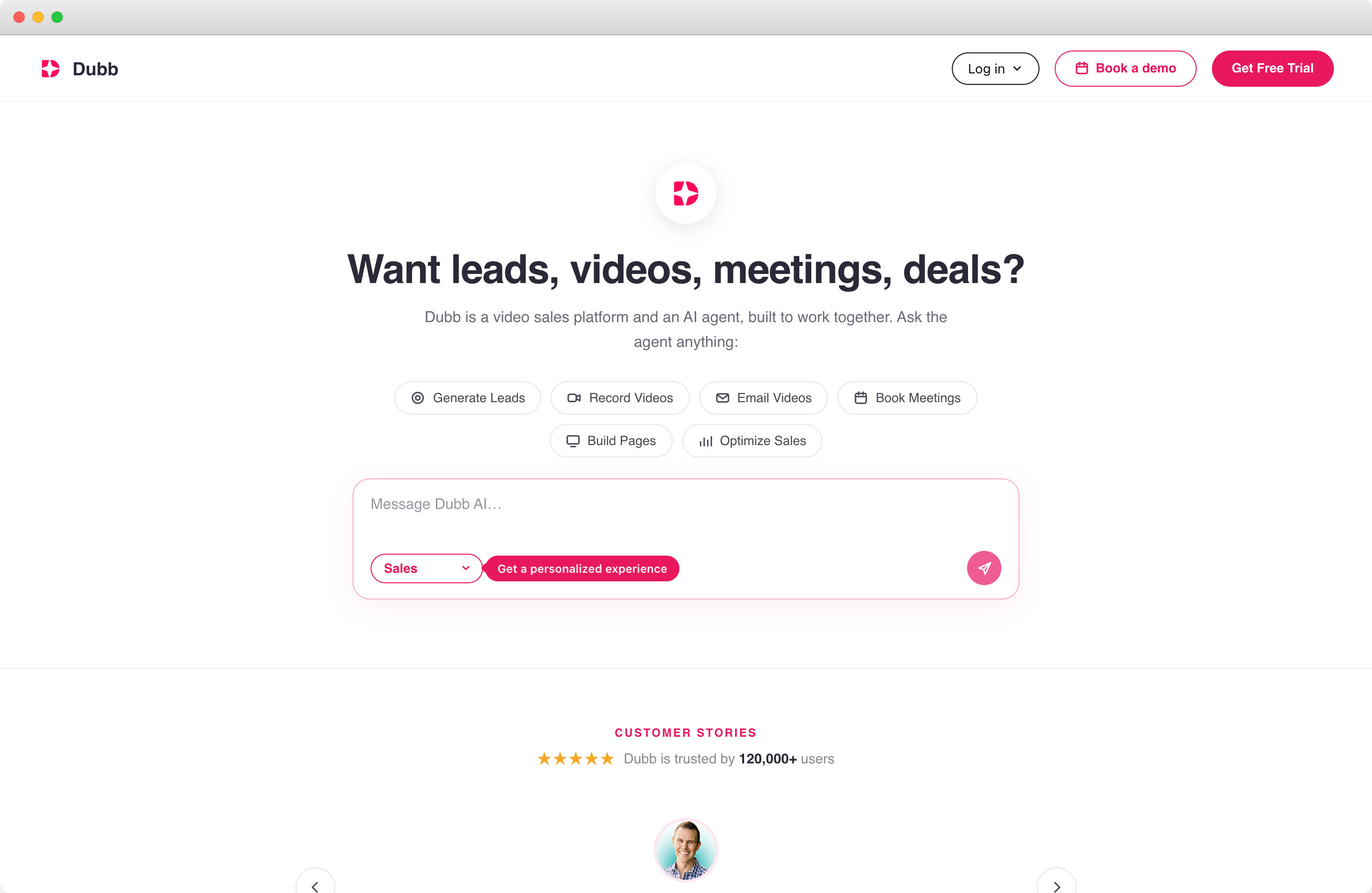
Dubb bundles what a small team would otherwise buy separately. It records screen, webcam and phone video, sends video emails and texts (SMS) and builds landing pages with a booking link, with contacts and campaigns included 13. Beside the plans it sells the Dubb Sales Agent, which runs in Slack, researches leads, verifies emails and updates the CRM, at $50 a month with 50,000 credits 13.
Starter is free for 25 videos in standard definition. Pro costs $42 a user a month billed annually and brings HubSpot, the calendar integration and 10,000 contacts. Pro Plus, at $90, adds Salesforce, automation and 50,000 contacts 13.
Having everything in one tool is the knock as much as the draw. A team already paying for HubSpot or Salesforce and a sequencer buys a second contact database and a second campaign tool. A G2 reviewer says plainly that Dubb’s CRM is no match for the dedicated ones. For a two-person team with neither, that matters less than having everything in one login.
Pricing
- Starter: $0, 25 videos in standard definition, video email and SMS.
- Pro: $42 a user a month billed annually ($499 a year) or $59 monthly, high-definition video, HubSpot and 10,000 contacts.
- Pro Plus: $90 a user a month billed annually ($1,080 a year) or $129 monthly, Salesforce, automation and 50,000 contacts.
- Enterprise: a quote, API access, custom integrations and single sign-on.
- Dubb Sales Agent: $50 a month with 50,000 AI credits, billed apart from the plans.
Pros and cons
Dubb saves a small team from stitching tools together, and it costs a larger team a duplicate system:
Pros
- Recorder, landing pages, booking and contacts in one tool
- A free plan, and paid trials with no card
- HubSpot and the calendar from Pro
Cons
- A second CRM for any team that already has one
- Salesforce only from Pro Plus
- The AI agent is a separate monthly bill
What G2 reviewers say about Dubb
Reviewers value having the video and the follow-up in one place, and the doubts are about how far its CRM goes:
The combination of video and CRM in a single tool is what sets Dubb apart for me.
Entrepreneur at a small businessMay 2026 While the CRM works well for small to mid-sized needs, it’s not as robust as dedicated enterprise CRM platforms.
Software engineer at a small businessSep 2025
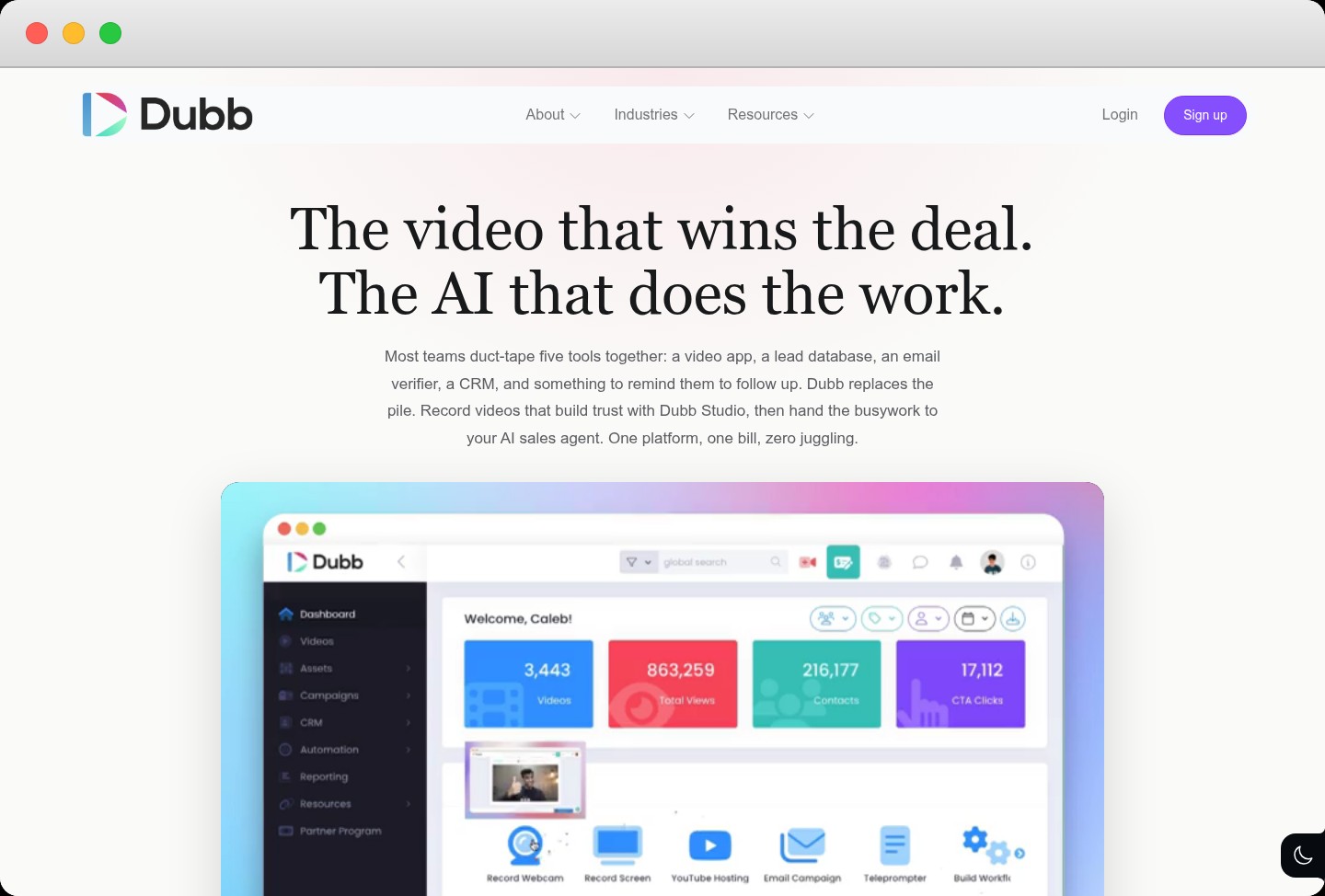
One dashboard holds the videos, contacts and campaigns
Dubb’s own pitch is that most teams stitch five tools together, a video app, a lead database, an email verifier, a CRM and a follow-up reminder, and that Dubb replaces the pile 14. Its dashboard keeps the video library, contacts, campaigns, CRM and automation in one sidebar, so a two-person team works from one login.
Verdict: the tool for a small team that has no CRM or sequencer yet and wants one place to record, send and book. Skip it if you already pay for both, since half of Dubb would sit unused.
Which Tool Fits Who Records and What Starts the Send
Start from the two questions in the table:
- Sends fired by your CRM: Vidyard, on Teams if the views must reach the contact.
- One recording, many accounts: Sendspark, sent once the buyer replies.
- Buyers in several languages: Hippo Video’s text-to-video plans.
- Follow-ups after calls: BombBomb’s Core plan.
- No CRM yet: Dubb, until you outgrow its contacts.
- Security-minded buyers: none of them yet. At large or security-conscious companies the player may never load, so fix the plain email first.
Whichever line fits, the order from the drawing still holds. None of these tools knows whether the buyer had a reason to watch. That decision sits upstream, in the email before the video, and it is the one most teams skip when they buy seats.
Send the video to buyers who replied, booked or asked, and send everyone else a plain email.
Sellers on Reddit reached the same order through trial and error:
Tips from Reddit
What sellers learned about video in cold outreach
On top of that, dropping video links in your very first email often hurts your deliverability and lands you in spam.
I’d test a simple rule: no video on first touch, short text first, then video only after a positive signal or reply.
I usually add it to my email sequence like, I’m sure you get a ton of these emails, mind if I send you a 1–2 minute video showing exactly how this would work for your product?
The last tip is the cheapest test on this page. Ask in plain text whether the buyer wants the video, and record it only for the people who say yes.
That makes the plain emails the part to get right before any tool:
Most teams buy a video tool to lift a reply rate, then aim it at the same cold accounts that were not replying. A tool decides who records the video and how fast it goes out. Whether the buyer presses play was settled by the email before it.

If those plain emails are what your team is missing, the Cold Email Sequence Writer drafts four of them from your website for the buyer you describe. Each names the signal to check before it goes out, and the drafts arrive in your work email. The preview costs nothing, and the full agent runs inside the outbound we do for partners:
What We Would Change Before Adding Video
Our take is that a video tool fixes the recording and leaves the timing to you, so we would start with the timing. We pick the accounts where something just changed, a new sales leader, a launch or a new market, and write to them about it. Our team answers the replies and hands buyers who ask for time to your reps. The video comes after one of those replies, and we test when to send it on our own outreach before changing yours.
That sequence is the Outbound workstream we run for partners, and it includes:
- A plain opening email about the change, with the sender’s own name on it
- Separate sending domains, warmed by our team
- Volume only once a test message lands in Gmail and Outlook inboxes
- Sending caps, and a stop button your team holds
- Each reply answered, and meeting requests routed to your reps
If choosing the triggers is the hard part, Heather Holland’s playbook covers which changes at a company are worth writing about and the email each one deserves:
Whichever tool you buy, report completed views apart from replies. A view count on its own can make a sequence nobody answers look busy.
Frequently Asked Questions
Does a video link in a cold email hurt deliverability?
Nobody publishes a clean test, so treat it as a risk rather than a rule. Sellers on r/SaaS report spam placement once a first email carries a video link. Some large companies block external video players and train staff not to click links from strangers, so the video may never play. The safe order is a short plain email first and the link in the next message, once the buyer has answered.
Should the first email in a sequence include a video?
Not for a buyer who doesn’t know your name yet. A first email has one job, to earn a reply, and a stranger’s video asks for minutes before there is any trust. For those buyers, ask in plain text whether they want a short walkthrough, and record it only for the ones who say yes.
The exception is a buyer who acted first. Someone who filled in a form, booked a meeting or signed up on your site is already warm, and those are the moments Vidyard’s agent was built around.
Is an AI avatar as convincing as a real recording?
For a buyer who already knows the rep, a good avatar of that rep reads as a convenience. For a stranger it is still a face they have never met. Sendspark takes a middle path, keeping a real recording and changing only the name and the background. Hippo Video and Vidyard generate the whole video, which saves the most time and asks the most of the buyer’s trust.
How much does video prospecting software cost for a team of ten?
At published prices billed annually, 10 BombBomb Pro seats cost $560 a month, 10 Hippo Video Teams seats $600 and 10 Dubb Pro seats $420 before its $50 agent. Sendspark’s Team plan covers 10 seats for $2,388 a year. Vidyard Starter with Video Agent comes to $830 a month for 10 seats, but syncing views to your CRM needs the quoted Teams plan.
Which video prospecting tools integrate with HubSpot or Salesforce?
All five do, at different plan levels. Vidyard triggers from both on every plan and syncs view data from Teams. Sendspark connects HubSpot on every plan and Salesforce from Growth. Hippo Video adds HubSpot on Teams and Salesforce only on Enterprise. BombBomb connects both on Pro. Dubb brings HubSpot on Pro and Salesforce on Pro Plus.
When is a personal recording worth a rep’s time?
When the buyer has told you something a template cannot answer, such as a question on a call, an objection in a reply or a feature they asked to see. Keep it short, open on their situation and reuse the middle across similar buyers, so a rep records only the parts that change.
A hand recording costs the most rep time of any route here, so spend it on deals that already have a next step booked.
What should we measure once video is in the sequence?
Completed views, separately from replies, and meetings booked from a video follow-up against a plain one. Count the minutes reps spend recording too. Every tool here reports who watched, but only some plans send that to the CRM, so check where your report will read it from before you buy.
Do video messages work better on LinkedIn than in email?
Some sellers find a short phone video in a LinkedIn message gets watched because the buyer is already on the platform. Sendspark, Hippo Video and Dubb connect to LinkedIn on their entry plans. One Sendspark reviewer notes that a buyer you are not connected to sees only a link, not the thumbnail, so the channel helps most once you are connected.
How long should a prospecting video be?
Short enough to finish on a phone. Sellers on Reddit describe 60 to 90 second intros in place of full walkthroughs, and 30 to 60 second demos aimed at a problem the buyer already named. Open on their situation in the first seconds, because anything before it is time they did not ask to spend. Every tool here reports how much of each video was watched, so check where viewers drop and cut there.
What is Vidyard Video Agent?
It is Vidyard’s automation add-on. It launched as Video Sales Agent in February 2025 and was renamed in July 2025. It generates a video with the rep’s AI avatar from a campaign script when a trigger fires in HubSpot, Salesforce, Salesloft, Marketo or any app Zapier reaches. On Starter it costs $24 a seat a month billed annually, and the free plan includes 15 AI videos.
Who owns Sendspark now?
Xenon Partners, a private equity group that buys and runs software companies, acquired Sendspark in January 2026. The co-founders stayed on as advisors and Abe Dearmer became CEO. AppSumo told its lifetime-deal buyers their terms would not change. Anyone signing a new annual plan should ask what the roadmap and renewal terms look like under the new owner.
Sources (15)
- Vidyard, "Launches Video Sales Agent to Scale Seller Efficiency and Revenue Performance" (2025)↩1↩2
- destinationCRM, "Vidyard Launches Video Sales Agent" (2025)↩1
- Vidyard, "Meet Video Agent: Your full-funnel, AI-powered revenue assistant" (2025)↩1
- Vidyard, "How to automate personalized video with Vidyard and Zapier" (2026)↩1↩2↩3
- CS Angel, "Reaches Second Exit With Sendspark" (2026)↩1↩2
- Vidyard, "Pricing" (2026)↩1↩2
- Sendspark, "AI personalized video for sales outreach" (2026)↩1↩2↩3
- Sendspark, "Pricing" (2026)↩1
- Hippo Video, "homepage" (2026)↩1↩2
- Hippo Video, "Pricing" (2026)↩1↩2
- BombBomb, "Pricing" (2026)↩1↩2↩3
- BombBomb, "homepage" (2026)↩1
- Dubb, "Pricing" (2026)↩1↩2↩3
- Dubb, "Features" (2026)↩1
- Hippo Video, "Convert Text to Video" (2026)↩1↩2
Keep reading
Outbound 5 Best Corporate Gifting Platforms for ABM and Sales Teams
Five gifting platforms matched to how often your team sends and where your buyers sit, with live prices and what each one records.

Outbound 5 Salesloft Alternatives for B2B Outbound Teams
Five Salesloft alternatives matched to why teams leave after the Clari merger, and what each move rebuilds in your cadences and CRM.

Outbound How Long to Give Outbound Before Deciding It Works
When outbound works, kept meetings come within a quarter and revenue a sales cycle later. What to count in month one, at day 90, and after.