
5 Best Documentation Platforms for SaaS Product and API Docs
Five documentation platforms for SaaS product and API docs, matched to who writes your docs and who reads them.
 Leon ClaassenWith
 Vlad Shvets
On this page
Empact Newsletter
One email a month on what is working in AI search and SaaS go-to-market.
Documentation platforms now sell to two readers, the person on the page and the AI agent reading it for them. Mintlify raised a $45M Series B in April for what it calls knowledge infrastructure for AI 1. Postman bought Fern in January 2 and in November made it Postman’s home for API docs 3. ReadMe rebuilt its product in May around writing docs with AI 4.
The problem a docs team feels is older than any of that. A page that only engineers can edit stays wrong until one of them gets to it. One team on Reddit traced a support complaint to an example with an old parameter, already fixed in their API reference and missed on a second page. The user had copied it exactly and blamed the product.
I make SaaS docs and help centers easy for ChatGPT, Google AI Mode and Claude to read and quote, part of Empact Partners’ AI search work. We read each platform’s pricing, docs and G2 reviews. They differ most on who can write in them.
Scroll horizontally to see all columns when the table is wider than this page.
| Platform | Best for | Who writes, and how | Review before publishing | Entry price |
|---|---|---|---|---|
| Mintlify | API-first teams writing in Git, with a web editor for everyone else | Engineers in Git, writers in a web editor that commits to Git | Pull requests, preview links from Starter | Free for 5 editors, Starter $150 a month billed annually |
| Fern | API teams shipping docs and software development kits (SDKs) from one spec | Engineers in an OpenAPI spec and Markdown, writers in Fern Editor | Every edit is a pull request with its own preview | Free docs plan for 10 members, Enterprise quoted |
| GitBook | Mixed product, engineering and writing teams | A visual editor synced both ways with GitHub or GitLab | Change requests with reviewers and a diff view | Free for one user, Essential $65 a site a month plus $12 for each additional user, billed annually |
| ReadMe | An interactive API reference developers try in the page | Web editor, CLI or GitHub sync, with the OpenAPI spec kept in sync | Branches and reviews on Pro | Free Starter, Pro $250 a month billed annually |
| Document360 | Support teams running a public or private knowledge base | WYSIWYG or Markdown editors, no Git needed | Custom workflow stages with assignees | Quoted only |
Mintlify
Mintlify
Best for: an API-first SaaS team whose engineers write in Git and whose product and support people need a web editor on the same files.
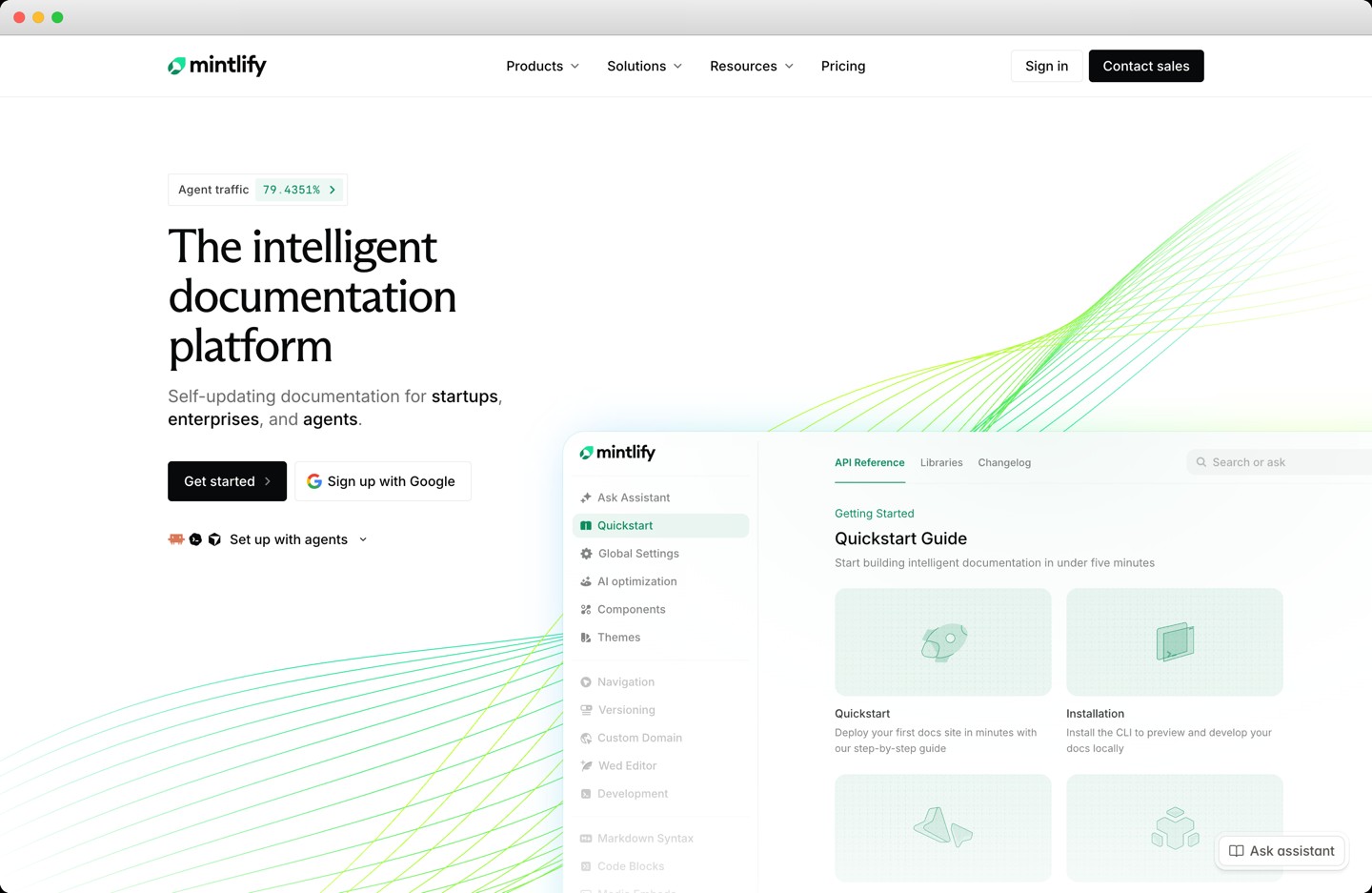
Mintlify is a hosted documentation platform for software companies, strongest on API references and developer guides. Its web editor writes to the same Git repository the engineers push to, so a product manager and an engineer edit one source. Publishing on the main branch updates the live site at once, and a feature branch opens a pull request for review 5.
The money sits in the tiers. The Free plan covers five editors, and preview deployments, the shareable link a reviewer opens before anything goes live, start on Starter at $150 a month billed annually 5. Those preview links are public by default, unpublished content included, until you require your team’s login or a password 6.
The other catch is credits. The AI assistant arrives on Pro and spends 25 credits an answer from a monthly allowance 5. Reviewers say that allowance runs out.
Pricing
- Free: $0, five editors, web editor, Git sync and a Model Context Protocol (MCP) server, the connection AI assistants use to read your docs 5.
- Starter: $150 a month billed annually, $180 monthly, ten editors, preview deployments and 5,000 credits 5.
- Pro: $450 a month billed annually, $540 monthly, unlimited editors, the AI assistant and 10,000 credits 5.
- Enterprise: quoted, with single sign-on for readers and role-based permissions 5.
AI features
- For agents: an MCP server on every plan 5.
- For readers: an AI assistant on Pro, at 25 credits an answer 5.
- Our count: 13 of the 35 Cloud 100 docs sites in our count run on Mintlify, and all 13 served readable text and publish an llms.txt 7.
Pros and cons
Mintlify pays off when engineers and writers share one repository and someone owns the plan’s limits:
Pros
- A web editor that commits to the same Git repository engineers use
- An MCP server on every plan, Free included
- Unlimited editors on Pro
Cons
- Preview links start on the $150 Starter plan
- Previews are public by default until you lock them
- AI credits run out, reviewers say
What G2 reviewers say
Writers praise the editor for opening the docs to colleagues, and the sharpest knock is the credit allowance:
G2 rating: 4.5 of 5 from 27 reviews on 26 November 2026.
The web editor is helpful because it lets my non-technical colleagues contribute to the documentation without friction.
Nicholas D., technical product writer, mid-market companyApr 2026 AI credits are easily the worst part about Mintlify. They really do not go far, even for mid-sized organizations.
Samuel G., team lead technical writer, mid-market companyJun 2026
Verdict: buy Mintlify if your engineers already work in Git and your product people need to edit the same pages from a browser. We would lock previews behind your team’s login before the first unreleased feature goes into one. A support team writing help articles would pay for an API reference it never opens.
Fern
Best for: an API team that wants its reference, code examples and SDKs generated from one OpenAPI spec.
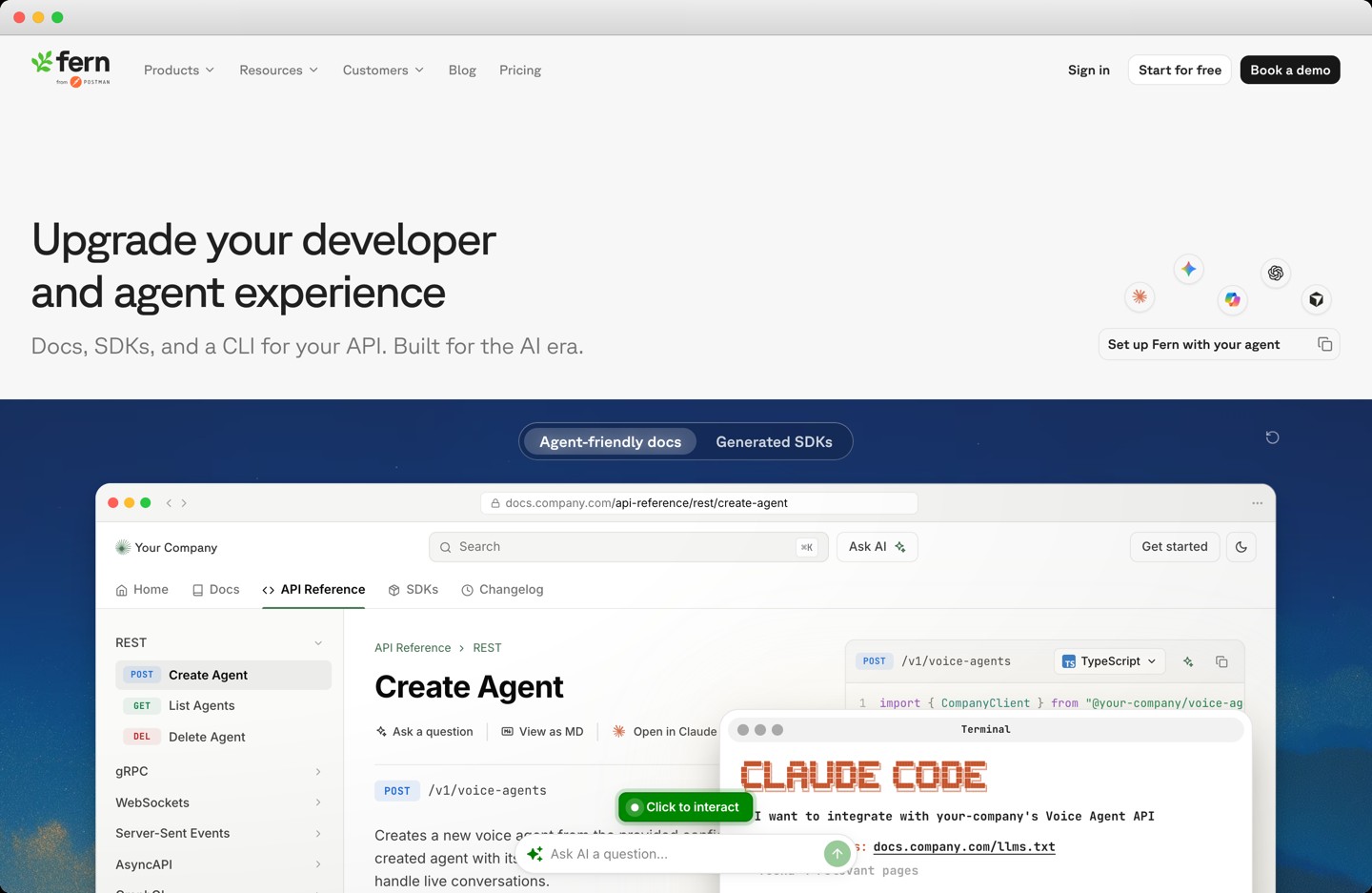
Fern turns an API definition into a documentation site and SDKs in nine languages. Postman acquired it in January 2026 and kept its product, brand and roadmap 2. In November Postman made Fern its official platform for publishing developer portals, free for teams that already publish public portals from Postman 3.
The case for Fern is the spec. When an endpoint changes, the reference page, the code examples and the SDKs regenerate together from the one definition 3. Writers who never touch Git can edit guides in Fern Editor, and every edit still opens a pull request 8 with its own preview link 3.
The gap is evidence. Fern publishes no price for SDK generation on its pricing page, and G2 holds one review of it. A team choosing Fern leans on the demo and on the companies whose public APIs it documents, more than on a crowd of reviews.
Pricing
- Free: $0, ten team members, 1,000 pages, 250 AI credits a month, the web editor and the API explorer 9.
- Enterprise: quoted, with single sign-on, role-based access and self-hosting 9.
- Postman plan: free for teams publishing public developer portals from Postman, which Fern values at $3,000 a year 3.
AI features
- For agents: an llms.txt file and an MCP server on every Fern site 3.
- For readers: Ask Fern answers questions from your docs, on the Free plan’s credits 9.
- Our count: 5 of the 35 Cloud 100 docs sites run on Fern, and all 5 served readable text, an llms.txt and a Markdown copy 7.
Pros and cons
Fern suits a team whose API spec is already the source everyone trusts:
Pros
- Reference, examples and SDKs regenerate from one OpenAPI spec
- A free docs plan for ten team members
- Every edit is a pull request with a preview
Cons
- No published price for SDK generation
- One G2 review to judge it by
- Some editor components are still marked coming soon
What G2 reviewers say
Fern’s only G2 review praises the API explorer, which lets a reader send a real request from the page:
G2 rating: 5.0 of 5 from 1 review on 26 November 2026.
The ability to send API requests directly through the tool when you need to test something quick is tremendously helpful because it’s faster than alternatives.
Verified user in computer software, small businessJan 2026
Verdict: when your docs and your SDKs should change together, Fern is the strongest choice here, and the obvious one if you already publish portals from Postman. Make the spec the only place an endpoint changes, so nobody fixes a generated page by hand and loses the fix on the next build. Teams whose docs are mostly guides with no API behind them gain little from it.
GitBook
Best for: a mixed team where engineers commit in GitHub and product managers and writers edit the same pages in a visual editor.
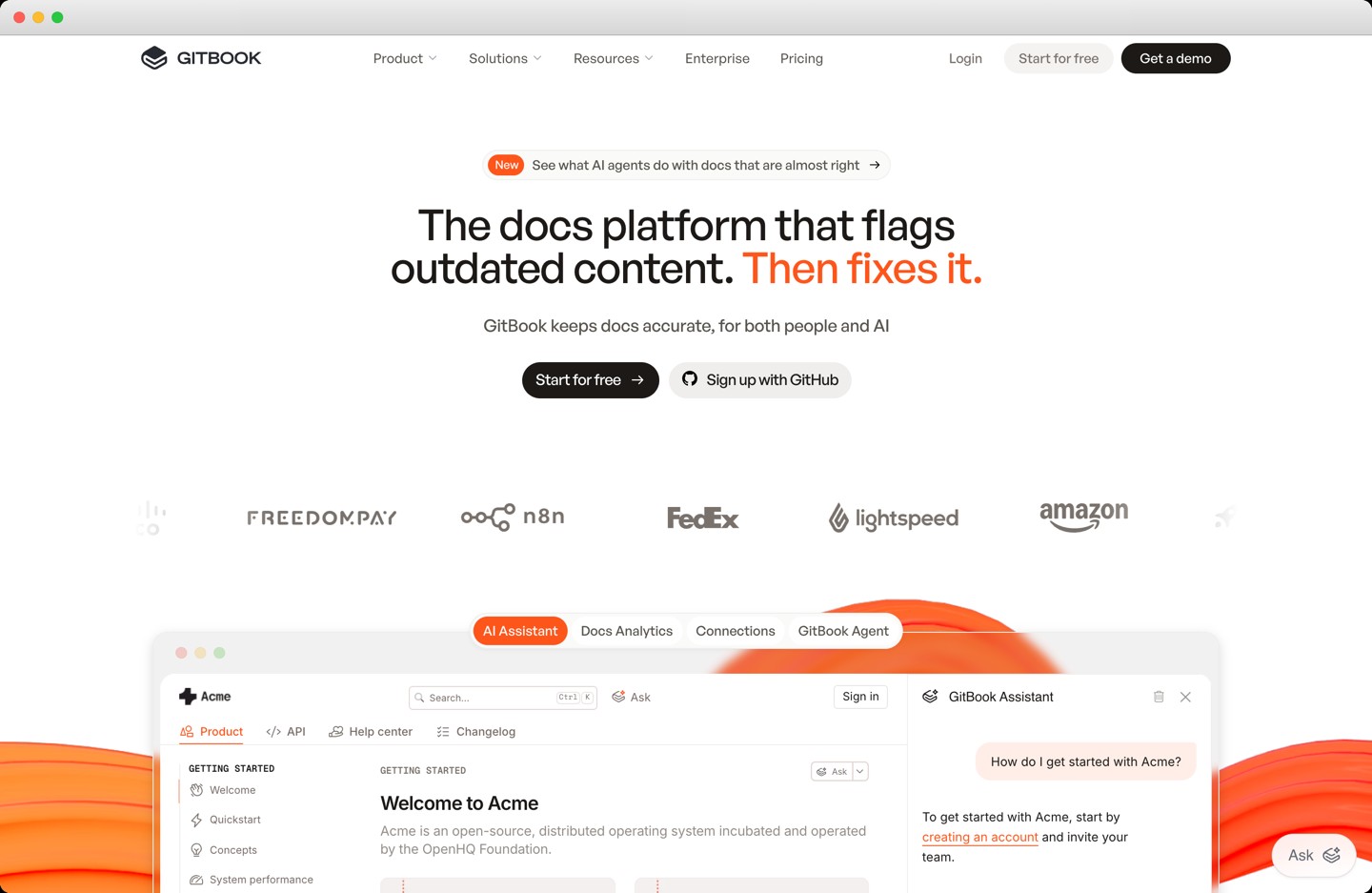
GitBook is a hosted docs platform built around a block editor that reads like a document. Its Git Sync runs both ways with GitHub or GitLab, so a commit and an edit in the browser land in the same place 10. Changes go through change requests, which work like pull requests: reviewers approve, comment or ask for edits, and a diff view shows what moved 11.
Change requests give people who have never opened a pull request a real review step. The bill is the part to model. Essential costs $65 a site a month and Ultimate $249, billed annually, and each extra team member adds $12 a month 10. Paid monthly, those rise to $79, $299 and $15 12.
Docs that sit behind a login need Ultimate, where authenticated access starts 10. A second site adds a second site fee, so model the bill on your sites and your editors before the demo.
Pricing
- Free: $0 for one user 10.
- Essential: $65 a site a month billed annually, $79 monthly, plus $12 a month for each additional user ($15 monthly) 10 12.
- Ultimate: $249 a site a month billed annually, $299 monthly, plus the same per-user fee, with authenticated access 10 12.
- Enterprise: quoted 10.
AI features
- For agents: an MCP server for every published site, on every plan 10.
- For readers and writers: an AI assistant from Essential, and GitBook Agent, limited to ten messages a week on Free 10.
- Our count: 3 of the 35 Cloud 100 docs sites run on GitBook, and all 3 served readable text and an llms.txt 7.
Pros and cons
GitBook pays off when the people editing the docs do not all live in Git:
Pros
- Two-way sync with GitHub or GitLab
- Change requests with reviewers and a diff view
- Published prices on every plan below Enterprise
Cons
- Billed per site and per team member
- Docs behind a login need Ultimate
- Advanced features sit on higher plans, reviewers warn
What G2 reviewers say
Reviewers credit the editor with letting nontechnical people contribute, and warn about the plan structure:
G2 rating: 4.7 of 5 from 208 reviews on 26 November 2026.
The editing interface is clean and intuitive for both technical and non-technical team members to contribute without a learning curve
Muhammed A., technical project manager, mid-market companyAug 2026 Some of the more advanced capabilities are tied to higher plans, so it is important to understand the plan structure before designing a complex multi-space architecture.
Mohan C., small businessOct 2026
Verdict: for a mixed team, GitBook puts engineers and writers on the same pages without teaching anyone Git. We would put the review flow in front of your least technical writer during the trial, since change requests are what you are paying for. If your docs must sit behind your product’s login on a small budget, Ultimate’s price rules it out.
ReadMe
Best for: an API business whose developers judge it by trying the API in the reference before they write any code.
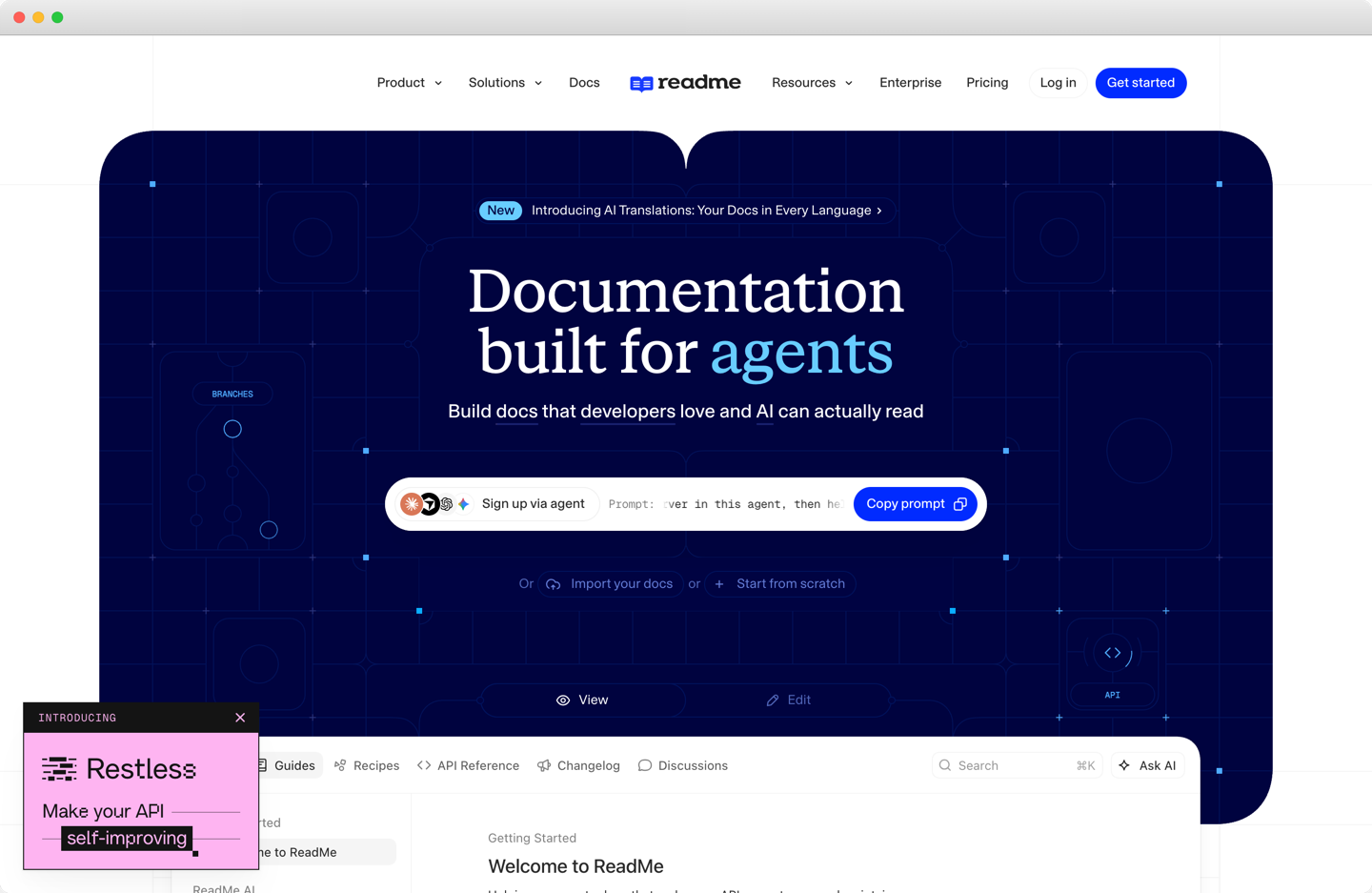
ReadMe hosts developer hubs that hold guides, an interactive API reference, recipes, a changelog and discussions in one portal. A reader can make a real call from the reference, and the OpenAPI spec stays in sync from GitHub or its CLI 4.
Its May rebuild added branches. Changes on a branch stay unpublished until they are merged into a public version, and branches created in GitHub show up in ReadMe 4. Older complaints about ReadMe centered on exactly this, docs that went live with no review step.
The knock is where those branches sit. Branching and reviews come with Pro at $250 a month billed annually, which includes five admins at $20 for each one after 13. One G2 reviewer also had to fake a second product as a version of the first.
Pricing
- Starter: $0, one project, GitHub sync, an MCP server and Ask AI 13.
- Pro: $250 a month billed annually, with branching and reviews, private docs and recipes, five admins and $20 for each extra admin 13.
- Enterprise: quoted, annual billing only, with unlimited seats and single sign-on 13.
AI features
- For agents: an MCP server on every plan, Starter included 13.
- For writers: an AI Writer that suggests doc updates from GitHub pull requests, and an AI reviewer on Pro 4 13.
- Our count: 13 of the 35 Cloud 100 docs sites run on ReadMe, all 13 served readable text and a Markdown copy, and 10 publish an llms.txt 7.
Pros and cons
ReadMe pays off when developers use the reference itself to decide whether to build on you:
Pros
- An interactive API reference with the spec kept in sync
- A free Starter plan with GitHub sync and an MCP server
- Branches stay unpublished until merged
Cons
- Branching and reviews start on Pro at $250 a month
- Five admins on Pro, then $20 each
- Several products in one portal need workarounds, a reviewer says
What G2 reviewers say
The praise is for the reference and the OpenAPI sync, and the knock is about organizing more than one product:
G2 rating: 4.5 of 5 from 46 reviews on 26 November 2026.
It’s quick to publish clean, modern docs, the OpenAPI sync and interactive API reference work really well, and it’s easy for both technical and nontechnical folks to contribute.
Zvi S., director of operations, small businessFeb 2026 I would like to have a better way to manage API documentation for different products.
Karan K., product lead, mid-market companyDec 2025
Verdict: ReadMe earns its price when developers judge your API by trying it in the reference. Budget for Pro from the start, because a branch review is what keeps an unchecked change out of the public version. Several products in one portal will fight its project structure.
Document360
Best for: a support or product team running a help center or knowledge base, public, private or both, with a review step before anything publishes.
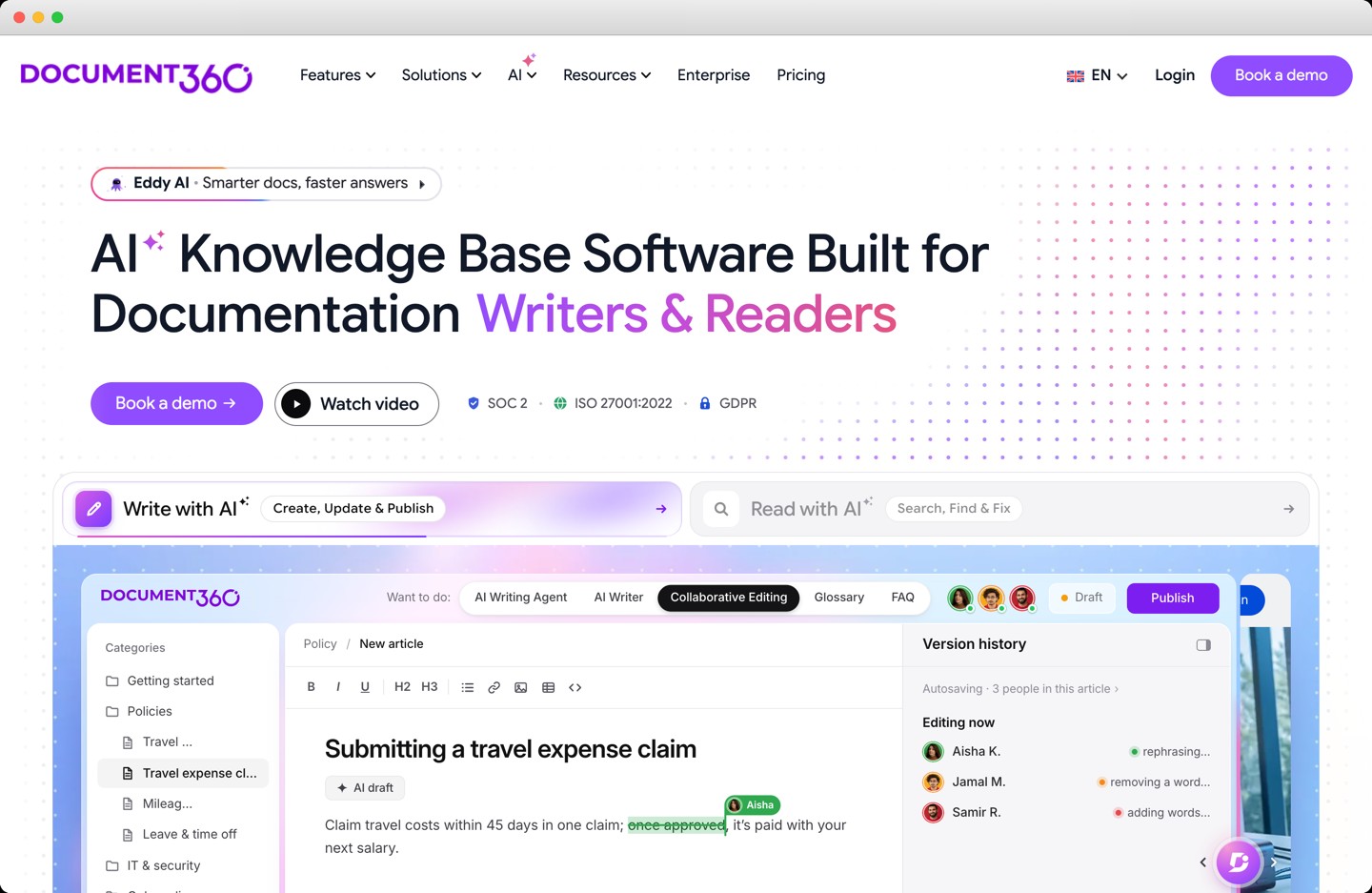
Document360 is knowledge base software for help centers, product manuals and internal guides. Writers choose a WYSIWYG or a Markdown editor, and no one needs Git. Its workflow designer sets the stages an article passes through, assigns reviewers at each stage and can lock editing while a page is in review 14.
Review stages and locked editing are the governance a support team asks for. A knowledge base can be public, private for readers who sign in, or both 15. Its site sells a support ticket deflector and a Zendesk integration for help desks 16.
The knock is the price. Document360 publishes none. Its quote depends on your editors and reviewers, workspaces, languages, single sign-on, privacy model and AI usage 15.
Pricing
- Every plan: quoted after a demo, with standard migration included in most quotes 15.
- What moves the quote: editors and reviewers, workspaces, languages, single sign-on and security, privacy model and AI usage 15.
AI features
- For agents: an llms.txt file generated automatically for every knowledge base 17.
- For readers and writers: the Eddy AI assistant and a writing agent 16.
- Our count: 1 of the 35 Cloud 100 docs sites runs on Document360, too few to read anything into, and it served readable text 7.
Pros and cons
Document360 suits a team whose writers sit in support and never open a code repository:
Pros
- Review stages, assignees and locked editing before publishing
- WYSIWYG and Markdown editors with no Git required
- Public, private or mixed knowledge bases
Cons
- No published price on any plan
- Analytics stay per workspace, a reviewer says
- Some editing features work in one editor and not the other, a reviewer says
What G2 reviewers say
Reviewers like having two editors for two kinds of writer, and one misses a view across workspaces:
G2 rating: 4.7 of 5 from 567 reviews on 26 November 2026.
When creating articles, you can use either a WYSIWYG editor or a Markdown editor, which makes article creation fast and straightforward.
Verified user in computer software, mid-market companyAug 2026 One challenge is the lack of consolidated analytics across workspaces.
Vignesh S., senior manager, small businessMay 2026
Verdict: a support team that publishes help articles through review stages will find Document360 the closest fit of the five. We would ask for the quote with your editors, reviewers, languages and privacy model written down, since those set the price. If your docs are mostly an API reference, the first four entries do more for you.
Which Documentation Platform Fits Your Team
Start with who reads the docs, then with who writes them. Developers calling an API need a reference they can try. Users looking for help need articles they can find and trust. Then pick the platform your writers will keep current:
- Mintlify: developers read it, and engineers and product people write in Git and a web editor.
- Fern: developers read it, and Fern generates the reference and SDKs from your API spec.
- GitBook: both kinds of reader, and a mixed team writes in a visual editor synced to Git.
- ReadMe: developers try the API in the reference before they build.
- Document360: users looking for help, and support writers work through a review workflow.
A team whose writers all live in GitHub may need none of the five. A static site generator such as Docusaurus is free and keeps docs beside the code, at the price of no visual editor for anyone else.
What Decides Whether AI Engines Can Use Your Docs
Every vendor above sells docs that AI agents can read, and on the sites we counted that did not separate them. Of the Forbes Cloud 100 companies, 35 run their docs on one of these platforms. On 26 November we sent each of those docs sites a plain request, the kind a simple crawler sends, with no JavaScript:
On that count, readability gives no reason to prefer one of the five. Your own pages still need checking, because your setup is not theirs.
Readable pages come with all five platforms, so pick the one your writers will keep current.
The pages that turned a crawler away sat elsewhere. None of the 89 Cloud 100 docs sites challenged our request, on 12 October or on 26 November 18 7. Their help centers did: 35 of 83 answered with a “verify you are human” page on 12 October, and 10 of 83 on 26 November 18 7. Bot protection is a setting, and settings change, so either count is a reading of one day.
Docs matter to these engines. Our Empact Panel keeps a weekly record of the answers ChatGPT, Google AI Mode and Claude give a partner’s buyer questions. Across six partners’ panels, 43.9% of ChatGPT answers with sources cited a help or docs page, against 9.1% on Google AI Mode 19. An engine quotes a page as it reads that day, stale example and all.
So the question that decides a platform is how a product change reaches every page that mentions it. Some pages regenerate from the spec. The rest wait for a person who can edit them:
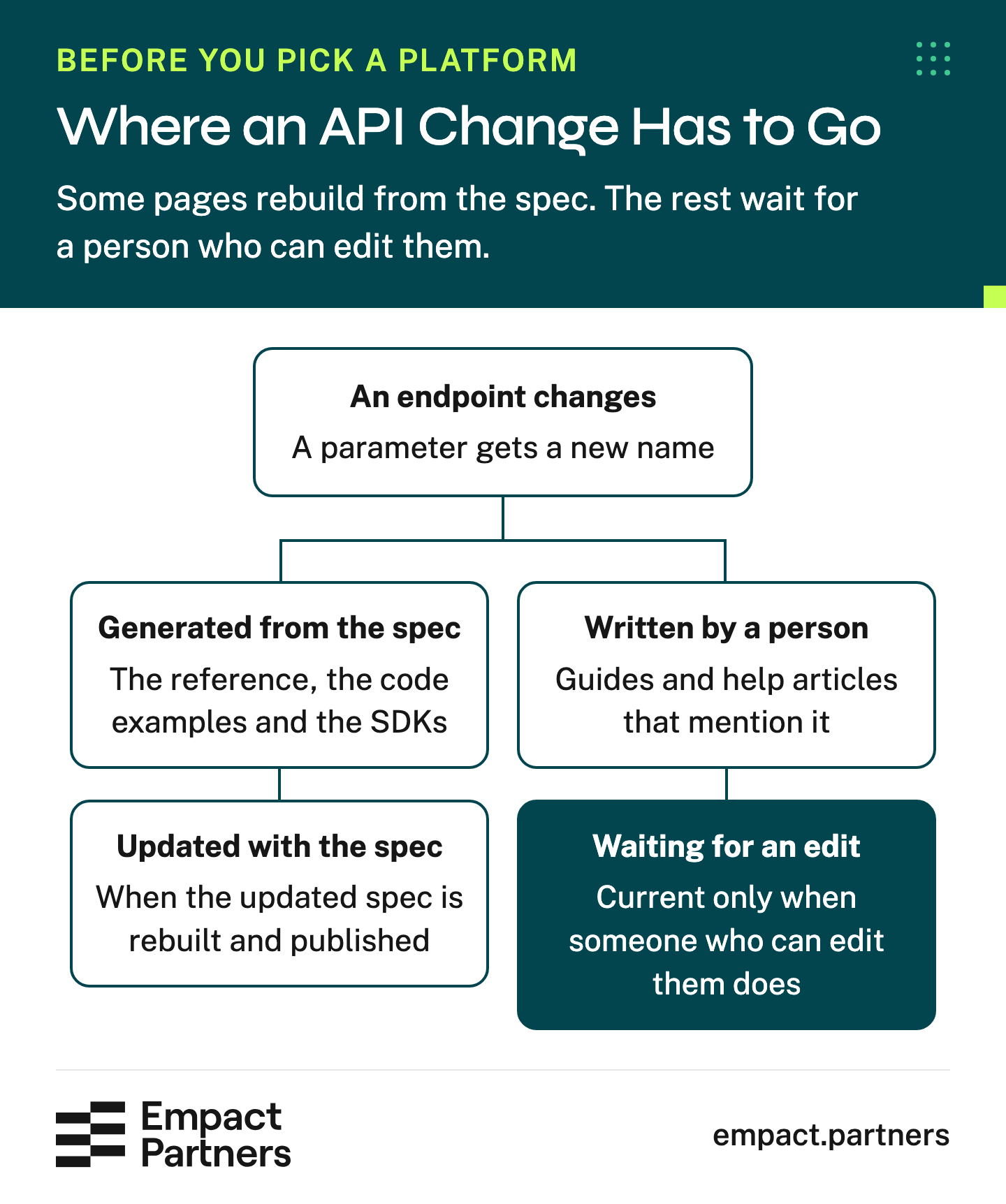
The generated road is why Fern and ReadMe lean on the spec. The written road is where the platform choice shows, because a writer who cannot edit easily does not edit. Practitioners on Reddit who keep docs in step with a product put it plainly:
Tips from Reddit
What practitioners say keeps docs current
For me, maintainability always wins over polish. If updating the docs takes extra effort, people just stop doing it.
treat the API spec as source of truth, then make docs/examples fail CI when snippets or SDK refs drift. boring, but it catches most sync bugs.
biggest win for me was seperating stuff i write from stuff i generate.
So a shortlist should weigh your writers more than the feature grid:
Teams shortlist docs platforms on the AI features all five already ship. The difference that shows up a year later is how many of your people can fix a wrong page the day the product changes.
 Leon Claassen on LinkedInOpens in a new tab
Choosing the platform is your team’s call. Empact Partners would start by making sure the engines can open and read what it publishes, beginning with the pages a buyer reads before talking to sales.
Pricing, docs and help articles are among them. We request each one without a browser, as a simple crawler does, and fix what fails to open or read. Then we add the answers buyers look for and cannot find, and repeat the same requests after every release. The work around it includes:
- An audit first, then a roadmap for the quarters ahead
- One senior GTM consultant, named from the start, on your calls
- Your buyer questions tracked every week in ChatGPT, Google AI Mode and Claude
- Your site, docs and help center checked and fixed until AI engines can read and quote them
- Your product named on the outside pages and Reddit threads those answers rely on
- Standing reports on your visibility and citations, every recommendation with its first step
The quickest way to see your own pages as a crawler does is our GEO Audit, a check from our generative engine optimization (GEO) work. Give it your site address and it checks up to ten of your pages, comparing the version a crawler receives with the one a visitor sees. Partners get the agent behind it in full, and this run is a free preview:
If the help center is what worries you, my playbook takes your priority pages through the same four steps, reach, read, answer and retest:
Whichever platform you shortlist, run one test in the trial. Ask a writer who is not an engineer to fix a wrong example in the API reference and in a guide, then time how long each takes to go live.
Frequently Asked Questions
What is the difference between Mintlify and Fern?
Both serve API-first companies, and both keep docs in Git. The difference is where the content starts. Mintlify starts from pages your team writes, in Git or its web editor, with an API reference generated from your OpenAPI file alongside them.
Fern starts from the API definition itself and generates the reference, code examples and SDKs in nine languages from it. If SDKs are part of what you ship, Fern does more of the work. If most of your docs are guides and tutorials, Mintlify’s editor matters more.
Which documentation platform is easiest for nontechnical writers?
GitBook and Document360. GitBook’s block editor reads like a document and syncs to GitHub or GitLab behind the scenes, so writers never see Git. Document360 gives writers a WYSIWYG editor with no Git at all. Its review workflow was built for support teams.
Mintlify and Fern both have web editors that hide Git, though a writer there works inside a site an engineer set up. Run the trial with your least technical writer.
Will switching documentation platforms improve our AI search visibility?
Not on its own. Every Cloud 100 docs site on these five platforms already served readable text to a plain crawler in our count.
What changes AI answers is what your pages say, whether they stay current, and whether the engines can reach your other pages too, the help center included. A move can help when your current docs only render with JavaScript or sit behind bot protection. Check that before you budget a migration for AI reasons.
Do our docs need an llms.txt file?
An llms.txt file helps coding agents and tools find your pages. Mintlify, Fern, GitBook and Document360 generate one automatically, and 10 of the 13 ReadMe sites in our count published one too. Treat it as a map. It does not open a page that bot protection blocks, and it does not make an engine cite you. A docs site whose pages load as readable text matters more.
Can we keep docs behind a login for signed-in users only?
Yes, on the right plan. Mintlify gates docs behind your product’s login on Enterprise and offers password protection on Pro.
GitBook adds authenticated access on Ultimate, at $249 a site a month billed annually. ReadMe’s private docs come with Pro, and Fern sells advanced role-based access on Enterprise. Document360 runs private knowledge bases for readers who sign in, priced in your quote. Price the login before you compare base plans.
How much does a documentation platform cost for a small SaaS team?
Billed annually, Mintlify Starter is $150 a month for up to ten editors, and ReadMe Pro is $250 with five admins. GitBook Essential is $65 a site a month, plus $12 for each additional team member.
Fern’s docs plan is free for ten team members, its Enterprise plan is quoted, and SDK generation has no published price. Document360 quotes every plan. AI credits sit on top of several plans, so ask what an assistant answer costs before you compare totals.
Should our help center and developer docs be on the same platform?
When both teams can write and review comfortably in it, one platform saves a second bill and a second login.
Developer docs are usually written by engineers and developer relations, and help articles by support, so test the editor with both groups before you merge them. Wherever the help center lives, check it separately. In October a plain crawler met a “verify you are human” page at 35 of 83 Cloud 100 help centers, and at none of their 89 docs sites.
Is Fern still independent after Postman bought it?
No. Postman acquired Fern in January 2026 and said the product, brand and roadmap would stay the same. In November Postman made Fern its official platform for publishing API developer portals and generating SDKs, instead of running two docs products. If you publish public portals from Postman today, Postman’s plan for Fern is free for you.
How hard is it to move docs to a new platform?
Easier when your content is Markdown in Git, since Mintlify, Fern and GitBook all read from a repository. The work is in the components, redirects and navigation. Keep every old address pointing to its new page, so links and AI answers that cite the old URL still land. Document360 includes standard migration in most quotes. Plan the redirects before you move the content.
What does the GEO Audit check?
Whether AI engines can reach and read your site. It reads the rules your robots file sets for AI crawlers and looks for an llms.txt. Then it checks up to ten pages and compares the version a crawler receives with the one a visitor sees. It needs only your site address and a work email, and the fix plan arrives by email. It makes no claim about how often the engines recommend you.
Sources (19)
- Mintlify, "raises $45M Series B led by Andreessen Horowitz and Salesforce Ventures" (2026)↩1
- Postman, "acquires Fern" (2026)↩1↩2
- Fern, "is now Postman’s home for API docs and SDKs" (2026)↩1↩2↩3↩4↩5↩6
- ReadMe, "A New ReadMe, Built to Work with AI" (2026)↩1↩2↩3↩4
- Mintlify, "Pricing" (2026)↩1↩2↩3↩4↩5↩6↩7↩8↩9current page read 26 November 2026.
- Mintlify Documentation, "Preview deployments" (2026)↩1current page read 26 November 2026.
- Empact Partners, "documentation platform count of the Forbes Cloud 100" (2026)Empact Partners' own data↩1↩2↩3↩4↩5↩6↩7↩889 documentation sites requested with plain HTTP requests and no JavaScript, platform named only where the page identified it, 26 November 2026.
- Fern Documentation, "Fern Editor" (2026)↩1current page read 26 November 2026.
- Fern, "Pricing" (2026)↩1↩2↩3current page read 26 November 2026.
- GitBook, "Pricing" (2026)↩1↩2↩3↩4↩5↩6↩7↩8↩9current page read 26 November 2026.
- GitBook Documentation, "Change requests" (2026)↩1current page read 26 November 2026.
- GitBook Documentation, "Plans" (2026)↩1↩2↩3current page read 26 November 2026.
- ReadMe, "Pricing" (2026)↩1↩2↩3↩4↩5↩6current page read 26 November 2026.
- Document360 Documentation, "Workflow designer" (2026)↩1current page read 26 November 2026.
- Document360, "Pricing" (2026)↩1↩2↩3↩4current page read 26 November 2026.
- Document360, "AI Knowledge Base Software for Writers and Readers" (2026)↩1↩2current page read 26 November 2026.
- Document360 Documentation, "LLMs.txt" (2026)↩1current page read 26 November 2026.
- Empact Partners, "documentation and help-center count of the Forbes Cloud 100" (2026)Empact Partners' own data↩1↩289 documentation sites and 83 help centers requested with plain HTTP requests, 12 October 2026.
- Empact Partners, "help and documentation pages among the pages cited on six partner Empact Panels" (2026)Empact Partners' own data↩1the latest waves on each panel, loaded 18 October to 13 November 2026, answers with any citation.
Keep reading
GEO How to Get Your Documentation Cited in AI Search
Find which docs need work, fix access problems and give your team a clear plan for answering buyers in AI search.

GEO The 5 Best AI Visibility Tracking Tools, Priced and Reviewed
Five AI visibility trackers, each answering a different question, with live prices, G2 ratings and what users say, and how to choose one.
GEO The 7 Best GEO Software Tools, and Why We Built Our Own
The Empact Panel we built leads this GEO software roundup, then six tools by job: trackers, cited pages, mentions, Reddit, crawl, schema.