
5 Chili Piper Alternatives That Fit Your CRM
Five tools that take over Chili Piper’s routing and demo booking, matched to your CRM, your routing rules and what each costs.
 Teddy CipollaWith
 Vlad Shvets
On this page
Empact Newsletter
One email a month on what is working in AI search and SaaS go-to-market.
Chili Piper takes a demo request from the form to a booked meeting with the right rep. It prices that job for teams bigger than many of the ones using it. Growth starts at $15,000 a year for 15 seats, and every plan is billed annually 1. A team of five reps pays for fifteen.
Empact Partners does the RevOps behind demo routing for SaaS companies. We connect the forms, calendars and CRM, and we clean the records a router reads, so each request reaches the rep who owns it.
Price is one reason teams leave. Users on Reddit add heavy setup for simple rules, and routing that runs outside Salesforce and can decide on stale data. The choice got wider in May, when Default rebuilt itself around a data layer and an agent 2. We read the pricing, documentation and reviews of five replacements on 26 November 2026, and here is how they split on fit, CRM and price:
Scroll horizontally to see all columns when the table is wider than this page.
| Tool | Best for | CRM it routes on | The Chili Piper job it takes over | Starting price |
|---|---|---|---|---|
| Avoma | Teams that record their sales calls in Avoma | HubSpot or Salesforce, from HubSpot or Marketo forms | Form routing, owner check, round robin, SDR handoff | Lead Router at $19 a seat a month, on a plan from $29 for round robin |
| RevenueHero | A like-for-like move off Chili Piper for less | HubSpot, Salesforce, Zoho, Freshsales, Attio | Form booking, owner matching, round robin, SDR handoff | $79 a month plus $25 a seat |
| LeanData | Salesforce teams that match leads to existing companies | Salesforce only | Matching and routing inside Salesforce, booking from forms and records | Priced on request |
| HubSpot | HubSpot teams with simple rules that would rather stay inside the CRM | HubSpot only | Round robin and an owner check, with form routing on Enterprise | Free link, round robin from $7 a seat a month |
| Default | Enrichment, routing, booking and follow-up in one platform | Salesforce, HubSpot, Attio | Form booking, routing, handoff, plus enrichment | $12,000 a year plus $540 a seat |
Avoma
Best for: teams that already record their sales calls in Avoma and want booking and routing in the same product.
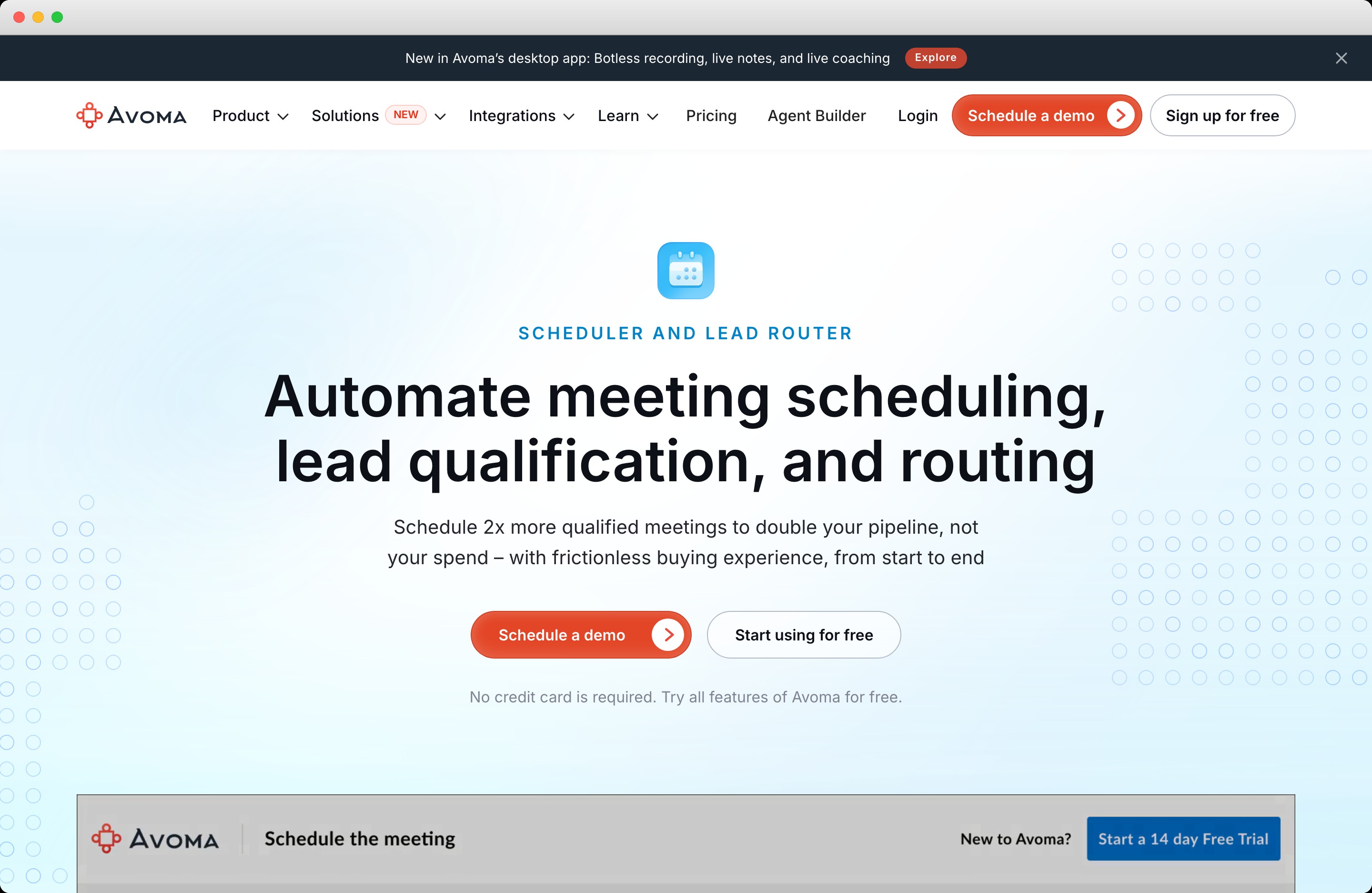
Avoma is a meeting assistant first. It records calls, writes the notes and saves them to the CRM, and its Scheduler and Lead Router add booking and routing to the same product 4 6. A team already running its calls through Avoma gets the demo request and the call notes from one tool.
Avoma takes over the step from form to calendar, the owner check and the round robin. The router reads a HubSpot or Marketo form, finds an owner in the CRM by email, domain or open deal, and opens that rep’s calendar 5. A separate handoff router lets sales development reps (SDRs) book for the reps who run demos 4.
The limits sit in the setup. Only HubSpot and Marketo forms work, even when Salesforce is your CRM, and each rule can carry one CRM condition 5. The router is a $19 seat on top of a plan, and round robin needs the $29 Organization plan 6.
Pricing
- Startup: $19 a recorder seat a month billed yearly ($29 monthly), with 1:1 scheduling only 6.
- Organization: $29 a seat a month billed yearly ($39 monthly), adding group and round robin scheduling 6.
- Enterprise: $39 a seat a month, billed yearly only, with a 10-seat minimum 6.
- Lead Router add-on: $19 a seat a month billed yearly ($25 monthly), for every rep who takes bookings from the router 5 6.
Integrations
- Forms: HubSpot and Marketo forms only 5.
- Owner check: HubSpot companies and contacts, Salesforce company records and open deals, matched by email or domain 5.
- Calls: notes from recorded calls saved to the CRM on every plan 6.
Pros and cons
Avoma pays off when the meeting notes matter as much as the booking:
Pros
- Booking, routing and call notes in one product
- Owner check on a contact, a company or an open deal
- A handoff router for SDRs
Cons
- HubSpot and Marketo forms only
- One CRM condition per rule
- Sold as add-on seats on top of a plan
What G2 reviewers say
G2’s reviews of Avoma cover the meeting assistant rather than the router, and they speak to the reason to pick it and to the bill:
G2 rating: 4.6 out of 5 across 1,368 reviews, read 26 November 2026.
Avoma is most helpful for capturing meeting notes, summaries, and action items automatically, which saves time and reduces the chance of missing important details.
Miles H., solution engineer, mid-market companyMar 2026 Pricing and selling even basic stuff as another bundle (RI-CI) and you need to buy it for both sides, both manager and sales rep.
Verified user in consulting, small businessNov 2026
Verdict: pick Avoma when your team already records its calls there and your forms live in HubSpot or Marketo, so the booking and the call notes sit in one place. Test the ownership rules on your three messiest companies before launch, since each rule checks one CRM condition. Look elsewhere if your forms run on another tool or a single rule needs several conditions.
RevenueHero
Best for: HubSpot or Salesforce teams that want Chili Piper’s form to meeting flow for less, with a logged reason for every assignment.
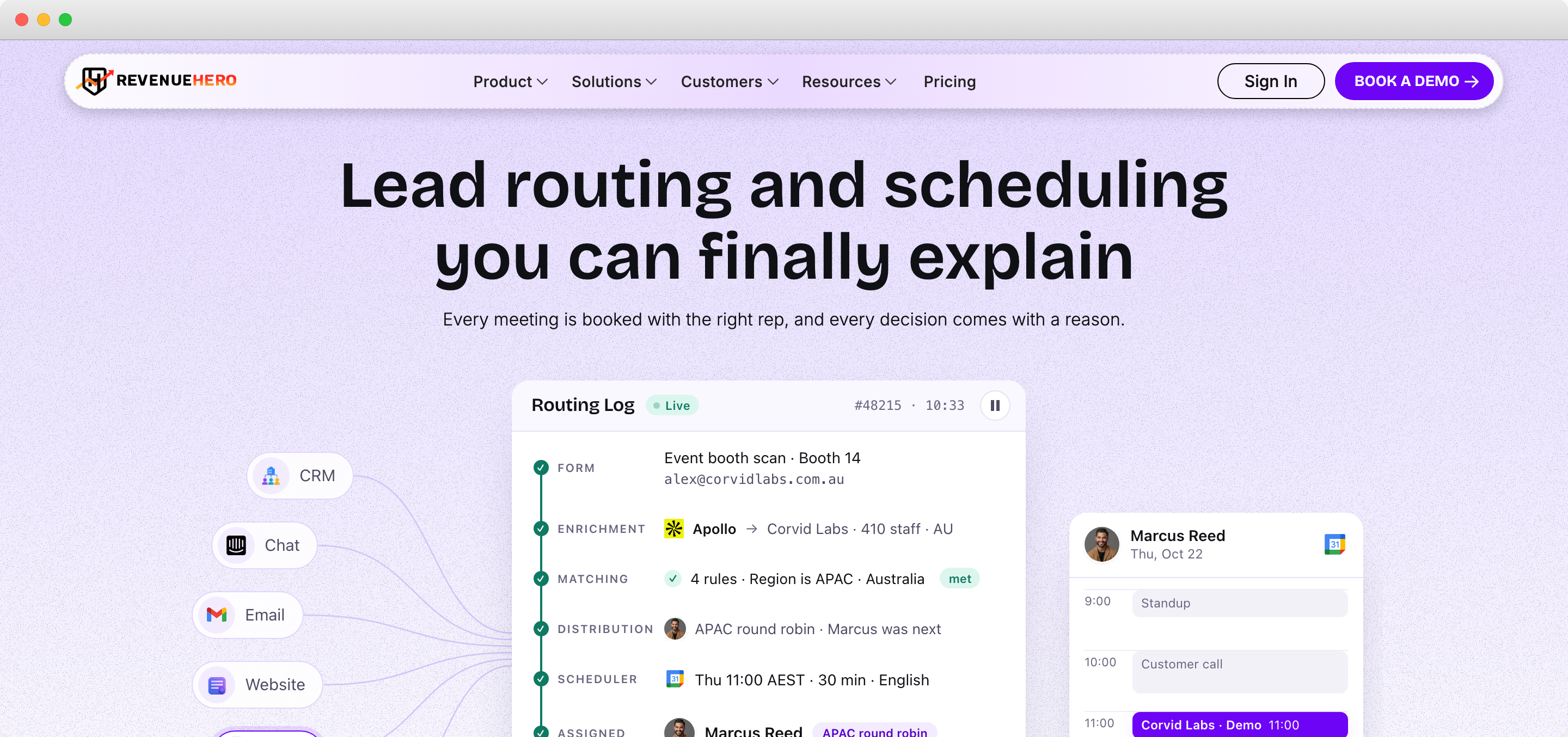
RevenueHero does the job Chili Piper’s form product does. A buyer fills in the form, the tool checks fit and ownership, and the right rep’s calendar opens on the same page. Its Routing Log keeps, for every form fill, the rules that matched, the ones that did not and the rep chosen 7.
RevenueHero keeps most of Chili Piper’s inbound job, from round robin with backup reps for time off to an SDR handoff sold as a $25 seat 7. It drops native chat, AI agent booking and an API, which its pricing page marks as coming soon. On price it is the clearest break, with no seat minimum, free admin seats and monthly billing if you want it.
The trade-off is depth. Matching on any CRM property, territories and target-company routing sit on the Advanced plan, and reviewers say advanced setups take some learning. Enrichment at the form is a $99 add-on with 500 credits a month 7.
Pricing
- Essentials: $79 a month platform fee plus $25 a seat, billed yearly ($99 and $35 monthly) 7.
- Advanced: $159 a month plus $35 a seat, billed yearly ($199 and $45 monthly). RevenueHero’s own example puts ten seats at $6,108 a year 7.
- Add-ons on Advanced: an SDR handoff seat at $25 a month, spam prevention at $30, native enrichment at $99 7.
Integrations
- CRMs: HubSpot, Salesforce, Zoho, Freshsales and Attio, natively 7.
- Booking: web forms, in-app booking, booking pages and links in email sequences 7.
- Enrichment: on the add-on, Clearbit, Apollo, ZoomInfo, Crustdata and Ocean.io are asked in turn for the company details at the form fill 7.
Pros and cons
RevenueHero is the closest swap for a team that mostly used Chili Piper to turn form fills into meetings:
Pros
- A logged reason behind every assignment
- No seat minimum, free admins, monthly billing
- Live in under a week for most teams, by RevenueHero’s own claim
Cons
- No chat, AI booking or API yet
- Territory and property matching only on Advanced
- Enrichment and SDR handoff cost extra
What Reddit and G2 reviewers say
A RevOps lead who left Chili Piper for it gives the plainest endorsement, and a rep names the rough edge:
G2 rating: 4.8 out of 5 across 168 reviews, read 26 November 2026.
r/SalesOperations
View threadI switched to revenue hero because I had similar issues with chili piper. Much happier. It's cheaper and easier to use.
Jan 2025 Inbound leads go straight from our form to a booked meeting with the right AE.
Rami E., head of operations, mid-market companyOct 2026 The downside is that the interface is a little confusing, especially when it comes to selecting the meeting type
Calvin M., senior AE, mid-market companyJun 2026
Verdict: for a HubSpot or Salesforce team that mainly used Chili Piper to turn form fills into meetings, RevenueHero is the cheaper like-for-like move. Duplicate company records can trip its matching, because a company recorded twice gives the router two owners to choose from. A team that relies on Chili Piper’s chat, or needs an API today, should wait for the roadmap.
LeanData
Best for: Salesforce teams whose routing depends on matching each lead to the company and owner already in Salesforce.
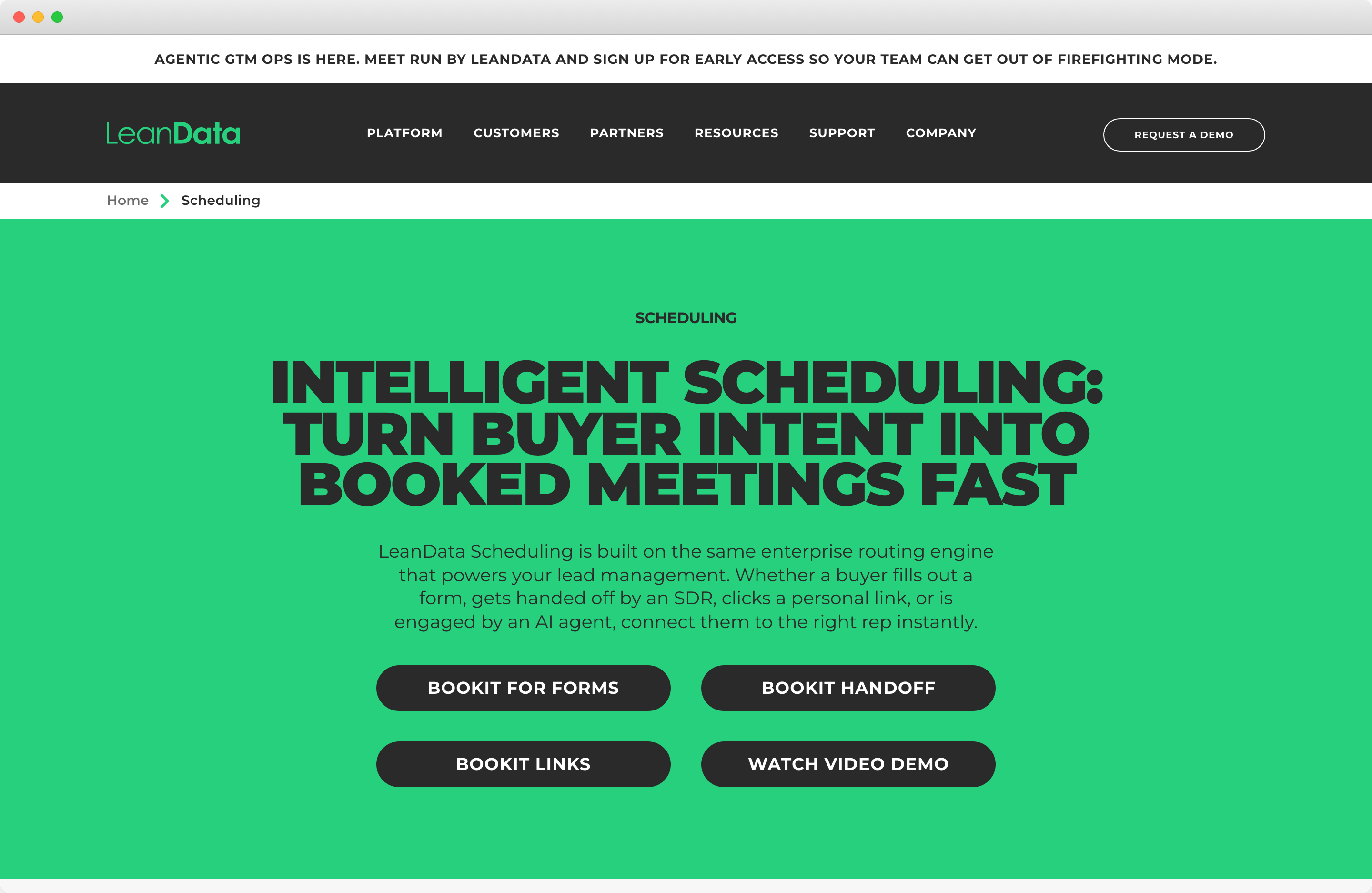
LeanData made its name routing leads inside Salesforce, and BookIt adds the booking. It matches each lead to an existing company record, applies territory and ownership rules, then opens the owner’s calendar from a form, a handoff on a Salesforce record or a rep’s link 3. The whole scheduling suite is built natively inside Salesforce 3.
That answers a Chili Piper complaint from Salesforce admins. One who moved to BookIt wrote in November 2026 that Chili Piper ran outside Salesforce, so its routing sometimes worked from out-of-date data. LeanData reads the records where they live. You give up HubSpot as the CRM of record, and a price you can see before the sales call.
The other knock is the bill and the care it needs. LeanData prices by features, objects and Salesforce users or queues, and charges setup and onboarding separately 8. The same admin’s open problem is vacations. BookIt reads a rep’s time off up front, so a rep who is away today can only be booked through a backup, even for a slot after they return.
Pricing
- Orchestration: Standard, Advanced and Premium editions, priced on request by features, objects and Salesforce users or queues 8.
- BookIt: sold with orchestration or on its own, priced on request 8.
- Implementation: setup and onboarding billed separately on every package 8.
Integrations
- CRM: Salesforce, with booking from leads, contacts, opportunities, cases and company records 3.
- Forms and chat: Marketo, HubSpot, Pardot and Eloqua forms, plus Qualified and Drift 3.
- AI agents: a BookIt API and a LeanData MCP server (Model Context Protocol, the standard AI assistants use to call tools) in beta, so an agent books on your routing rules 3.
Pros and cons
LeanData earns its price when matching leads to the right company is the hard part of your routing:
Pros
- Routing runs inside Salesforce on live records
- Matching to existing companies, territories and owners
- Forms, handoffs and rep links on one routing engine
Cons
- Salesforce only
- No published price, and setup billed on top
- Vacation handling in BookIt, per a recent switcher
What Reddit and G2 reviewers say
The admin who switched names the gap, and two G2 reviewers name the strength and the cost:
G2 rating: 4.6 out of 5 across 1,072 reviews, read 26 November 2026.
r/salesforce
View threadThe major frustration we're currently unable to solve with Bookit is handling user vacations
Nov 2026 I never have to leave Salesforce to build, troubleshoot, or update routing, which makes administration incredibly efficient.
Nate T., marketing and sales operations, mid-market companyJul 2026 It can be challenging to get help from professional services later, and I might have to pay extra for it.
Verified user, mid-market companyNov 2026
Verdict: buy LeanData if you run Salesforce and your misroutes come from matching, such as a new lead from a company a rep already owns landing in the round robin. Budget for the implementation it bills separately and for an admin who keeps the routing graph tidy. On HubSpot, or with rules that fit on a page, it is more router than you need.
HubSpot
Best for: HubSpot teams with a few simple routing rules that would rather route inside the CRM they already pay for.
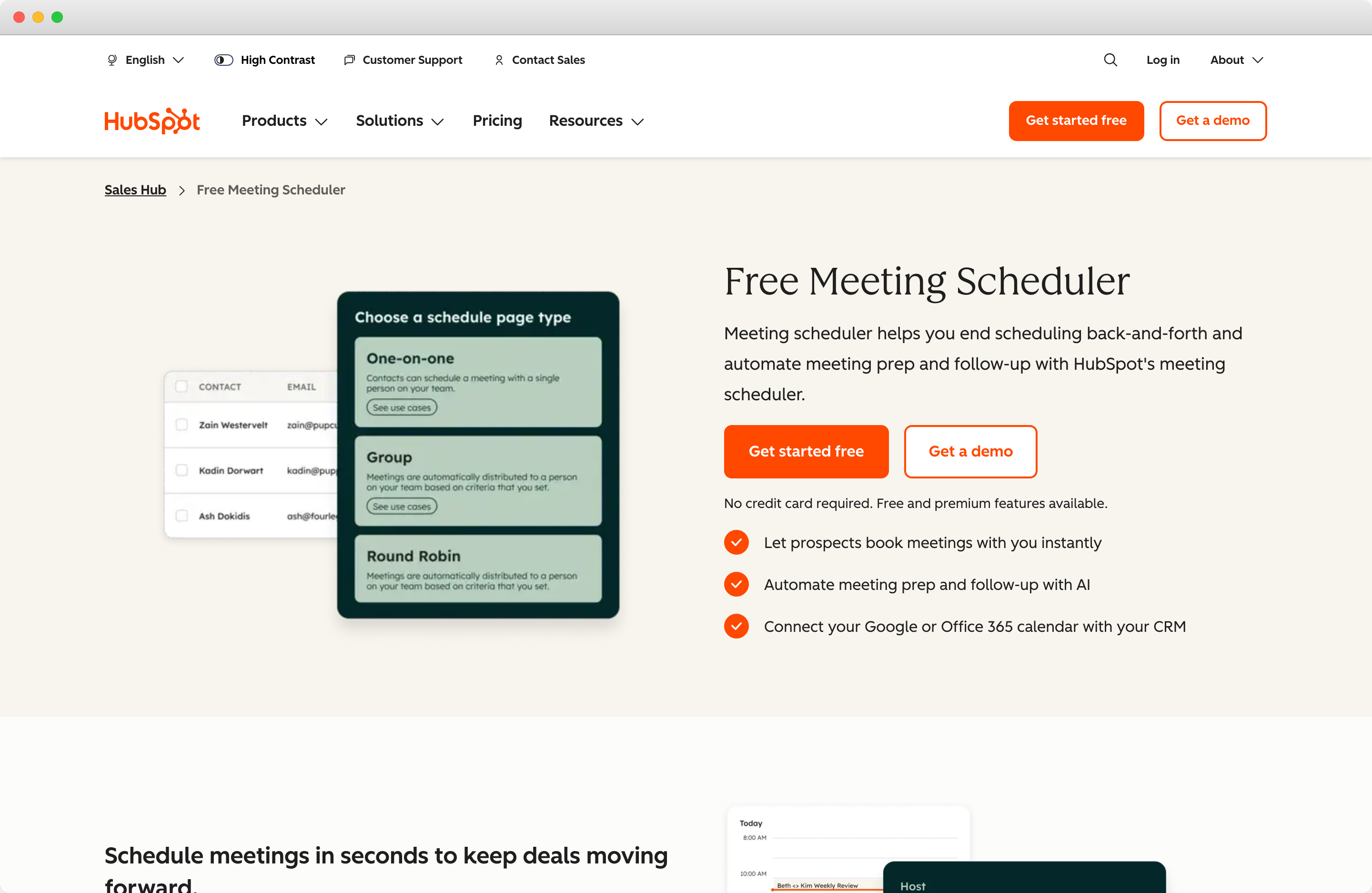
HubSpot’s own meetings tool is where many teams booked demos before Chili Piper, and for a HubSpot team it is the router with nothing to integrate. It connects each rep’s Google or Office 365 calendar to the CRM, and round robin team pages come with any paid Sales Hub seat 9 10 12.
HubSpot keeps the round robin and a basic owner check. A round robin page can put the contact owner first, but the buyer types an email on a welcome screen before the calendar shows 10. Sending a form to different calendars by its answers is the feature HubSpot calls Lead Form Routing, and it is on Sales Hub Enterprise only 9 11.
So HubSpot’s closest match to Chili Piper sits on its top plan, at $150 a seat a month plus a $3,500 onboarding fee 9. Below Enterprise, teams build the logic in workflows themselves. One G2 reviewer put a routing form in front of three round robin links to route by territory.
Pricing
- Free CRM: one personal meetings link, with HubSpot branding 9.
- Starter: from $7 a seat a month billed yearly ($20 monthly), with team meeting links and round robin 9 10. The page notes that its discounts apply to new buyers only.
- Professional: $90 a seat a month billed yearly ($100 monthly), plus a one-time $1,500 onboarding fee 9.
- Enterprise: $150 a seat a month with Lead Form Routing, plus a one-time $3,500 onboarding fee 9.
Integrations
- CRM: HubSpot itself, so meetings land on the record with nothing to sync 12.
- Calendars and video: Google or Office 365 calendars, with Zoom, Google Meet or Microsoft Teams links 10 12.
- Forms: HubSpot forms that send each visitor to a different scheduling page by their answers, on Enterprise 11.
Pros and cons
HubSpot’s tools are enough when the routing is a round robin and an owner check:
Pros
- Nothing to integrate for a HubSpot team
- Round robin team pages from the Starter plan
- Contact owner first on a round robin page
Cons
- Form routing only on Enterprise
- The owner check needs the buyer to type an email first
- Territory routing means workarounds below Enterprise
What Reddit and G2 reviewers say
A G2 reviewer likes the round robin and names its limit, and a long-time HubSpot user on Reddit names what breaks later:
G2 rating: 4.4 out of 5 across 14,415 reviews, read 26 November 2026.
Meeting links with round-robin make booking discovery calls easy.
Nykko F., executive assistant, small businessOct 2026 A round-robin page only splits meetings evenly, so we built a routing form in front of three separate links to get territory-based booking.
Nykko F., executive assistant, small businessOct 2026 r/hubspot
View threadSo many times I’ve seen people hard code lead routing into Hubspot based on things like postal codes, languages, industries etc and as soon as the first new SDR is hired the whole workflow needs to be rebuilt and the internal admins can’t do it themselves.
Jul 2026
Verdict: HubSpot’s own tools are the right call for a HubSpot team whose routing is a round robin and an owner check, and the obvious one for a team already on Enterprise. Write the rules down before you build them in workflows, because rules buried there break when the team changes. Teams that need territory routing below Enterprise will outgrow it.
Default
Best for: RevOps teams that want enrichment, routing, booking and the workflow after the meeting in one platform, and have time to build it.
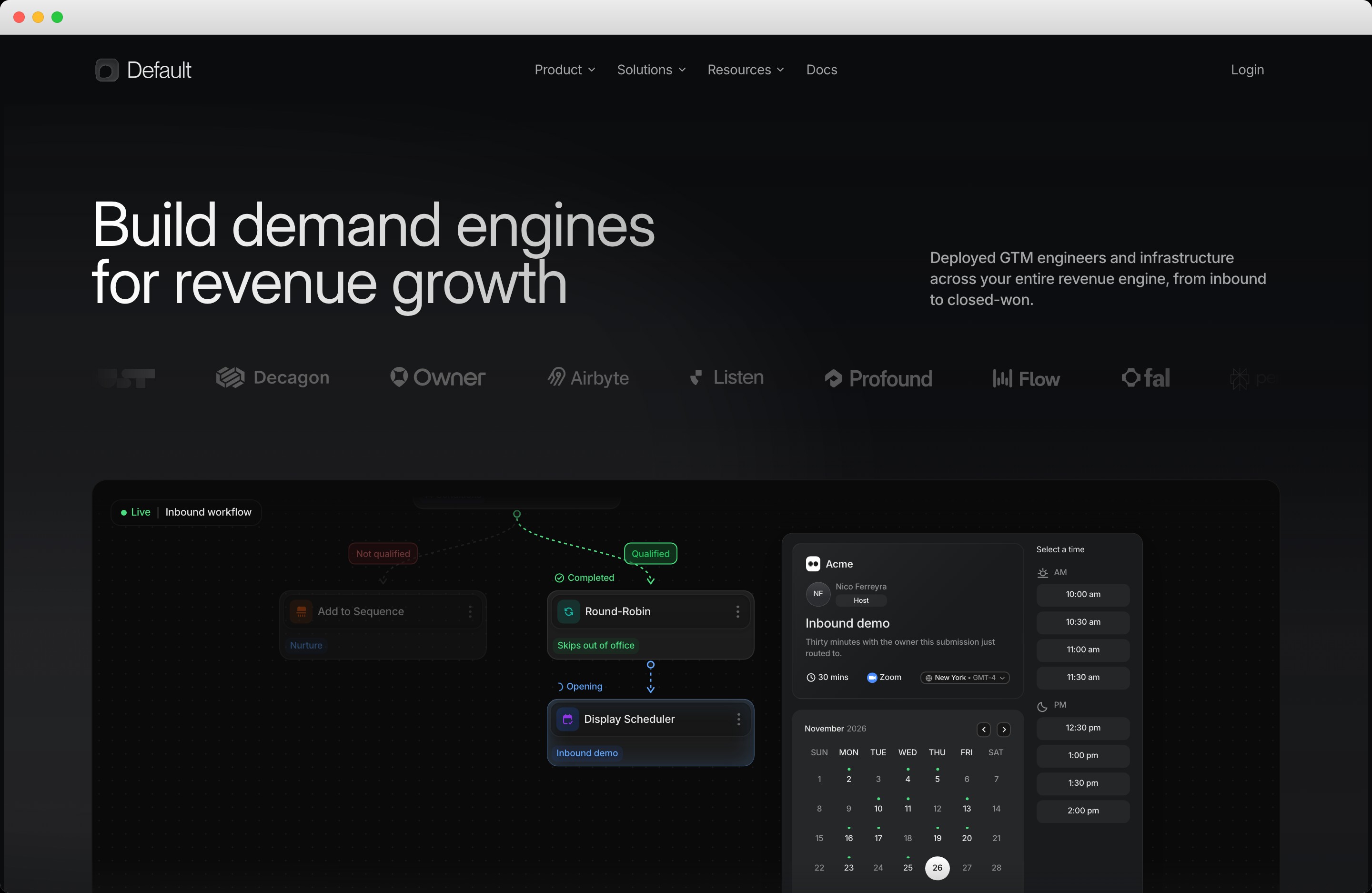
Default replaces the tools around the calendar along with the calendar. A demo request runs through several data providers in turn, a qualification step, a round robin and a booking page, and the same workflow can add the lead to a sequence afterwards 13. In May it rebuilt itself around a data layer and an agent that works on top of it 2.
Default covers the form booking, routing and SDR handoff a Chili Piper team uses, and adds enrichment, with 24,000 credits a year on Growth. It prices itself as a replacement for several contracts, and its own sum for ten reps is $17,400 a year 14. That is good value if you retire an enrichment tool too, and a lot of platform if you do not.
The trade-off is the build. Workflows are flexible and someone has to assemble them, and the record from teams that left Chili Piper for Default is split. One RevOps manager says early problems were fixed, another reports four months of routing trouble, and both reviews came before the May rebuild.
Pricing
- Growth: $12,000 a year with 24,000 enrichment credits and 200,000 workflow runs 14.
- Enterprise: $25,000 a year, with Default’s engineers moving your routing and scheduling off your current tools 14.
- Seats: $540 a user a year for routing and scheduling, $240 for scheduling only 14.
Integrations
- CRMs: Salesforce, HubSpot and Attio 15.
- Calendars and calls: Google and Outlook calendars, and Zoom 15.
- Sequences and data: Outreach, Salesloft and Gong Engage, with Apollo, Clearbit and ZoomInfo for enrichment 15.
Pros and cons
Default suits a team that wants one place for inbound data and has someone to build it:
Pros
- Enrichment, routing, booking and follow-up in one workflow
- A log of which rule decided each route
- An MCP and an API for AI assistants and your own app
Cons
- A $12,000 yearly floor before seats
- Workflows take time to build and test
- A split record from teams that left Chili Piper
What G2 reviewers say
Both voices come from teams that moved off Chili Piper, three months apart and before the May rebuild:
G2 rating: 4.6 out of 5 across 62 reviews, read 26 November 2026.
We had some issues when we first switched off ChiliPiper a year and a half ago, but it was all addressed by the team and the product has evolved a lot since then.
Liza D., revenue operations manager, mid-market companyDec 2025 We’ve had routing issues from day one, and now we’re four months in still trying to get things working.
Ashwin C., digital marketing manager, mid-market companySep 2025
Verdict: Default is for the RevOps team that wants to retire Chili Piper and an enrichment contract together, and has someone to build and own the workflows. We would trace every field the qualification step reads to its source before cutover, since enrichment fills blanks and merges nothing. If you only need booking from a form, it is a lot of platform for the job.
Which Chili Piper Alternative Fits Your Team
Start with the CRM, then with how much of Chili Piper you used. If it was mostly a form, a round robin and an owner check, the cheaper tools here do that well. If it was matching and handoffs inside Salesforce, LeanData is the only one built there.
- Avoma: your calls are recorded in Avoma and your forms live in HubSpot or Marketo.
- RevenueHero: you want the same form to meeting flow on HubSpot or Salesforce for less.
- LeanData: you run Salesforce and your misroutes come from matching leads to existing companies.
- HubSpot: you run HubSpot, your rules are a round robin and an owner check, or you are already on Enterprise.
- Default: you want enrichment and routing in one place and someone can build it.
If most of your inbound is product signups rather than demo forms, one routing decision comes before any of the five. You have to decide which signups deserve a rep at all. Leon Claassen’s playbook routes signups to sales on the product action that marks a buyer, and measures in revenue what those calls add:
Check the Records Your New Router Will Read
Whichever case you are in, every tool above has to decide who owns the buyer. It reads the owner field, the company the lead matches and the territory on the record, then applies its rules to them. The Salesforce admin quoted under LeanData did not leave Chili Piper over the calendar. The routing had been deciding on old data.
Switching routers does not correct a single record in your CRM.
Our own pipeline shows the input side of that problem. Before Empact Partners built its own CRM, our pipeline lived on a board filed by hand, and 49 of the 98 companies whose people replied to our outreach had no record on it. Those replies had no record for any rule to read.
The CRM that replaced the board in September builds each record from the email itself. In the week to 26 November it filed every reply that could open a deal, a median 6.7 minutes after it arrived.
When you switch, the rules for who qualifies, whose turn it is in the round robin and whose calendar opens move to the new tool. The owner, the matched company and the territory fields stay in your CRM, and they decide the outcome with the rules:
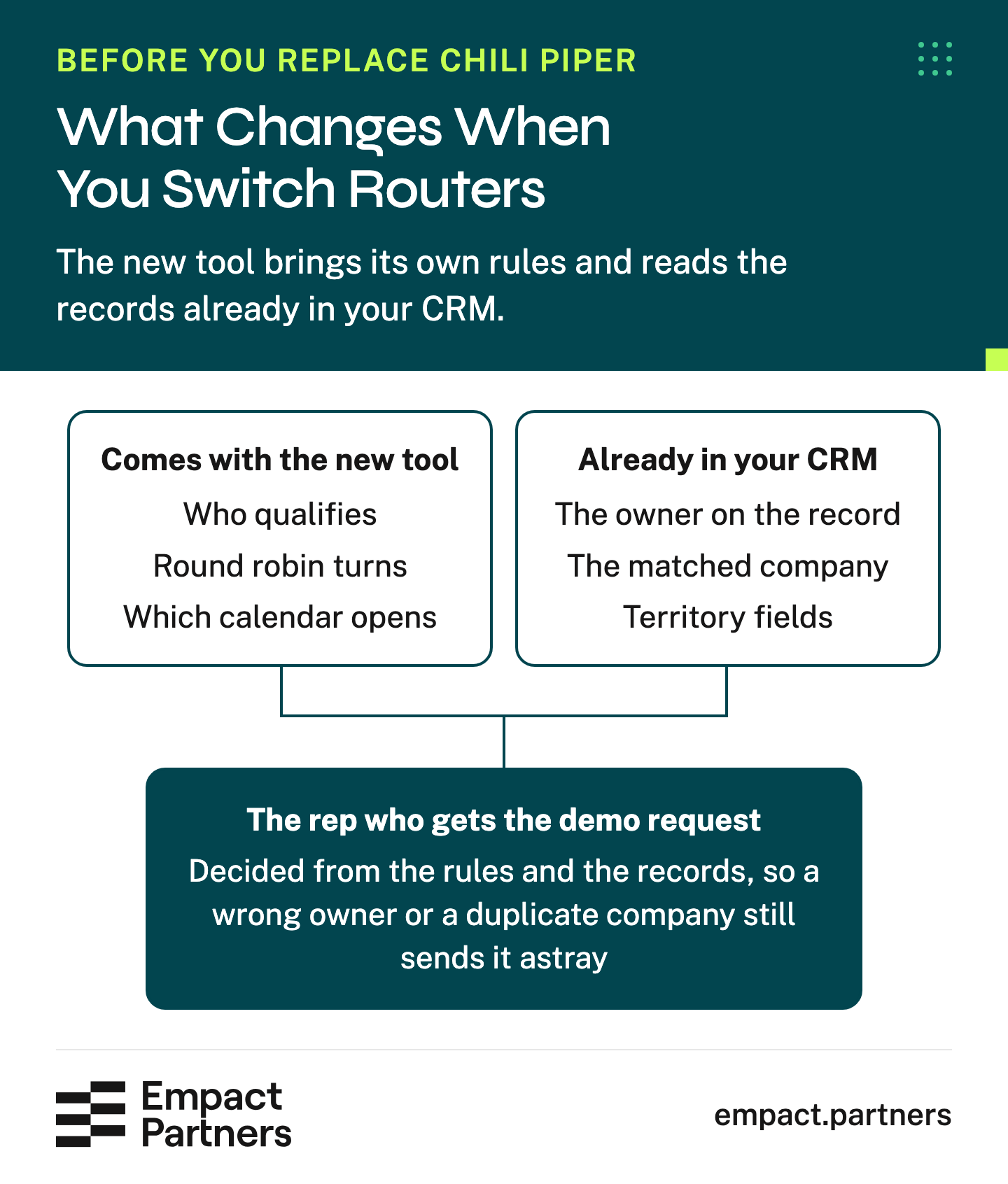
So the work before a switch is on the CRM side. These are the records worth an afternoon before any vendor demo:
- Companies recorded twice, merged only where the websites match
- Open deals and companies with no owner
- Demo requests from free email domains, which no domain match can route
- Territory and segment fields that are blank or out of date
- Reps who left but still own records
Then test the new router before it writes anything back. Practitioners on Reddit describe the same order of work:
Tips from Reddit
How practitioners test a router before it goes live
The failure point is usually data hygiene (domains, duplicates), not the router.
If you still need a dedicated tool, having that rules map makes evaluation 10x easier.
Run it in shadow mode and save both decisions: who the existing router chose, who the new engine would choose, the reason, and the outcome.
A shadow run shows where two routers disagree, and the misroutes you already have show why. Teddy Cipolla, Senior GTM Consultant at Empact Partners, on finding the cause of a misroute before any shadow run:
If you are replacing Chili Piper to stop misroutes, pull ten recent demo requests that reached the wrong rep and find the field that sent each one there. If the field was wrong, the new router will read the same wrong field and send the next request to the same wrong rep.
 Teddy Cipolla on LinkedInOpens in a new tab
Empact Partners can take that cleanup off your team. Our routing work starts like all our RevOps work, with an audit of your systems and the data flowing between them, and then covers this:
- Contacts merged only where emails match, companies only where websites match, the rest checked by a person
- Your forms, calendars and CRM connected, so every team reads the same record of each buyer
- Alerts and reports on which demo requests and deals your team should act on
- Your routing owned by a named senior GTM consultant, on your calls
The audit is the part you can start alone. Our free CRM Health Report reads a CSV (comma-separated values) file exported from your CRM and ranks the duplicates, blank owners and missing fields a router would read. For RevOps partners, the agent behind it checks each new export while the work runs:
Before you cut over, replay last month’s demo requests through the new router in a test setup and compare its owner with the one each request got. Every difference has a reason, and you want to know whether it sits in a record or in a rule before the new tool goes live.
Frequently Asked Questions
Is there a free alternative to Chili Piper?
Not for routing. HubSpot’s free plan gives one personal meetings link with no round robin, and team pages start on Sales Hub Starter 9. Avoma offers a free scheduler for one-to-one booking and sells the Lead Router as a paid add-on 4 6. The free tiers suit a single rep. Routing starts where a second rep, a territory or an existing owner enters the picture.
What do these tools cost for a team of ten reps?
At the prices each vendor’s page showed on 26 November 2026, billed yearly, RevenueHero Advanced comes to $6,108. Avoma comes to about $5,760 if every rep takes an Organization seat and a Lead Router seat. Chili Piper Growth is $15,000 with 15 seats included, and Default Growth is $17,400. HubSpot Sales Hub Enterprise, where its form routing sits, comes to $18,000 plus $3,500 onboarding, unless you already pay for it.
LeanData quotes each deal. Add any enrichment you buy separately before you compare, since Default includes it and the others charge for it or leave it out.
Which Chili Piper alternative works best with HubSpot?
RevenueHero, for most HubSpot teams, because it books off HubSpot forms, routes on HubSpot data and writes the outcome back natively 7. Avoma also routes from HubSpot forms and checks HubSpot owners 5. HubSpot’s own meetings tool needs nothing integrated, but its form routing is on Enterprise only 9. LeanData is built for Salesforce and is the wrong fit here.
Which one works best with Salesforce?
LeanData, when your routing depends on matching new leads to companies already in Salesforce, because it runs inside Salesforce on live records 3. RevenueHero and Default both integrate with Salesforce and suit simpler matching at a lower or more predictable price. HubSpot’s own tools only help if HubSpot is your CRM.
Can we leave Chili Piper before our contract ends?
Chili Piper bills every plan annually and discounts two- to four-year terms 1. Its pricing page does not say what leaving early costs, so read your order form for the end date and any early-exit terms.
Then use the months before that date to clean the CRM and run the new router in shadow mode, comparing its owner with the live one. The new tool goes live on records you have already checked.
How long does a switch take?
The vendors give different answers. RevenueHero says most teams are live in under a week 7. Default’s Enterprise plan includes moving your routing off your current tools 14, and LeanData bills setup and onboarding separately 8.
The booking pages are the quick part. The records the router reads take longer, because a duplicate or a blank owner keeps coming back until the form or import that creates it is fixed.
What do we lose by leaving Chili Piper?
The answer depends on which parts you use. Chili Piper’s plans include a live connection to a rep from the form, follow-up on abandoned forms and no-shows, a Meeting Prep agent, and routing for any lead, contact or custom Salesforce object 1.
Before you sign elsewhere, check your Chili Piper reports for the features your team used last quarter. Then confirm each one exists in the replacement or that you can live without it.
Do we need enrichment at the form?
Only if you want shorter forms or route on data the buyer does not type, such as company size. Default includes enrichment credits on every plan 14, RevenueHero sells a $99 add-on with 500 credits a month 7, and Chili Piper includes AI credits 1.
Avoma’s pricing page names no enrichment, so its router works from what the form and the CRM already hold. Enrichment fills blanks. It does not merge the duplicates that send a lead to two owners.
What about Calendly?
Calendly routes too, from a form on its Teams plan at $16 a seat a month billed yearly, and it suits a team whose rules fit in a dropdown. Its help center says a route on an imported HubSpot form can only use radio buttons, dropdowns and the email domain.
For a Salesforce team the catch is the owner lookup, which needs Calendly Enterprise, from $15,000 a year for 50 seats, on Salesforce Enterprise edition or higher. That is the same starting price as Chili Piper’s Growth plan.
Should routing live in the CRM or in a separate tool?
Keep it in the CRM while your rules are few and stable, since Salesforce assignment rules and HubSpot workflows can assign owners on their own. Move to a dedicated router once special cases pile up, changes start breaking other teams’ rules, or you need booking at the form. Either way, write the rules down first. A written map of who gets which lead makes every vendor demo easier to judge.
What should we fix in the CRM before switching routers?
Start with what changes who gets a lead. Merge companies recorded twice, give every open deal and company an owner, reassign records held by reps who left, and fill or retire stale territory fields. Decide what happens to demo requests from free email domains, which no domain match can route. Our CRM Health Report ranks the duplicates, missing fields and records with no owner from one export, so you know which to fix first.
Sources (15)
- Chili Piper, "Pricing" (2026)↩1↩2↩3↩4current page read 26 November 2026.
- Default, "Announcing Our Series A and $20M in total funding" (2026)↩1↩2
- LeanData, "Scheduling" (2026)↩1↩2↩3↩4↩5↩6current page read 26 November 2026.
- Avoma, "Scheduler and Lead Router" (2026)↩1↩2↩3current page read 26 November 2026.
- Avoma Help Center, "How to configure inbound lead routing in Avoma Scheduler" (2026)↩1↩2↩3↩4↩5↩6current page read 26 November 2026.
- Avoma, "Pricing" (2026)↩1↩2↩3↩4↩5↩6↩7↩8current page read 26 November 2026.
- RevenueHero, "Pricing" (2026)↩1↩2↩3↩4↩5↩6↩7↩8↩9↩10↩11↩12current page read 26 November 2026.
- LeanData, "Pricing and Packaging" (2026)↩1↩2↩3↩4↩5current page read 26 November 2026.
- HubSpot, "Sales Software Pricing" (2026)↩1↩2↩3↩4↩5↩6↩7↩8↩9current page read 26 November 2026.
- HubSpot Knowledge Base, "Create scheduling pages with the meetings tool" (2026)↩1↩2↩3↩4
- HubSpot Knowledge Base, "Redirect a form to a meeting scheduling page, HubSpot page, or external URL" (2026)↩1↩2
- HubSpot, "Free Meeting Scheduler" (2026)↩1↩2↩3current page read 26 November 2026.
- Default, "Modern foundations for go-to-market" (2026)↩1current page read 26 November 2026.
- Default, "Pricing" (2026)↩1↩2↩3↩4↩5↩6current page read 26 November 2026.
- Default, "Integrations" (2026)↩1↩2↩3current page read 26 November 2026.
Keep reading
RevOps 5 Best CPQ Tools for SaaS Subscription and Usage Pricing
Five CPQ tools for SaaS teams, compared by the CRM each one needs and what happens when a usage deal changes mid-contract.

RevOps 5 RB2B Alternatives, Matched to Why You’re Switching
Five RB2B alternatives matched to why teams leave it, from visitors outside the US and EU consent rules to alerts nobody acts on.

RevOps HubSpot vs Salesforce: Pick the CRM Your Team Can Keep Clean
Choose by who will run the CRM each week and what your deals need, then count what AI agent calls will cost on each.