
How to Turn Search Console Data Into a Refresh Sheet With Claude
Pull sixteen months of Search Console data, have Claude sort every post, and keep the merge and retire calls for a person.
 Shanal GovenderWith
 Vlad Shvets
On this page
Empact Newsletter
One email a month on what is working in AI search and SaaS go-to-market.
You have a hundred and fifty posts, a traffic line that has not moved in two quarters, and a plan that says the fix is forty more. Somewhere in the archive is a page Google shows thousands of times to people who never click, two posts answering one question and one Google never indexed. Nobody can say which, because nobody has read the archive as a whole.
Empact Partners starts its content marketing for SaaS companies with the posts they have already published, improving those before writing new ones. Search Console already holds most of what that first decision needs.
A common way in is to export the Pages report, sort it by clicks lost and refresh whatever sits at the top. That misses the page Google stopped showing, the pair competing for one search and the post nobody indexed. It also leaves the riskiest call, which posts to delete, to whoever holds the spreadsheet. We ran the whole job on our own blog to see where the sort breaks:
Below, Claude Code does the sorting in seven prompts, at $8.18 in API rates, and a person makes the calls it cannot. You need four things on your side and one from whoever runs your Google Cloud:
This decides what happens to each post. It does not rewrite one, and it cannot see what Search Console cannot, such as which posts bring in sign-ups.
Pulling Sixteen Months of Search Console Data
The sheet is only as good as the export under it. So the first step pulls every page by month, and every page and query pair Search Console will give, straight from the API.
Step 1: Have Claude Code write the export
Create a new folder, make it a git repository and start Claude Code inside it. Then ask for the script, with your own property and blog path in place of ours:
Write a Python script called pull_gsc.py that exports my blog's Google Search Console data into two CSV files in a folder called data.

- Property: sc-domain:empact.partners. Only pages whose URL contains /empact-zone/.
- Dates: take --start and --end (YYYY-MM-DD). Split the range into calendar months, cutting the first and last month at the start and end dates.
- data/pages_by_month.csv: one row per page per month, with month, page, clicks, impressions, ctr and position. Ask the API for each month separately, so the position is Google's own figure for that month.
- data/queries_by_month.csv: one row per page, query and month, with the same columns.
- Use the Search Console API through google-api-python-client. It returns at most 25,000 rows a request, so page through with startRow until a request comes back empty.
- Sign-in: if token.json exists, load it. If not, run the installed-app OAuth flow with client_secret.json, read-only scope, and save token.json.
- When it finishes, print the row count of each file and the total clicks and impressions in each.

Do not run it. I will run it with my own sign-in.
Claude wrote pull_gsc.py and stopped, as asked. Install the packages it names, put the credentials file in the folder and run it with your dates. The first run opens a browser to sign you in and saves token.json for the next one, so keep both files out of git.
pip install google-api-python-client google-auth-oauthlib google-auth-httplib2
python3 pull_gsc.py --start 2025-07-16 --end 2026-11-15
Ours came back with 483 rows of pages by month and 6,561 rows of queries by month. Sixteen months is all Search Console keeps, and it is enough for the comparison Google suggests when traffic drops, the last three months against the same three a year earlier 1.
Then compare the two totals the script prints, because they will not match. Our query file carried about a fifth of the clicks in the page file and two fifths of the impressions. Search Console leaves rare, anonymized queries out of query-level data 2, and grouping by page and query drops more 4.
Claude warned about it before anything ran. Take every total from the page file, and use the query file only to see what each page is shown for.
Writing the Rules and Running the First Pass
With the data in the folder, you write the rules Claude applies to it. Claude Code reads a plain text file named CLAUDE.md at the start of every session, so the rules written there are in front of it for every prompt that follows. You still check that it followed them.
Step 2: Write CLAUDE.md before Claude touches the data
Below is our file as it ended the run. Three parts came later, each from a mistake the first passes made: the cleaning section, the five-impression floor and signal 5. With this file your first pass already has those fixes, so steps 3 and 4 tell you what to check, through what went wrong in ours.
# Content refresh sheet

You are helping a content lead decide what happens to every post on the blog: refresh it, merge it into another post, leave it alone, or hand it to a person who decides whether it should be retired.

## The data

- `data/pages_by_month.csv`: Search Console, one row per page per month. Use it for every click and impression total.
- `data/queries_by_month.csv`: one row per page, query and month. Search Console leaves out anonymized queries, so these rows add up to less than the page totals. Use it to see which queries a page is shown for, never for totals.
- The export ends on 15 November 2026, so November is half a month. Leave it out of every comparison.
- "Recent" is the last three full months (August to October 2026). "Before" is the three months before them. "A year ago" is the same three months in 2025, where the page has them.

## Clean the data first

- One page, one row: treat `empact.partners` and `www.empact.partners` as the same address, and ignore a trailing slash.
- A query is noise when it contains a URL, a search operator (`site:`, `-site:`, `inurl:`), our own brand name (Empact, Empact Partners, Empactful) or a cracked or pirated product. Leave noise out of the top queries and out of signal 4.
- A query with fewer than 5 impressions in its window says nothing about what the page is shown for. Leave it out of signal 4.
- A page with a single impression in the whole file is a stray address, not a post. Put it in the sheet as leave, with the reason "stray address".

## Too new to judge

A page with impressions in fewer than six full months is too new to judge. Its decision is leave, and the reason says so.

## The signals

1. **Clicks falling while impressions hold.** Recent impressions are at least 80% of before (or of a year ago, where it exists) and recent clicks are 70% of that window or less. Only count it when the earlier window had at least 10 clicks. Below that, the change is noise.
2. **Just off page one.** Average position over the recent months between 8 and 20, weighted by impressions, with at least 300 recent impressions.
3. **Shown for queries it does not answer.** You cannot see the pages from these files. For every page you judge, write its five biggest recent queries into the sheet, and I will ask you to check them against the live page.
4. **Best query changed.** The page's top query by impressions in its first three months with data is not its top query in the recent months, and the two are not the same question in other words.
5. **Impressions falling.** Recent impressions are 60% of before or less, and before had at least 1,000. A page Google shows less and less is the one to look at first, whatever its clicks.

## Merges

Two pages compete when they share their top recent query, or when more than half of one page's recent query impressions come from queries the other page is also shown for. The page with more clicks over the whole file keeps its URL (more impressions breaks a tie). The other one is the merge candidate, and its row names the page it goes into.

## Decisions

- **refresh**: at least one signal fired and the page still earns impressions.
- **merge**: the page competes with a stronger one. Name the page it goes into.
- **leave**: too new to judge, or no signal fired.
- **person decides**: you may not decide that a page should be retired. If a page looks like it should go (no clicks in the whole file and fewer than 100 recent impressions, or nothing in its queries that the business sells), write "person decides" and why. A person makes that call.

## The output

Write `refresh-sheet.csv` with one row per page: page, decision, signals, reason, recent impressions, recent clicks, recent position, before impressions, before clicks, months with data, top recent queries, merge into. The reason is one sentence a content lead could read out in a meeting. Sort it: refresh first by recent impressions, then merge, then person decides, then leave. Save the code you use as `build_sheet.py`, so the same sheet can be built again next quarter.
Change the property, the dates and the brand names to yours, and keep our thresholds until your own first pass shows they are wrong for your blog. Change them in this file when it does, never in a prompt.
Read the person decides line twice. Claude may not retire a page. An address is where a post’s links point and where its rankings sit, and deleting it throws both away, so the most the model may write is “person decides” and why.
Step 3: Run the first pass, then count the pages
Commit the folder, then ask for the sheet:
Read CLAUDE.md, then build refresh-sheet.csv from the two files in data/. When you are done, tell me how many pages got each decision, which rows you were least sure about and why, and anything in the data that made a rule hard to apply.Claude wrote build_sheet.py and reported 110 pages: 9 refresh, 0 merge, 12 person decides and 89 leave. Its own doubts were the useful part. Several top queries were junk, from our own brand name to a string of search operators, and the biggest page on the blog sat on leave because of the age rule.
Then count the pages. Ask Claude how many distinct pages the page file holds once the www and non-www addresses and the trailing slashes are joined, and check that the sheet has a row for each. Ours held 168 against the sheet’s 110. Claude had filtered out the half month of November before it collected the pages, so 58 pages whose only rows were from November never reached the sheet.
The first pass looked finished and had dropped 58 of our 168 pages without a word.
We added the cleaning rules to CLAUDE.md and asked for a rebuild that named every row it moved. It held all 168: 8 refresh, 0 merge, 12 person decides and 148 leave, nine of them addresses with a single impression, six of those typo slugs. Most of the other leaves are the age rule at work, because our blog is young. Of 168 pages, 145 had fewer than six full months of data:
How Many Full Months of Data Each Page on Our Blog Had
168 pages on our blog, Google Search Console, 16 July 2025 to 15 November 2026
View the data
| Label | Value |
|---|---|
| Only November | 58 |
| 1 month | 72 |
| 2 to 5 months | 15 |
| 6 to 11 months | 18 |
| 12 to 16 months | 5 |
That rule is right for most rows and wrong for one. chatgpt-vs-google-ai-mode had 66,102 impressions in the last three months, and with four full months of history it stayed on leave. Write every page like it into decisions-person.md, the file a person keeps in Step 5, so somebody looks at it anyway.
The Blog Audit runs a first pass like this on 25 of your own posts and gives each a verdict, from keep to cut, along with the next thing to do about it. It is a free preview, and its full version runs inside the content work we do for partners.
Step 4: Check every flagged page against the live page and today’s results
Signal 3 needs the page itself, and every refresh call deserves a look at what ranks today. Ask Claude for both, and keep the decisions for yourself:
Now check the refresh rows against the live pages, plus the two biggest pages the rules left alone: chatgpt-vs-google-ai-mode and google-algorithm-penalty.

For each page:
1. Open the live page and read it. For each of its five biggest recent queries, say whether the page answers it: yes, partly or no, with the heading or sentence that answers it, or what is missing.
2. Search the page's top recent query and say what kind of page ranks first today (a guide, a tool, a vendor's product page, a forum thread, a news story), and whether ours is that kind of page.
3. Say whether the row's decision still stands, and why in one sentence.

Write it all to page-checks.md, one section per page. Then add a column called "checked" to refresh-sheet.csv with one short line for each page you checked. Do not change any decision in the sheet: I make those calls after reading your notes.
Claude read ten pages and searched each one’s top query. Of the eight refresh rows, it judged one sound, two sound with a caveat or at low priority, and five wrong. The five teach the most, because reading the page caught what the sheet’s columns did not:
Scroll horizontally to see all columns when the table is wider than this page.
| Page | Why the refresh call did not hold |
|---|---|
| chatgpt-software-recommendations | The “changed” top query was the old one reworded, and the page already ranked 5.5 for it. |
| existing-article-outreach | The signal rested on an off-topic query with 10 impressions. |
| the-zero-sum-game-of-ai-recommendations | Every query it compared had a single impression. |
| vc-funded-vs-bootstrapped-saas-gtm | The new query asked how to value a bootstrapped company, which is a different reader. |
| reddit-marketing | The new query was about Reddit karma, typed by Reddit users rather than buyers. |
The check also found what the rules had missed. google-algorithm-penalty, our guide to diagnosing a Google traffic drop, lost 62% of its impressions in three months, from 18,555 to 7,122. None of the four signals tests for a page Google shows less.
So we added signal 5 and the five-impression floor and asked for another rebuild. That page went to the top, and three refresh rows whose only signal came from queries under five impressions went back to leave: 6 refresh, 0 merge, 12 person decides, 150 leave.
Making the Calls the Rules Cannot Make
Every row now has a decision and a reason. Some of the decisions depend on facts a Search Console export does not hold, which is where a person takes over.
Step 5: Read the sheet as a person and write down each call
Open refresh-sheet.csv in Google Sheets or Excel beside page-checks.md, and read it for what the numbers cannot show:
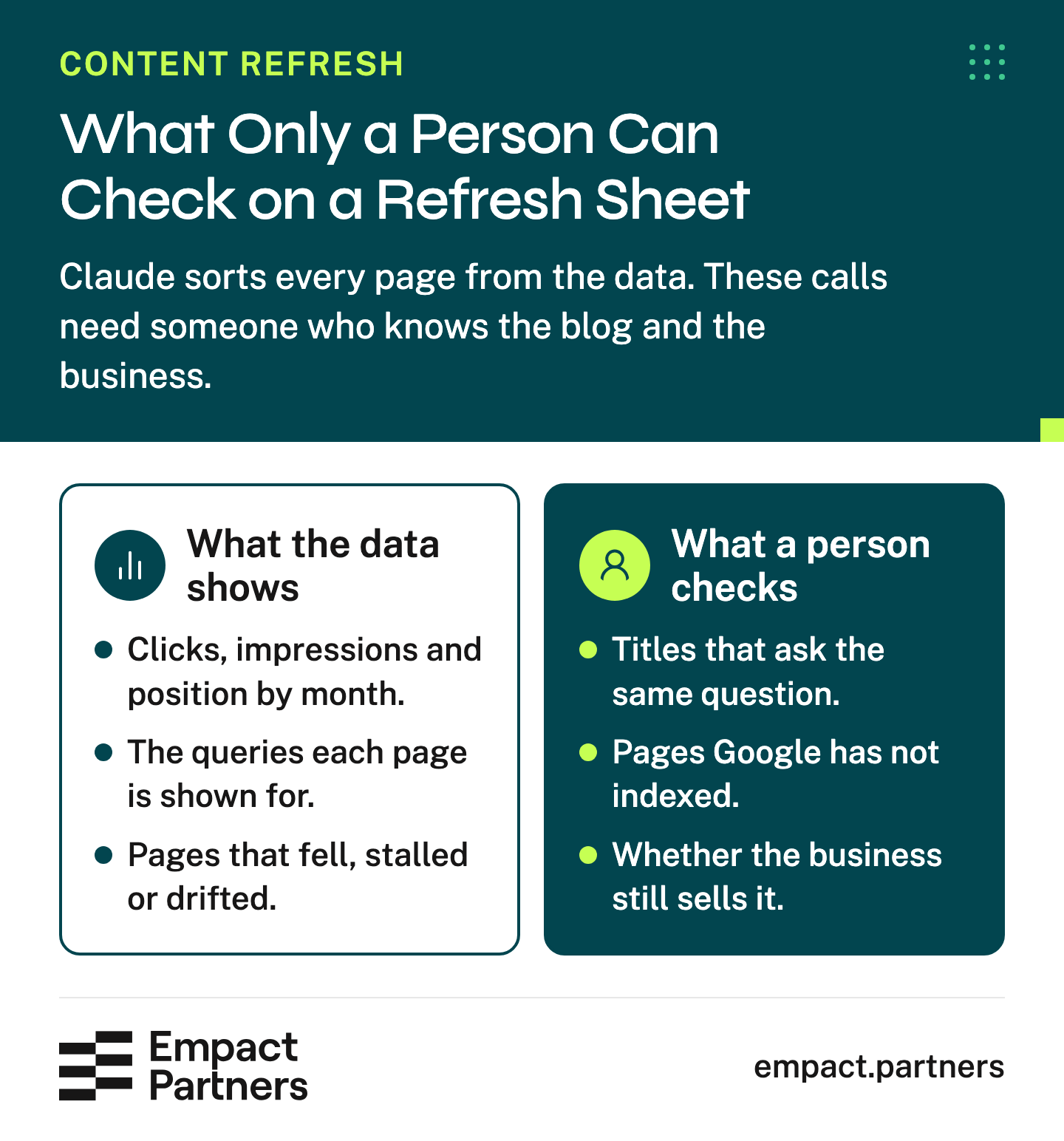
Write each call into decisions-person.md with its reason, and commit it, so the next rebuild carries it over. These are the calls a person made on our sheet:
Scroll horizontally to see all columns when the table is wider than this page.
| Page | The sheet said | The call | Why |
|---|---|---|---|
| google-algorithm-penalty | refresh | refresh, first | Impressions fell from 18,555 to 7,122. Audit it before anyone rewrites it. |
| mentions-vs-backlinks | person decides | merge | It asks the same question as a stronger post, under another title. |
| generative-engine-optimization-geo | refresh | leave, and add a link | Its queries ask for software, which another of our posts covers. |
| decoding-developers-writing-that-speaks-their-language | person decides | check the index first | No impressions in three months. Step 7 runs that check. |
| reddit-marketing | refresh | refresh | We first wrote leave, on the karma queries. Claude pointed out that its impressions fell from 1,792 to 251, a reason of its own. |
| Ten other “person decides” rows | person decides | keep | Each is about work we sell and has less than a year of data. |
The merge is the call no rule found. mentions-vs-backlinks had too little query data to overlap with anything. Its title and the title of do-backlinks-still-matter-saas-ai-search still ask the same question about backlinks and brand mentions. The second keeps its address under the rule in CLAUDE.md, since it has the clicks and the other has none, and it sits at position 8.0 on 777 recent impressions.
None of the twelve retire candidates was retired. The rules flagged all twelve on clicks and impressions, and what settled each one was outside the export:
Twelve posts on our sheet came back as candidates to retire, and not one deserved it. One belonged inside a stronger post, one turned out to be a page Google had not indexed, and ten were young posts about work we sell. A title, an index status and what the business sells are not columns in a Search Console export, which is why the model is never allowed to choose retire.
 Shanal Govender on LinkedInOpens in a new tab
Practitioners who sort old posts by hand also put a person at that point, and start from the pages that already get impressions:
Tips from Reddit
What practitioners say about choosing what to fix
I recommend focusing on content that is important/valuable and already getting some traction on Google. By the latter part, I mean content with decent impressions but a low click-through rate.
But basically, every year someone's going back and reading all the content that's out there and figuring out what to do with it - leave it, scrap it, work on it.
A merge is not a retirement, because the merged post’s content and links live on in the stronger one. It still takes a post off the blog, so it goes first, before any new writing.
Brame’s blog started that way with us in early 2023. We pruned and revamped the old posts before writing anything new, and only then filled the topic clusters that mattered. Organic traffic grew 700% within 12 months.
Step 6: Write the redirect plan before anything is deleted
A merge is two jobs, and their order is the whole point. Never publish a new post and delete the old one, because the old address holds the links and the rankings that made the merge worth doing. Our fifth prompt asked for the plan before anything moved:
3. For the merge, write redirects.csv before anything is deleted: the address that goes, the address it goes to, the status code, and every page on the blog that links to the address that goes, with the sentence the link sits in. Find those links by reading the sitemap at https://www.empact.partners/sitemap.xml and fetching every /empact-zone/ page in it with curl. Do not use the summarising fetch tool for this: I need the real links.
4. Tell me what has to happen, in order, for the merge to be safe.
Claude fetched all 211 pages under our blog’s path, posts, author pages and index pages included, and saved the crawl as find_links.py so it can run again. It found 13 links to the post being merged, from 12 pages. Seven sit inside a sentence, so a person checks each one, and some need new words as well as a new target:
Scroll horizontally to see all columns when the table is wider than this page.
| Page that links to it | Link text | What has to change |
|---|---|---|
| ai-citation-concentration-statistics | mentions versus backlinks | The sentence names the old post, so it needs new words as well as a new target. |
| choose-sites-worth-a-mention | whether it links or not | Only the target changes. |
| saas-blog-200-articles-no-leads | mentions across the web | Only the target changes. |
The other six are cards and listing pages. Claude set out the order that keeps the merge safe:
The merge, in the order that keeps what the old post earned
Fold in what only the old post has.
Move anything the weaker post says that the stronger one lacks, in the same edit as the stronger post’s own refresh, so it is rewritten once.
Repoint the sentence links.
Point all seven at the surviving post, and reword any sentence that only made sense with the old title.
Add the 301.
A permanent redirect from the old address to the new one, which Google reads as the signal that the new page is the one to show 7. Check it with curl -I before you go on.
Unpublish the old post.
Only now, and then check that every card and listing page has dropped it.
Crawl again.
Run find_links.py against the live site and expect no links to the old address.
Keep the redirect.
Leave it in place and watch the surviving post in Search Console for the weeks after.
Nothing on our live blog moved in this run. The plan sits in the folder, and the merge waits for the refresh of the post it goes into. Writing the plan first means nothing is deleted before you know what points at it, and the internal links are easy to forget until a crawl shows them.
Auditing the Top Row Before Anyone Rewrites It
The top row of the sheet is where the next writer’s week goes. So it gets a full audit before anyone edits it, which is the second half of this job.
Step 7: Inspect the page and write its audit
Our sixth prompt asked for one more script, which calls Search Console’s URL Inspection API with the same sign-in:
1. Write inspect_urls.py: it takes page addresses as arguments and asks the Search Console URL Inspection API about each one, with the same token.json as pull_gsc.py, and saves the answers to data/inspection.json. Do not run it. I will.The API allows 2,000 inspections a day for each property 8, so run it on the rows you are about to act on. Ours takes full addresses or, as here, slugs under the blog’s path:
python3 inspect_urls.py google-algorithm-penalty decoding-developers-writing-that-speaks-their-language mentions-vs-backlinks do-backlinks-still-matter-saas-ai-searchWith the answers saved in data/inspection.json, hand Claude the audit. It reuses the crawl from Step 6 for the links:
data/inspection.json is there. Write the audit of google-algorithm-penalty to audit-google-algorithm-penalty.md, as one page a writer reads before touching the post. Cover what the files can show: its rankings by query over time, what kind of page wins its main query today, its technical health from the inspection, and the links that point to it from our own pages. End with what the refresh should change and what it must leave alone, and say plainly what you could not check. Do not edit the post.The inspection settled the open call first. decoding-developers-writing-that-speaks-their-language came back “Crawled - currently not indexed”, last crawled on 25 June 2026. Its missing impressions say nothing about whether readers want it. It stays, and the next check is why Google left it out. The other three were indexed.
The audit of google-algorithm-penalty found a slow slide, not a cliff. Its impressions stayed above 10,000 a month from January to April 2026, then fell every month to 2,125 in October. Its average position, pulled down by the head term “google penalty” at about 45, went from 7.3 in March to 33.2:
Monthly Search Impressions for the Top Row of Our Sheet
One post on our blog, Google Search Console, September 2025 to October 2026
View the data
| Label | Value |
|---|---|
| Sep 25 | 788 |
| Oct 25 | 1611 |
| Nov 25 | 2243 |
| Dec 25 | 5307 |
| Jan 26 | 12,563 |
| Feb 26 | 10,392 |
| Mar 26 | 12,500 |
| Apr 26 | 10,101 |
| May 26 | 7514 |
| Jun 26 | 7234 |
| Jul 26 | 3807 |
| Aug 26 | 2863 |
| Sep 26 | 2134 |
| Oct 26 | 2125 |
The page itself was healthy. Google had it indexed, its canonical matched ours, and Google crawled it on 11 November. What moved were the queries about recovering:
Scroll horizontally to see all columns when the table is wider than this page.
| Query | Position, February to April 2026 | Position, August to October 2026 |
|---|---|---|
| how to recover from a google penalty | 8.2 | 24.3 |
| recover from google penalty | 9.0 | 28.8 |
| algorithmic penalty | 5.9 | 5.5 |
The recovery queries fell off page one, and the page has a section on how long recovery takes but none on how to recover. Its title tag and heading never use the word penalty, though its address does. Six internal links point to it, and only two sit in a sentence, both on generic words like “diagnosing the drop”.
The visible queries account for only about 17% of the lost impressions, and the audit said so plainly instead of guessing at the rest. The Search Console API has no manual actions resource 11, so that report is the first screen to open by hand. The audit ends on what the rewrite should change and what it should leave alone, which is the brief whoever rewrites the post starts from:
What the rewrite of the top row starts from
- Open the Manual Actions report in Search Console and confirm it is clear
- Add a recovery section for the queries that fell
- Write a title that names what the page is found for
- Leave the sections that hold “algorithmic penalty” at position 5 or 6 alone
- Add links from posts about penalties and recovery, on words those posts already use
A finished sheet still leaves the calls and the rewrites, which is where the weeks go. When Empact Partners takes on a blog like this, we decide what stays and what folds together first, because every rewrite after that depends on which posts survive. The work includes:
What working with us on your blog includes
- An audit of what you have published, and a roadmap built from it before any content calendar
- Rewrites written with your team, by people who learn your product first
- Standing reports on how the refreshed posts perform, with a first step beside every recommendation
For the rewrite itself, our refresh tutorial in Claude Code takes one post at a time, and a row’s audit makes a ready brief for it. To measure what the changes do once they ship, use the playbook, which takes the same decision across every article you have published and shows how to count the sign-ups it adds:
One row deserves a date in your calendar. Our biggest page, chatgpt-vs-google-ai-mode, sits on leave with four months of history while its clicks fell from 129 in September to 100 in October. In January it has the six months the rules ask for. Look for its twin on your own sheet, young and already large, and put a date beside it, so someone rebuilds the sheet and reads that row the month it qualifies.
Frequently Asked Questions
How often should we rebuild the refresh sheet?
Once a quarter suits most blogs, because the recent window is three months and a shorter gap compares a page with itself. Before each run, move every date in CLAUDE.md forward: the export’s end, the recent window, the window before it and the year-ago window. Then run pull_gsc.py with the new dates and build_sheet.py.
The person’s calls carry over from decisions-person.md, but read them again too. A live page, what ranks above it or what you sell can change even when its numbers do not.
Can we do this with the Export button instead of the API?
For a quick look at page totals, yes. The Performance report’s table stops at 1,000 rows 2, which covers a small blog’s pages but not its page and query pairs, and signals 3 and 4 read those pairs.
The API returns up to 25,000 rows a request and pages through what is left of the rows it will return 3. If you want history beyond sixteen months, Google’s advice is to pull the data through the API or a bulk export and store it yourself 1.
Could we run this in a Claude Project instead of Claude Code?
You can upload the two exported spreadsheet files (CSV) and CLAUDE.md to a Project and ask for the sheet in a chat. We ran it in Claude Code because the pull, the crawl for internal links and the URL inspection are scripts that run on your machine with your own sign-in. Every pass also lands as a git commit you can compare with the last one.
What does this cost to run?
Every paid Claude plan includes Claude Code. Pro is $20 a month, or $17 a month on a yearly plan 9. Our seven prompts came to $8.18 at API rates, as Claude Code reports it, and about 25 minutes of model time. The Search Console API runs within daily limits 8, and our run stayed far inside them. Most of the cost is your own time reading the flagged rows.
Does this work on a blog with only a few dozen posts?
It works, but a small or young blog gives the rules fewer rows they can judge. Our blog had 23 pages with the six full months the rules need, and signal 1 never fired, because no page had 10 clicks in the earlier window.
A blog like that leans on signals 2 and 5 and on the person’s read. Lowering the floors makes more rows fire, and on our blog the rows below them were noise. Signal 3 needs the queries a page is shown for rather than a long history, so it is the one worth running by hand on a young page that matters.
Should we delete posts that get no traffic?
Not on traffic alone. First check that Google has indexed the post, which links point to it and whether it covers something you sell. Google says its ranking works page by page and also uses site-wide signals 6, and that removing a lot of older content to make a site seem fresh will not help 5.
If a post does go, redirect it to the closest page that answers the same reader, so its links still land somewhere useful.
How do we merge two posts without losing what they earned?
Keep the address with more clicks over the sixteen months, and fold the weaker post’s useful material into it. Repoint every internal link that sits in a sentence, add a 301 from the old address, and only then unpublish the old post 7. Crawl your own blog afterwards to confirm nothing still links to the address that went. Never publish a fresh post and delete both originals.
Should a refreshed post get a new date?
Only when its content changed in substance: a new section, new evidence, an answer it did not give before. Showing the original publish date beside a last-updated date tells readers both things. Moving the date after a cosmetic edit is one of the warning signs Google gives for pages made for search engines rather than readers 5.
What does “Crawled - currently not indexed” mean for a post on the sheet?
Google fetched the page and chose not to include it in its index, so it earns no impressions and looks dead on the sheet. It is a page to fix before anyone judges it. Improve what it offers, ask Google to recrawl it from URL Inspection in Search Console, and give it a few months of data before its next row.
Can we filter out branded searches automatically?
Sometimes. The Search Console API gained a branded and non-branded filter on 21 February 2026, for top-level properties with enough query and impression volume 3. A property below that line, like most young blogs, does the same job with a rule in CLAUDE.md that names the brand’s own spellings, as ours does.
Keep branded rows out of the signals either way, because a page shown for your own name says nothing about whether it answers anyone else.
When does a refresh backlog need a consultant?
When the sheet is finished and the person’s column is still empty, or when the top rows need research and rewriting that nobody on your team has the weeks for. Either one means the backlog has outgrown a side project, and the person’s column needs an owner with the time to fill it.
Sources (11)
- Google Search Central, "Debug Google Search Traffic Drops" (2025)↩1↩2last updated 10 December 2025.
- Google Search Console Help, "Performance report (Search results): Troubleshooting data discrepancies" (2026)↩1↩2↩3read 17 November 2026.
- Google Search Console API, "Search Analytics: query" (2026)↩1↩2↩3last updated 16 November 2026.
- Google Search Console API, "Getting your performance data" (2025)↩1last updated 28 August 2025.
- Google Search Central, "Creating helpful, reliable, people-first content" (2026)↩1↩2↩3last updated 5 October 2026.
- Google Search Central, "A guide to Google Search ranking systems" (2025)↩1last updated 10 December 2025.
- Google Search Central, "Redirects and Google Search" (2026)↩1last updated 16 November 2026.
- Google Search Console API, "Usage Limits" (2025)↩1↩2last updated 28 August 2025.
- Anthropic, "Plans & pricing" (2026)↩1read 17 November 2026.
- Empact Partners, "Search Console export for our own blog, 16 July 2025" (2025)Empact Partners' own data↩1↩2↩3to 15 November 2026, and the Claude Code run on it, 17 November 2026.
- Google Search Console API, "API Reference" (2024)↩1last updated 23 July 2024.
Keep reading
Content Marketing How to Build a Content Refresh Workflow in Claude Code
Build a content refresh workflow in Claude Code, with review stops, evidence checks and a person responsible for publishing.
Content Marketing How to Create Product Tutorials That Help Users Finish the Task
Choose the right user task, test every step and keep product tutorials current as your SaaS changes.

Content Marketing How to Fix a SaaS Blog With 200 Posts and No Leads
Two hundred posts and no demo requests? How to give every post in a SaaS blog a verdict, and what a post needs before it brings leads.